

You are using an out of date browser. It may not display this or other websites correctly.
You should upgrade or use an alternative browser.
You should upgrade or use an alternative browser.
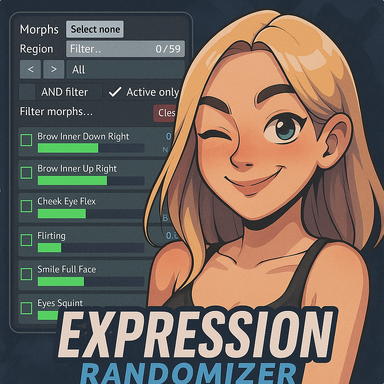
Plugins + Scripts Expression Randomizer 2
- Thread starter VamTimbo
- Start date


there seems to be a bug where the person atom is not playing expression animation from the plugin, but during saving of the scene, the expression is suddenly turned on. Thus you can't save the scene without the expression already playing. not sure what is causing this
For example, see below for difference between before saving and after savingthere seems to be a bug where the person atom is not playing expression animation from the plugin, but during saving of the scene, the expression is suddenly turned on. Thus you can't save the scene without the expression already playing. not sure what is causing this
Nice plugin Vamtimbo! Well done!
However I am probably missing something here, but I cannot use this plugin until I figure this out.
I thought that the plugin would randomize expression within a selected list, but in fact it does not, it mixes the expressions.
Example:
For a testing purpose, I have two expression only
1. Happy
2. Sad
I thought that the toon expression would be happy ...OR sad. But no, the system will commonly used both at the same time, making the whole thing really weird looking. Is there a way to force a single expression at the time? I personally think that it is necessary to be usable. Full face expression cannot be mixed, it deforms the face.
However I am probably missing something here, but I cannot use this plugin until I figure this out.
I thought that the plugin would randomize expression within a selected list, but in fact it does not, it mixes the expressions.
Example:
For a testing purpose, I have two expression only
1. Happy
2. Sad
I thought that the toon expression would be happy ...OR sad. But no, the system will commonly used both at the same time, making the whole thing really weird looking. Is there a way to force a single expression at the time? I personally think that it is necessary to be usable. Full face expression cannot be mixed, it deforms the face.
Last edited:
I'm having an issue when using the morphs AA Eyes Wink L and R. When I load the scene they loop nonstop and I can only get it to behave as I've set it (3% chance, 0.5 duration scale, 8 speed multiplier) by going into the plugin and clicking the gear next to either of them. Can't seem to use any triggers when loading a scene to stop it from starting. Even once they are behaving if I uncheck "Play" and then recheck it they revert to constantly looping. Only solution I've found is to not use the morphs at all.
Perhaps some checkbox under an expression would be nice, like "this is full face morph", and if you select that option for multiple morphs, those morphs would be appearing only one at a time?Nice plugin Vamtimbo! Well done!
However I am probably missing something here, but I cannot use this plugin until I figure this out.
I thought that the plugin would randomize expression within a selected list, but in fact it does not, it mixes the expressions.
Example:
For a testing purpose, I have two expression only
1. Happy
2. Sad
I thought that the toon expression would be happy ...OR sad. But no, the system will commonly used both at the same time, making the whole thing really weird looking. Is there a way to force a single expression at the time? I personally think that it is necessary to be usable. Full face expression cannot be mixed, it deforms the face.
I also have suggestion: would be nice if you could force idle value of the morph, e.g. I want to have mouth open sitting at 0.5 and then alternate between 0.2-0.7 for example when the plugin kicks in. From what I've seen, if you set any values, it will force your morph to sit at 0 if not being randomized.

Hey VamTimbo, great work on the plugin... one of my favorites. Question... when I save an expression group (to slots 1-6), they don't show up when I load the plugin in a new scene. When I click on File... my preset folder is empty, nor does anything keep in slots 1-6. It seems the plugin reverts to a default state each new time. What am I doing wrong?
I think there's a problem with setting unique min/max values for each slider. If I set the slider to 1 for a specific slider, and then set the max slider to 0.3 for another slider, ALL of the sliders including the one I had just set to a max of 1 also get set to a max of 0.3.
Edit: It only does this if you open up one of the other sliders. It then sets it to the value of the slider you last had selected. So you can avoid it by never opening another slider you've already edited.
Edit: It only does this if you open up one of the other sliders. It then sets it to the value of the slider you last had selected. So you can avoid it by never opening another slider you've already edited.
Last edited:

VamTimbo updated Expression Randomizer 2 with a new update entry:
Misc Bug Fixes
Read the rest of this update entry...
Misc Bug Fixes
Too many little things to list - the plugin is more stable - some quirks were ironed out.
Read the rest of this update entry...
Is there any way I can simply load this as a plugin preset and keep the settings without needing to manually open the plugin and load the preset? I usually like to change scenes often, so if I need to manually open each plugin I use and set it up again, it wastes a lot of time.
I figured out how to do it. The AI told this, I have no idea what that means, but it fixed it.
ExpressionRandomizer already uses this exact same registration pattern for almost all its settings, and even has a NewStorableBool()/NewStorableFloat() helper that registers a storable, marks it storeType = Full, and adds it to an "always store" list so it survives serialization — this is precisely the reference plugin's technique, just wrapped in a helper.
However, one real, user-facing setting — the "Remove Paid Morphs" filter toggle — was constructed with a plain new JSONStorableBool(...) instead of that helper. It was never RegisterBool'd and never added to the always-store list, right next to sibling settings (_randomChancesForTransitionsJsb, _chanceToTriggerJsf) whose comments explicitly say "Registered + always-stored so they actually persist in scenes/presets." This looks like a simple oversight — the developer fixed the pattern for its siblings but missed this one field. As a result, this toggle silently reset to its default every time a plugin preset (or a scene) was saved and reloaded.
One-line change in Init():
csharp
// before
_removePaidMorphsJsb = new JSONStorableBool("Remove Paid Morphs", false, (JSONStorableBool.SetBoolCallback)null);
// after
_removePaidMorphsJsb = NewStorableBool("Remove Paid Morphs", false);
This registers it, sets storeType.Full, and adds it to _alwaysStoreBoolParams — exactly the same treatment its neighboring settings already get, and functionally equivalent to the reference plugin's RegisterBool approach. Nothing else changed: the custom preset system (PresetHandler.cs, RestoreFromPresetJSON), the morph-limits/timing/chance JSON blocks, and all other logic are untouched.
What was wrong in the target plugin
ExpressionRandomizer already uses this exact same registration pattern for almost all its settings, and even has a NewStorableBool()/NewStorableFloat() helper that registers a storable, marks it storeType = Full, and adds it to an "always store" list so it survives serialization — this is precisely the reference plugin's technique, just wrapped in a helper.
However, one real, user-facing setting — the "Remove Paid Morphs" filter toggle — was constructed with a plain new JSONStorableBool(...) instead of that helper. It was never RegisterBool'd and never added to the always-store list, right next to sibling settings (_randomChancesForTransitionsJsb, _chanceToTriggerJsf) whose comments explicitly say "Registered + always-stored so they actually persist in scenes/presets." This looks like a simple oversight — the developer fixed the pattern for its siblings but missed this one field. As a result, this toggle silently reset to its default every time a plugin preset (or a scene) was saved and reloaded.
The fix
One-line change in Init():
csharp
// before
_removePaidMorphsJsb = new JSONStorableBool("Remove Paid Morphs", false, (JSONStorableBool.SetBoolCallback)null);
// after
_removePaidMorphsJsb = NewStorableBool("Remove Paid Morphs", false);
This registers it, sets storeType.Full, and adds it to _alwaysStoreBoolParams — exactly the same treatment its neighboring settings already get, and functionally equivalent to the reference plugin's RegisterBool approach. Nothing else changed: the custom preset system (PresetHandler.cs, RestoreFromPresetJSON), the morph-limits/timing/chance JSON blocks, and all other logic are untouched.


