ENSEMBLE

Plugins + Scripts ENSEMBLE

Download [<1 MB]
Joined
Feb 12, 2026
Messages
4
Reactions
9
<Nightraven> submitted a new resource:

ENSEMBLE - Ensemble: pose the whole cast at once, and reuse every pose with new people.

Ensemble – save and load poses for a whole group of atoms


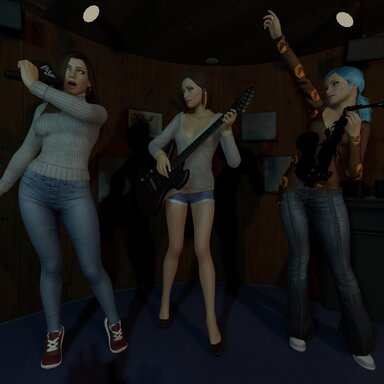
Pose several atoms at once, save it as ONE pose, and bring it back with a single click. Persons, props, CUAs, lights – anything in your scene can be part of a group. Build a library of group poses, and reuse every pose with completely different people.


Features


  • Groups of any atoms. Add atoms one by one, add the selected atom, or add everything in the scene. Save the group under a name and pick it...

Read more about this resource...
 
Thanks a lot for this work, but I was unable to understand how to use it even reading ten times your instructions, please would you make a demo video? Thanks a gain! 😉
 
<Nightraven> updated ENSEMBLE with a new update entry:

ENSEMBLE v2

Ensemble v2 – update notes


New:


  • Instant screenshot camera. Saving a pose (or pressing “New picture…”) opens VaM’s screenshot camera right away, so you can pick the angle and FOV before the shot. The picture goes straight into the pose’s folder, cropped to 16:9. Nothing is left behind in the screenshots folder.
  • Play poses one by one. A Play/Stop button under the picture gallery steps through the group’s poses automatically. Choose 2, 5 or 10 seconds per...

Read the rest of this update entry...
 
Thanks a lot for this work, but I was unable to understand how to use it even reading ten times your instructions, please would you make a demo video? Thanks a gain! 😉
Yes I will do that when I'm home from work🙂. There is an update waiting for approval, that will bring up the camera automatically when saving or taking new picture. Now you have to click it manually.
NR
 
<Nightraven> updated ENSEMBLE with a new update entry:

ENSEMBLE major update (V3)

Ensemble 3: update notes


What’s new in version 3


Pose presets (.vap) with a picture gallery


  • Load VaM’s own pose presets (.vap) on one person or on everyone in the group.
  • A picture gallery shows each preset’s thumbnail. Hover to enlarge, click to load.
  • Page through the gallery with the < Presets / Presets > buttons.
  • Search field to filter the presets by name or by var name.
  • Finds presets in Custom/Atom/Person/Pose and inside installed vars (AddonPackages)...

Read the rest of this update entry...
 
Back
Top Bottom