

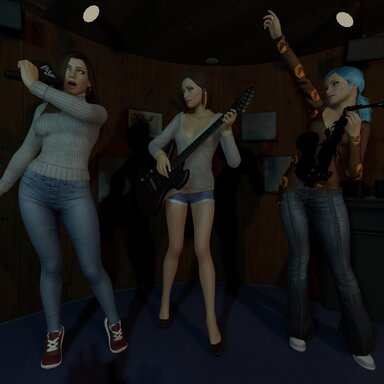


Ensemble – save and load poses for a whole group of atoms
Pose several atoms at once, save it as ONE pose, and bring it back with a single click. Persons, props, CUAs, lights – anything in your scene can be part of a group. Build a library of group poses, and reuse every pose with completely different people.
Features
How to use
Notes
Free to use. Feedback and bug reports are welcome in the thread.
Pose several atoms at once, save it as ONE pose, and bring it back with a single click. Persons, props, CUAs, lights – anything in your scene can be part of a group. Build a library of group poses, and reuse every pose with completely different people.
Features
- Groups of any atoms. Add atoms one by one, add the selected atom, or add everything in the scene. Save the group under a name and pick it from a list later.
- Poses per group. Each group has its own pose list, so you only see the poses that belong to the group you are working with.
- Picture gallery. Every pose gets a picture, taken with VaM’s own screenshot so you choose the angle and FOV yourself. Poses are shown in a picture grid (hover to enlarge), and clicking a picture loads the pose. The selected pose is highlighted.
- Slots. Atoms in a group are numbered (1, 2, 3 …) and poses are saved per slot, not per name. Got three new persons with other names? Replace the slots’ atoms and every existing pose of the group works for them instantly. Poses saved before slots existed work too (matched by order).
- Swap poses between atoms. Let person 1 and person 2 swap poses – either pose only (each stays where they stand) or pose and position. A red message tells you if the atoms are of different types.
- Move to me. Optionally place the whole group in front of you, facing you, every time you load a pose. Or capture where the group should stand relative to you and have every pose land there.
- Base atom. Optionally save poses relative to an atom in the scene so the group follows it.
- Slot numbers in the scene. Optional world-space labels show each atom’s slot number and name (persons in yellow, other atoms smaller in cyan; can be limited to persons only).
- Switch. Step through the group’s poses with Previous / Next buttons.
- Manage. Rename and overwrite poses, rename groups, delete with a confirmation press. Renaming an atom in VaM is picked up automatically.
- Safe loading. Physics is frozen and collisions are turned off while the group jumps into position, so nobody explodes.
How to use
- Add the plugin to the scene or as a session plugin.
- Add the atoms you want in the group (or “Add ALL atoms”).
- Pose them, type a name, save the group and the pose. Press VaM’s screenshot button when asked, to give the pose its picture. You will be prompted to delete the picture from screenshots after,since it's copied and no longer needed.
- Click any picture in the gallery to load that pose.
- New people? Pick the group, select a pose, press “Take the slots from the selected pose”, then use Slot + New atom + Replace for each slot, and save the group.
Notes
- Poses are stored in Saves/PluginData/Ensemble/ (pictures next to the pose files), so they are not tied to a scene.
- Atoms of the same type are required for swapping and for slot reuse (a Person pose can’t be loaded onto a light).
Free to use. Feedback and bug reports are welcome in the thread.
