JavaScript is disabled. For a better experience, please enable JavaScript in your browser before proceeding.
You are using an out of date browser. It may not display this or other websites correctly.
You should upgrade or use an
alternative browser .
Ensemble 3: update notes
Load VaM’s own pose presets (.vap) on one person or on everyone in the group.
A picture gallery shows each preset’s thumbnail. Hover to enlarge, click to load.
Page through the gallery with the < Presets / Presets > buttons.
Search field to filter the presets by name or by var name.
Finds presets in Custom/Atom/Person/Pose and inside installed vars (AddonPackages).
Choose which person the preset loads on. Atoms you have excluded are skipped.
Mirror
Mirror each person flips every person’s pose left <-> right.Mirror the whole group flips the group’s layout and the poses.Mirror the chosen person flips just one atom.Optional Mirror hand morphs too swaps the Left/Right finger morphs.
The mirror waits for the physics to settle and shows a “Wait” message while it works.
Exclude from poses
One checkbox per atom, labelled with the atom’s name. Excluded atoms stay where they are when you load a pose or press next/previous.
Long names get a smaller font.
The list scales with the number of atoms in the group.
Share groups
Export group to a file writes the group, its poses and the pictures into one file.Import group from a file reads it back.
Player (You)
The player (CameraRig) can be part of a group. Its position is stored in the poses
Pictures
Optional Show slot numbers on the atoms while a picture is taken. They are removed again afterwards.
Interface
Heading with name and version at the top.
Nightraven Mode (bottom left): near-black background, gold outlines and black text.Buttons are half size, with two per row where it makes sense, so there is much less scrolling.
Pose picture gallery: two columns, hover to enlarge, blue frame on the selected pose, < Pictures / Pictures > paging.
Previous/Next pose buttons moved up under Delete selected pose and made half width.
The sections follow the working order: atoms, group, poses.
The atom list is cleared when no group is selected.
Notes
Close VaM before replacing the var file, and delete older versions from AddonPackages.
Mirror and loading .vap files from vars rely on VaM physics and file access. If something doesn’t work for you, please report it in the thread.
Ensemble v2 – update notes
New:
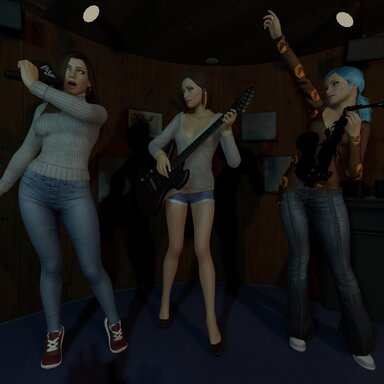
Instant screenshot camera. Saving a pose (or pressing “New picture…”) opens VaM’s screenshot camera right away, so you can pick the angle and FOV before the shot. The picture goes straight into the pose’s folder, cropped to 16:9. Nothing is left behind in the screenshots folder.Play poses one by one. A Play/Stop button under the picture gallery steps through the group’s poses automatically. Choose 2, 5 or 10 seconds per pose. The timer starts when the pose has finished loading.
Ensemble Demo01.mp4
73.1 MB