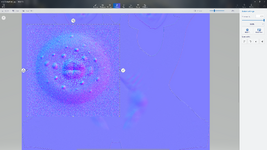
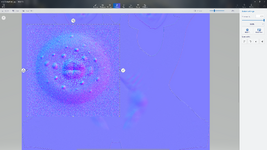
Ive been using a 100 inch monitor
That's not a "monitor", that's either a massive TV, or a Theater :' )
Resolution of the screen does not change anything about your image in a game in a standard use. At the same FOV, same distance, same position in a game... It's not because you'd use a 1080p or a 16K monitor that your image would become better/uglier. If you prefer, you don't see "more" of the texture, or "stretch more" the texture because you have a bigger screen. The relationship between a game and the texture resolution, is not the same as an "image" displayed flat (like in a preview software) in your native resolution.
A better resolution of a texture in a game engine would simply allow better quality when you zoom extremely close to the object... which will (again) still be the case for any screen size or screen resolution. At a standard average distance... several 4K for a single character is already overkill for a normal game.
All comes down to the texel density: how much pixels are in a 1m ( 1 unit ) of the engine. And sadly, the way Genesis characters are unwrapped, the texel density is all over the place: you have a 4K for the face, a 4K for the torso, a 4K for all the limbs... hence why you have weird discrepencies between the inherent high quality of the face and the nipples for instance.
The idea is to think of your use case and your constraints, and preview the textures from the most common situation. For instance, even tho we are in a VR game for VAM, where we can put our face at 1cm of the character, most of the time the distance will be a somewhat distant position
like this. So preview that texture in this situation, not fringe cases like... the 3 times you're gonna zoom in... for any realtime use (a normal scene).
If you're doing virtual photography, or extreme close up shots, THEN in that situation you could crank up the resolution. But anything that's gonna be used for a standard gameplay scene... above 4K is overkill and hitting really hard the GPU for no real benefits. Having bigger textures makes the VRAM shoots up, longer loading times etc... so multiple characters with 8K sets could probably end up being very tedious to use in a scene without really obvious changes in a standard situation.
Texture work matters. Even tho texel density is important, you can clearly see that the texture itself has a massive influence on the final result just by grabbing different skins on the hub here. Better have a very nice 4K that will perform well... than have a bad 8K which has a 4 times footprint and can look uglier.