
Nice Mod, But you can't tweak it on/off since you can't disable it.
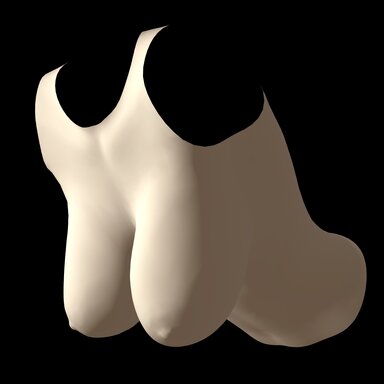
I saved a preset for sagging big tits that i want to trigger when model is on all fours.
now i can't disable it when she standing - i must do it manualy.
(i tried save empty preset, but it's not working)
Please update the plugin so we can teak it on/off at least so it will be flexible.
one solution is disable the plugin and reload the preset, but you know.......
Thanks in advance
In general, this is the idea behind the "base" list; it contains any morphs you want to be applied by default, but have overridden by leaning in a specific direction. This is also why there's a "+base" button beneath any morph that hasn't already been added to the base list, to make it easy to go through your direction morphs and add them. (The alternative would be having to add your desired defaults to every direction except the one you want, which would be annoying and cumbersome!)
Let's say, hypothetically, you want to have the combo of "Breast Large" set to 1 and "Breasts Heavy" set to 1 normally, but when leaning forward you want to have "Breast Large" set to 1, "Breasts Hang Forward" (pose) set to 1, and "Breasts Depth" (pose) set to 1. To achieve this, your lists would look like this:
Forward:
Breasts Heavy - 0
Breasts Depth - 1
Breasts Hang Forward - 1
Base:
Breasts Heavy - 1
Breasts Depth - 0
Breasts Hang Forward - 0
So when the character transitions to leaning forward, the "forward" morphs will smoothly blend from the "base" morphs. Additionally, in this example, the "Breast Large" morph doesn't need to be added to any list, since it would be the same regardless of direction, so the plugin wouldn't need to modify it at all.
If you want an instantaneous trigger of some morphs that's not dependent on direction, you can use the "clothed" list to act as an instant override; since I never actually got around to fully integrating the actual clothing aspect, that's basically how it acts anyway. Similar to the example above, add your default morphs to the "base" list and your modified morphs to the "clothed" list, and use the "override clothing" toggle as a switch to activate them. They'll be instantly applied at the specified weight based on the "clothing max influence" slider. Or you can leave "override clothing" checked, and animate the influence slider if you want direct control over the transition.
Hope this clears up the intent behind the design, and why I won't be adding that sort of activation/deactivation functionality.
(This recent hotfix was because I've been poking at the script a bit more, trying to plot out how to replace the failed "clothing" system with a more flexible override system, but that's still off in the future, since I don't have a lot of time to work on these things.)