• Hi Guest!

    We are extremely excited to announce the release of our first Beta1.1 and the first release of our Public AddonKit!
    To participate in the Beta, a subscription to the Entertainer or Creator Tier is required. For access to the Public AddonKit you must be a Creator tier member. Once subscribed, download instructions can be found here.

    Click here for information and guides regarding the VaM2 beta. Join our Discord server for more announcements and community discussion about VaM2.
  • Hi Guest!

    VaM2 Resource Categories have now been added to the Hub! For information on posting VaM2 resources and details about VaM2 related changes to our Community Forums, please see our official announcement here.
AutoThruster Plus

Plugins + Scripts AutoThruster Plus

Download [<1 MB]
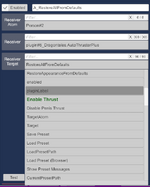
this is awesome, I totally missed it. Having an issue triggering the load of a preset though. I'm in VR, and it seems it wants the path or something? Can you enable a file picker to set the path to trigger the load? Button 1, triggers preset 1, button 2 triggers preset 2, etc.
Hey, glad you found the presets. Yes, the system needs a path. I uploaded a sample scene for this plug-in and you can see the format how to do it there. I tried a bunch of times to get a file picker to work, and so far I've failed. So unfortunately for now you have to use a written path. Find that demo on my resources, and it should show you how to do it. Keep in mind that's a packaged up scene, so your presets will be local. Let me know how you make out, and once I get home I can send some screen grabs if that will help
 
hi,seems male's penis cant aim and get in the right target.same issue with Vinput's AutoThruster.
 
hi,seems male's penis cant aim and get in the right target.same issue with Vinput's AutoThruster.
Are you using any other plugins that affect the penis base node or any of the penis nodes?
 
Are you using any other plugins that affect the penis base node or any of the penis nodes?
ye.im using ToumeiHitsuji's DivingRod to aim,penis will pop up and cause physics crash...but i also tried your demo sence with no other plugins,and find out they cant aim the right target.lol
 
ye.im using ToumeiHitsuji's DivingRod to aim,penis will pop up and cause physics crash...but i also tried your demo sence with no other plugins,and find out they cant aim the right target.lol
Divining Rod will definitely be an issue trying to combine that with this plugin. The demo scene should definitely work. I'm not sure what's causing your issue. Others have used it successfully. Try loading the demo scene after restarting VAM.
 
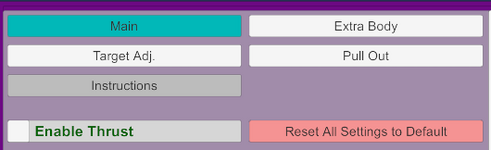
The extra body movements part could use some order. Looks jumbled up.

Like hip 1 section, body 1 section, head 1 section.
Right now it's 3 sections and 6 options per section divided by spaces.

Thanks if you consider.
 
The extra body movements part could use some order. Looks jumbled up.

Like hip 1 section, body 1 section, head 1 section.
Right now it's 3 sections and 6 options per section divided by spaces.

Thanks if you consider.
Ideally I want to break this up into tabs so it's much more organized, but haven't gotten to that yet.
 
I love the plugin, just a little feedback. I tried to do 'pussy swapping' in a scene where both girls pussies are stacked on each other and I couldn't get the plugin to switch between their pussies successfully, had to fall back to the old auto-thruster plugin to pull it off.
 
I love the plugin, just a little feedback. I tried to do 'pussy swapping' in a scene where both girls pussies are stacked on each other and I couldn't get the plugin to switch between their pussies successfully, had to fall back to the old auto-thruster plugin to pull it off.
As in a male and two female figures?
 
Actually two best new plugs in VAM is this yours and Thrust Response Driver by SwitchViewVR, just saying.
Btw i'm seems sort of figured things regards speed ok lol. The only things this time - this is how to make quick movements maximal "abruptly" \ less smooth. (like when single movement cycle will be make from just two constant keypoints at timeline, without curve.)
@Dragontales please any tip for settings in this direction ?
 
Actually two best new plugs in VAM is this yours and Thrust Response Driver by SwitchViewVR, just saying.
Btw i'm seems sort of figured things regards speed ok lol. The only things this time - this is how to make quick movements maximal "abruptly" \ less smooth. (like when single movement cycle will be make from just two constant keypoints at timeline, without curve.)
@Dragontales please any tip for settings in this direction ?
Thank you for the kind words. I know there's a language barrier and I'm having a bit of trouble understanding the request. Are you looking for how to make sudden speed changes?
 
Thank you for the kind words. I know there's a language barrier and I'm having a bit of trouble understanding the request. Are you looking for how to make sudden speed changes?
Yes, it's like lack of movement between IN and OUT points, but rather sharp (static) jump.
For example - before i asking about overall speed, but now about speed of transition between in and out.
First what coming to mind this is selecting right curves (which presented in your plug, right), but what else can impact to this?
And what curves better to select for this btw ?
 
Yes, it's like lack of movement between IN and OUT points, but rather sharp (static) jump.
For example - before i asking about overall speed, but now about speed of transition between in and out.
First what coming to mind this is selecting right curves (which presented in your plug, right), but what else can impact to this?
And what curves better to select for this btw ?
You can try using Linear, or maybe one of the bounce curves. You might also want to try changing the duration in % slider so that IN is faster compared to the out. Otherwise, there's no real pause from in to out to in to out, etc. I'm guessing you'll want to mess with the curve selections (you can even use different ones for the in vs the out). and the duration IN % slider. Let me know how you make out.
 
Correct, 1 male, 2 female.
hmm....yeah, I can see how that would be an issue. I'll have to give it some thought. For now, if I was building a scene, I'd build the two different presets, one for each girl, and then have a timeline animation that stops the first thrust, has the penis pull out, and then load the new preset as it guides to penis to the new hole. But I'll give this some heavy thought about how to potentially make it work within the plugin.
 
Loving the plugin now that i've got the hang of it.
Is there anyway to fire triggers on re-insert?

I've got a scene where i disable the penis base control so that the hips and penis move freely and then trigger an orgasm but it isnt possible to re-enable the position control using the pull out triggers so theres no way to re-insert without manually re-enabling the position control.
I've never really messed with triggers so i might be doing this completely wrong but i think re-insert triggers would make this work if its possible and be useful for other things in general i wanna try.
So is there anyway to do this or something similar in the current plugin?
 
Loving the plugin now that i've got the hang of it.
Is there anyway to fire triggers on re-insert?

I've got a scene where i disable the penis base control so that the hips and penis move freely and then trigger an orgasm but it isnt possible to re-enable the position control using the pull out triggers so theres no way to re-insert without manually re-enabling the position control.
I've never really messed with triggers so i might be doing this completely wrong but i think re-insert triggers would make this work if its possible and be useful for other things in general i wanna try.
So is there anyway to do this or something similar in the current plugin?
Hi. No, there's no current trigger system built into the plugin, but I can look into it. The pull-out feature of the plugin is still kind of a beta feature but I do plan on looking into smoothing that part out soon. I'll keep the triggers in mind when I do.
 
Hi. No, there's no current trigger system built into the plugin, but I can look into it. The pull-out feature of the plugin is still kind of a beta feature but I do plan on looking into smoothing that part out soon. I'll keep the triggers in mind when I do.
Ah no worries, i just used a ui button to do the same thing but i think it would be good to have everything in one place if you get round to it. Thanks for the help and the plugin.
 
Ah no worries, i just used a ui button to do the same thing but i think it would be good to have everything in one place if you get round to it. Thanks for the help and the plugin.
No worries. I will definitely look into it. :)
 
Back
Top Bottom