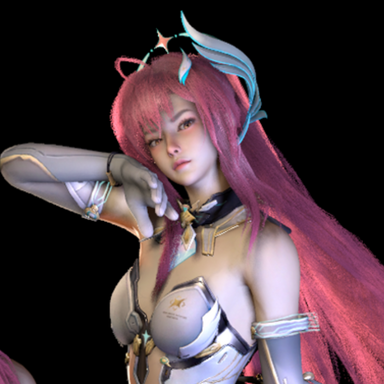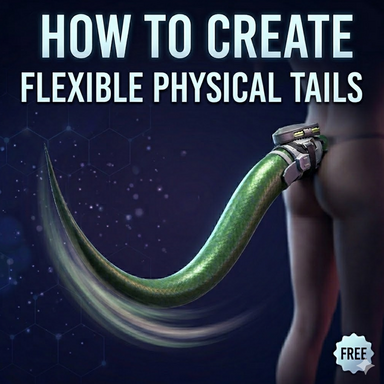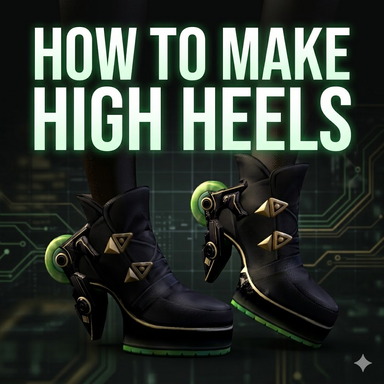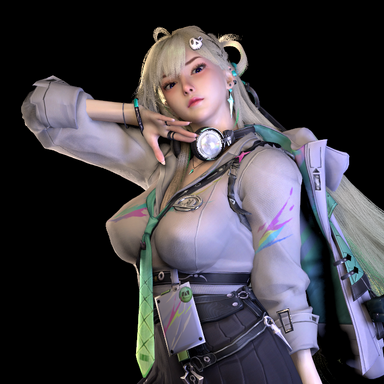


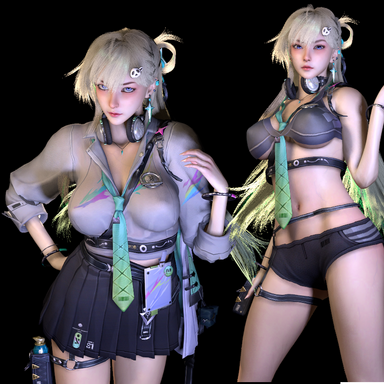
This time, we bring you LYNAE, a character from the " Wuther Wave" series. As a tutorial resource for creating costumes based on custom body types.
This character is included as a supplementary file for the following tutorial.
 hub.virtamate.com
Thank you to moonlight for creating and publishing the hair on hub.
https://hub.virtamate.com/resources/wuther-wave-lynae.63630/
You should know that creating the forked long hair was extremely challenging. He demonstrated astonishing creativity and unwavering perseverance. Without him, I probably wouldn't have been able to create this character and the tutorial.
The two var files correspond to two different pieces of clothing respectively.


The waist belts and the shoulder cape clothes were made using CUA, and the Unity configurable join system was employed. They have collision bodies and were bound using the clothing plugin Cuanexus.
If the character's coordinates are not at the origin when loading the clothing, the CUA binding position will be incorrect. In this case, the character's posture needs to be reset before entering Cuanexus for binding. After the binding is completed, moving the position will not be a problem.


For the headphones section, after loading, you need to drag the slider of the rendering queue of the "touming" material to ensure correct display.

I have categorized the clothes by their materials. You can adjust the transparency to enhance the sexual appeal. The details are as follows:
In Innai7 clothing, by reducing the transparency of white1 and iron1 materials, the fabric of the clothes can be concealed, while the belts and clasps can be retained.

In the Innai5final clothing, by adjusting the bu material, the fabric part of the skirt can be concealed, while the belt and clasps can be retained.

In material 2 of Linnai3, reducing the transparency can make the underwear invisible, while keeping the belt and metal intact.

This character is included as a supplementary file for the following tutorial.
Creating Clothing Based on Custom Body Shape - Guides -
The attachment contains a bilingual tutorial in Chinese and English. This tutorial is a supplement to the previous one (creating a character based on the default body shape). It is recommended to watch the previous tutorial first...
hub.virtamate.com
Thank you to moonlight for creating and publishing the hair on hub.
https://hub.virtamate.com/resources/wuther-wave-lynae.63630/
You should know that creating the forked long hair was extremely challenging. He demonstrated astonishing creativity and unwavering perseverance. Without him, I probably wouldn't have been able to create this character and the tutorial.
The two var files correspond to two different pieces of clothing respectively.
The waist belts and the shoulder cape clothes were made using CUA, and the Unity configurable join system was employed. They have collision bodies and were bound using the clothing plugin Cuanexus.
If the character's coordinates are not at the origin when loading the clothing, the CUA binding position will be incorrect. In this case, the character's posture needs to be reset before entering Cuanexus for binding. After the binding is completed, moving the position will not be a problem.
For the headphones section, after loading, you need to drag the slider of the rendering queue of the "touming" material to ensure correct display.
I have categorized the clothes by their materials. You can adjust the transparency to enhance the sexual appeal. The details are as follows:
In Innai7 clothing, by reducing the transparency of white1 and iron1 materials, the fabric of the clothes can be concealed, while the belts and clasps can be retained.
In the Innai5final clothing, by adjusting the bu material, the fabric part of the skirt can be concealed, while the belt and clasps can be retained.
In material 2 of Linnai3, reducing the transparency can make the underwear invisible, while keeping the belt and metal intact.