
Contains executable files or external scripts. Ensure you trust the creator and apply your own security measures.
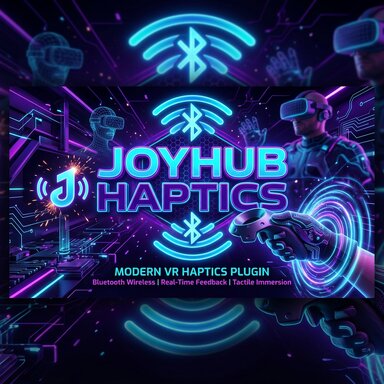
 Joyhub Haptics – Wireless Bluetooth Interactive Haptics for Virt-a-Mate
Experience true wireless, ultra-low-latency real-time haptic feedback in Virt-a-Mate with Joyhub and compatible Bluetooth Low
Energy (BLE) interactive hardware.
 Tested & Verified Hardware: EINSEO Mighty (and all Joyhub BLE protocol hardware)
 Key Features
- Dual Plugin Architecture: Works seamlessly as an Atom Plugin (attached directly to a Person) or as a Session
Plugin (with a live character dropdown switcher).  Automatic Gender Adaptation: Automatically detects whether the selected character is Male or Female and selects the
appropriate anatomy filters instantly. Granular Body Part Filters: Choose exactly which parts trigger haptic feedback:
 Male Penis & Glans (Base, Shaft, Glans/Head, Testicles)
 Female Vagina & Labia (Labia, Clitoris, Vaginal Canal)
 Hips & Buttocks (Hips, Butt, Glutes, Thighs, Waist)
 Breasts & Chest (Nipples, Areolas, Chest)
 Mouth, Lips & Head (Oral contact, lips, tongue)
 General Hand & Arm Touch (Optional casual touches)
 All Other Parts (Legs, feet, full body rubbing)
 Independent Toy vs. Prop Filtering:
 Toys & Dildos Enabled: Intimate toys (dildos, strokers, butt plugs, vibrators, penetrators) trigger haptics accurately.
 General Props Disabled: Tables, cups, lamps, and decorative scene assets are ignored to prevent unwanted vibrations.
 Zero-False-Trigger HashSet Physics: Uses collider HashSet filtering to permanently eliminate self-collisions (hands
resting on thighs, character crossed legs, or male genital self-contact against pelvis).- Before-Touch (Idle) vs. During-Touch (Active) States: Configure distinct baseline hums for approach/idling (with
smooth pulse sine waves) and active power upon physical contact/penetration with release fading.  Dynamic Touch Hardness Boost: Calculates physical impact force and penetration velocity—harder thrusts and slaps
dynamically scale vibration intensity above your base level in real time. Automated Pulse Generator: Smooth sine wave waveforms with customizable min %, max %, and frequency (Hz).
 Complete Hardware Feature Matrix:
 Device Heating (On / Off)
 LED Light Show (On / Off)
 Suction Intensity (Levels 0 to 5)
 Squeezing / Clamping (Levels 0 to 5)
 Fluid Pump (On / Off)
- 4-Channel Multi-Motor Vibration (Channels 1 to 4)
 Clean 2-Column Dashboard: High-contrast, easy-to-read solid black section headers and native mouse-wheel scrollable
dropdowns.
 Quick Start Guide
Step 1: Download & Run the Bridge
Download the standalone zero-dependency Windows executable Joyhub_VaM_Bridge.exe (no Python installation required) from
GitHub:
 Download Joyhub VaM Bridge (.exe)
Step 2: Turn on your Device
Turn on your EINSEO Mighty / Joyhub Bluetooth device and run Joyhub_VaM_Bridge.exe. Select your device on first launch (it
is automatically remembered for future sessions).
Step 3: Add the Plugin in Virt-a-Mate
- Option A (Session Plugin): Go to Plugins in the main scene menu -> Add Plugin -> Select
Custom/Scripts/jeahbwoi720/JoyhubHaptics/JoyhubHaptics.cslist. Use the dropdown to select your character. - Option B (Atom Plugin): Select your Person atom -> Plugins tab -> Add Plugin -> Select
Custom/Scripts/jeahbwoi720/JoyhubHaptics/JoyhubHaptics.cslist.
 Open Source & Support
Full source code, standalone GUI controller, and issue tracker available on GitHub:
https://github.com/jeahbwoi720/VaM-Joyhub-Haptics
Contains executable files or external scripts. Ensure you trust the creator and apply your own security measures.