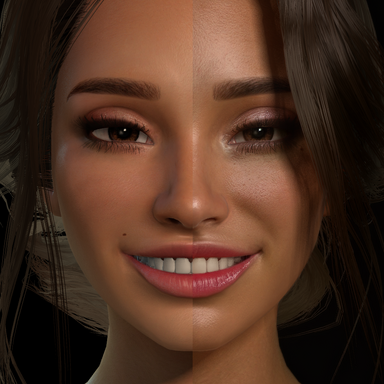
Great tutorial! One thing to add, if you use Launchpad you need to configure dlss5-feed to use DLSS5_MV_PROVIDER=1 located in the bottom of the Reshade UI in game, and another option is to try out LumeniteFX with DLSS5_MV_PROVIDER=3 since it introduces less artifacts sometimes in my testing.
Upvote 1
Positive
for 4000 card or below. download "nvngx_dlssnr.dll" Patched DLSS-NR for RTX20, RTX30, and RTX40 support. (Runs identical on RTX50) from the same discord (RenoDX discord) and place next to VaM.exe (\VaM_Updater)
Upvote 0
Positive
THANX BRO~ THAT;S REALLY HELPFUL~
BiskyBisky
BiskyBisky
Happy to help!
Upvote 0
Positive
Very helpful, thanks!
BiskyBisky
BiskyBisky
Of course! Happy to save someone else the headache of tracking all this info down
Upvote 0
Back
Top Bottom