Bone attachments no longer clip-then-settle. On tightly fitted CUA hair/clothing attached to a Bone, moving or posing the person could make the asset surge into the body and then spring back into place. The bone attachment now syncs exactly like Skynet's ALT version — deliberately one frame behind — so the CUA's physics settles smoothly and it stays glued, exactly as ALT behaves.
Technical note for the curious: this only affected Bone mode; Skin/Clothing/Hair attachment was already smooth.
Special thanks to @Betestav, who reported the problems below and asked for them to be fixed. This update is largely your doing — thank you for the detailed reports!
Sliders now show 3 decimals. The position sliders used to display only two decimals (X.XX) and sometimes swallowed values you typed. They now show and keep three (X.XXX) — what you type is what you get.
Scaling keeps your attachment in place. Resizing the person no longer shifts attached CUAs off their spot — for example, hair used to float up a little when scaling the person down to 0.900. It stays seated now.
No more lag while the person moves. Attached CUAs keep up with the person's live position frame-by-frame, so they no longer clip or trail behind the hair/clothing while walking or posing. (This old lag issue even affected the traditional CUA hair setup — it's gone here.)
New Features
Scale slider now goes up to 10 (it used to stop at 2).
Friendlier rotation sliders — rotations now read -180 to +180 with 0 in the middle, so turning left/right feels natural. Old scenes convert automatically.
Fresh New Look
Tabbed interface — the plugin panel now has two tabs: ASSET and MATERIAL, in the same style as the other vamBear plugins, with section headers and divider lines.
The panel remembers which tab you had open when you save your scene.
The asset dropdown is always visible in the ASSET tab (shows "None" before anything is loaded).
Controls now appear and disappear cleanly depending on the connection type and what you're doing — no more "mystery sliders" (even the TRANSFORM header hides when there's nothing to transform).
Under the Hood (Stability)
Clear now unloads the asset properly instead of leaving it behind.
The plugin survives person renames and person removal/re-adds without losing settings or leaving ghost objects behind.
No more gradual material/memory buildup from repeated loads, and slider edits can't be wiped out mid-typing anymore.


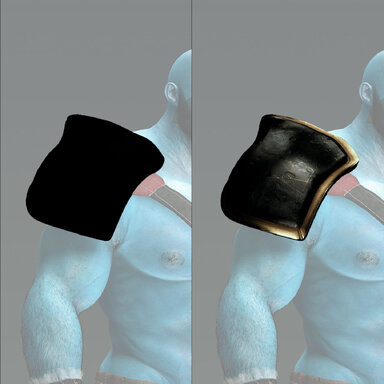
 Special thanks to Betestav for finding and reporting this bug!

