

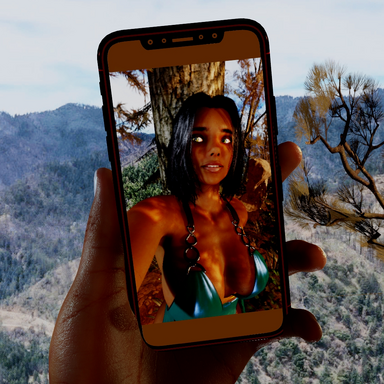


CameraDisplay Selfie Tools
A collection of improvements for Virt-A-Mate's WindowCamera, including automatic mirroring, perspective correction, zoom, and high-resolution screenshots.
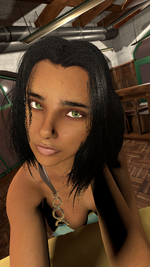
A collection of improvements for Virt-A-Mate's WindowCamera, including automatic mirroring, perspective correction, zoom, and high-resolution screenshots.
Why I Made This
This plugin started because I got annoyed that VaM's WindowCamera didn't have a simple option to mirror its image.
All I wanted was to make a functional selfie camera. That seemed like a fairly basic thing to ask for.
Well, one thing led to another, and somehow that tiny mirroring script turned into a much more capable camera plugin.
It was designed primarily with selfies in mind, but there's probably plenty of other uses for it. For example, you could use a WindowCamera display as a relatively cheap approximation of a mirror, without the expense of a proper reflective surface.
If you find other creative uses for it, even better!
Features
- Perspective Correction: Reduce exaggerated close-up distortion without moving the camera. Adjustable from normal perspective to orthographic projection.
- Zoom: Adjust framing without physically repositioning the camera.
- Automatic Mirroring: Automatically flips the image depending on which side of the display you're viewing, making it behave like a physical two-sided surface.
- Manual Mirroring: Independently mirror the image along the camera's X and Y axes.
- Adjustable Near Clipping: Capture objects extremely close to the camera.
- High-Resolution Screenshots: Save PNG screenshots at 720p, 1080p, 1440p, or 4K, including the custom projection and mirroring.
- Desktop and VR Support: Works in both modes.
Perspective Correction
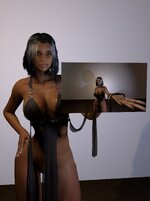
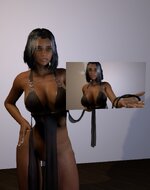
The default WindowCamera uses conventional perspective projection, which can heavily distort nearby objects. This is particularly noticeable when trying to take selfies at close range.
The plugin introduces an adjustable hybrid projection that reduces this distortion while keeping the camera exactly where it is.
Same camera position, different projection.
Horizontal Camera, Front View
Vanilla:
With Plugin:
Vertical Camera, Front View
Vanilla:
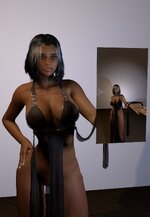
With Plugin:

Automatic Mirroring
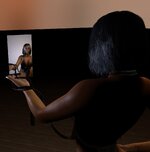
By default, WindowCamera's display can appear reversed when viewed from different sides.
Auto Mirror dynamically corrects the image based on the viewer's position relative to the display plane.
This allows the same display to function as a normal camera viewfinder or a mirrored selfie screen without manually changing anything.
It can also serve as a lightweight alternative to a mirror when an actual reflection isn't necessary.
Horizontal Camera, Back View
Vanilla:
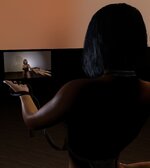
With Plugin:
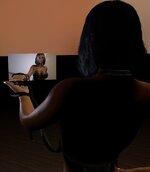
Vertical Camera, Back View
Vanilla:
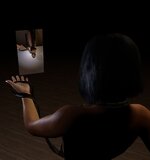
With Plugin:
Installation and Usage
- Select a WindowCamera atom.
- Open its Plugins tab and load the plugin.
- Adjust the settings to your liking.
Quick usage demonstration:
Plugin Interface:
Demonstration Scenes
I've included two very basic demo scenes. They're essentially just two poses with the camera, display, and plugin already set up in ways that I think make sense.
There's no animation or anything particularly fancy. They're just simple examples you can load up and play around with.
Feel free to use them however you like. Actually, please do! I really like the pose I made for Demo 1 haha
The scenes are entirely optional. The plugin works independently of them.
Notes and Limitations
- Perspective correction changes the relationship between apparent size and depth. Extreme settings may produce unusual results.
- Very small near-clipping distances can introduce rendering artefacts.
- Screenshots are captured directly from the camera. External effects such as ReShade and injected DLSS are not included in the saved images.
- The demonstration scenes use additional assets that are not required for the plugin itself.
Credits
Plugin and demonstration scenes: KVe
Made with AI help.
Some screenshots are taken with Mxx's DeepSkin enabled.
The look in the scenes uses JackyCracky's Raven hair and is not part of the package.
Have fun!


