





Thrust Response Driver
Thrust Response Driver is a lightweight physics plugin for Virt-A-Mate that adds natural, impact-driven body response to thrusting motion — without overriding animations, poses, or controller logic.
The plugin observes the source atom’s hip movement and applies a physically consistent response to selected receiver body parts, based on actual contact and impulse, rather than continuous force or animation-driven motion.
The result is realistic mass, inertia, and follow-through, especially in positions where the receiver would normally feel passive or unresponsive.
 Impact-Driven Response (Default & Recommended)
Thrust Response Driver now uses an Impact Trigger system (enabled by default):
- Forward response is gated by actual collision/contact
- No estimated timing, no artificial buildup
- Body response follows a causal chain:
contact → impulse → inertia → settle - Prevents unnatural sliding or constant pull-in behavior
- Works consistently across positions like doggy, missionary, and prone
The Impact Trigger is the recommended mode of operation and provides the most realistic results out of the box.
 Legacy Velocity Mode (Optional)
For compatibility and experimentation, the original velocity-based response mode is still available and can be toggled off/on.
Both modes share the same physical response pipeline and can be selected per preset.
 Core Design Principles
Thrust Response Driver is designed to be non-intrusive:
- Does not drive controllers
- Does not inject rotations
- Does not fight Timeline or animation systems
- Works alongside manual posing and animation
- Minimal performance overhead
All motion is applied as offset-based physical response, not animation replacement.
 Features
- Impact-driven body response (default)
- Optional legacy velocity-based response
- Directionally correct impulse and follow-through
- Modular receiver body part selection:
- Head
- Chest
- Abdomen
- Hip
- Thighs
- Feet
- PD-controlled response with damping and acceleration limits
- Built-in presets: Soft / Medium / Strong
- Custom user presets (including impact trigger state & geometry)
- Designed to work seamlessly with Timeline and existing scenes
- Lightweight and stable
 Why Thrust Response Driver
Vanilla VaM thrusting often results in:
- minimal receiver movement
- no visible inertia
- one-sided motion
Thrust Response Driver focuses on body reaction, not counter-force or controller stabilization — making interactions feel less static and more alive.
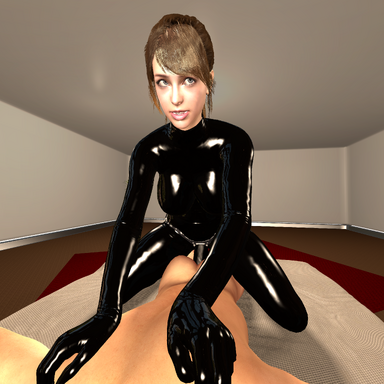
With Thrust Response Driver:
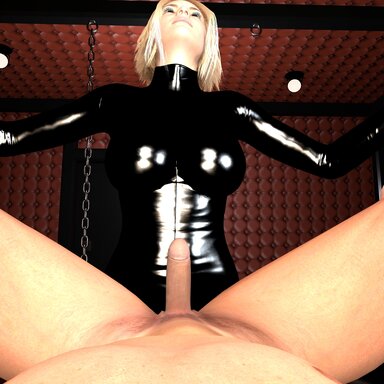
Without Thrust Response Driver:
 Usage
Usage
- Attach the plugin to the receiver atom (typically female).
- Select the source atom (typically male).
- Choose a preset or adjust values as desired.
- Enable or disable receiver body parts as needed.
The plugin automatically uses the source hip movement as the motion driver.
 License
CC BY-SA
Created by SwitchViewVR









If the impact trigger feels tricky to position, you can simply uncheck “Use Impact Trigger” and run the legacy mode instead.
That brings back the continuous sampling behavior from earlier versions – no trigger placement required, it’ll just work like before.
The trigger is optional and mainly there for people who want explicit contact-gated reactions. Legacy mode is still fully supported.