

GradientCUADriver v2
Drives the lights and emissive materials of a Custom Unity Asset through smooth, endlessly looping color gradients. Seven independent channels (A–G), each reading along its own 6000-pixel gradient strip at its own pace.
Zero setup
Add the plugin to your CUA atom and it just works: seven bundled gradient sets auto-load on init, targets are found automatically (the plugin waits for the asset to finish loading), and the lights start cycling immediately.
Features
How it targets your asset
Objects are auto-assigned by name tags on the CUA:
Making your own gradients
Create a wide, 1-pixel-tall PNG (e.g. 6000×1) in any image editor — the plugin reads left to right over the channel's Duration and loops. Longer strips + longer durations = slower, richer color journeys.
Instructions
1. Drop the var into your AddonPackages folder.
2. Add the plugin to your Custom Unity Asset atom.
3. Done — adjust Speed, Smoothing, and per-channel toggles on the Main tab to taste.
Upgrading from v1: existing scenes load fine; saved settings are preserved.
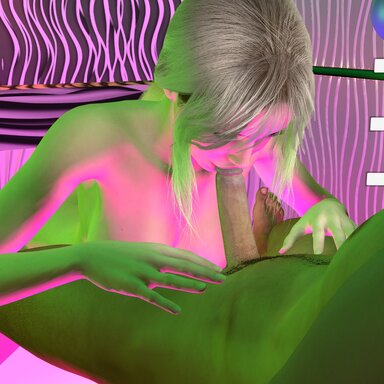
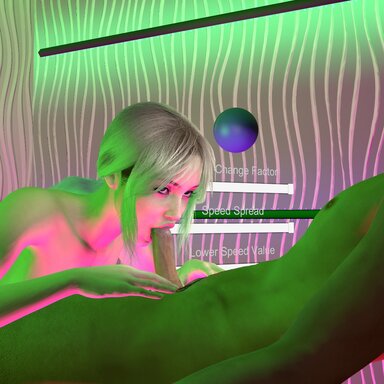
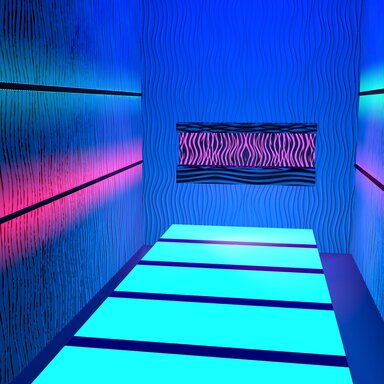
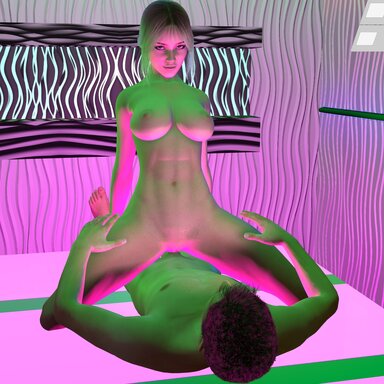
See it in action in my Pleasure Salon CUA environment (free) and my Blowjob Lab scene — or browse all my resources. If this plugin brightens your scenes, consider supporting me on Patreon.
中文说明
这是一个驱动 Custom Unity Asset 灯光和发光材质的插件 — 颜色沿着渐变色条带平滑循环变化,支持 A–G 七个独立通道。
- 零设置:把插件加到 CUA 原子上即可,自动加载渐变色、自动识别目标,灯光立即开始变化
- 每个通道独立控制:渐变色、时长、亮度、开关
- 支持自制渐变色:任意宽、1像素高的 PNG 图片即可
- 循环或往返播放,带全局速度和平滑控制
可在我的 Pleasure Salon CUA(免费)和 Blowjob Lab 场景中看到实际效果。欢迎查看我的其他作品,或在 Patreon 上支持我。
Drives the lights and emissive materials of a Custom Unity Asset through smooth, endlessly looping color gradients. Seven independent channels (A–G), each reading along its own 6000-pixel gradient strip at its own pace.
Zero setup
Add the plugin to your CUA atom and it just works: seven bundled gradient sets auto-load on init, targets are found automatically (the plugin waits for the asset to finish loading), and the lights start cycling immediately.
Features
- 7 channels (A–G), each with its own gradient, duration, intensity, and enable toggle
- Bundled gradient strips included in the var — nothing to hunt for
- Swap in your own gradients: any wide, 1-pixel-tall PNG (Gradients tab → Browse), or point it at a folder and it auto-assigns A–G by filename
- Global speed multiplier, color smoothing, and pixel blending for perfectly smooth transitions
- Loop or ping-pong playback
- Drives light color/intensity, material emission, and optionally ambient light
- Clean 4-tab UI: Main (everyday controls), Gradients, Targeting, Advanced
How it targets your asset
Objects are auto-assigned by name tags on the CUA:
[@CH=A]…[@CH=G] picks the channel, [@L] marks lights, [@E] marks emissive renderers/materials, [@NOE] excludes emission. No tags in your asset? Use the Targeting tab to assign lights, renderers, and materials manually with pickers or name filters.Making your own gradients
Create a wide, 1-pixel-tall PNG (e.g. 6000×1) in any image editor — the plugin reads left to right over the channel's Duration and loops. Longer strips + longer durations = slower, richer color journeys.
Instructions
1. Drop the var into your AddonPackages folder.
2. Add the plugin to your Custom Unity Asset atom.
3. Done — adjust Speed, Smoothing, and per-channel toggles on the Main tab to taste.
Upgrading from v1: existing scenes load fine; saved settings are preserved.
See it in action in my Pleasure Salon CUA environment (free) and my Blowjob Lab scene — or browse all my resources. If this plugin brightens your scenes, consider supporting me on Patreon.
This is the plugin that I made for my Pleasure Salon CUA. I figured out that it won't run from inside the var, it has to be in Custom/Scripts/StyleMavin. I also added the original Gradients folder to the mega link which contains more gradients than I used in the scene. Place that in Custom/PluginData/StyleMavin if you want a few more gradient choices, but you CAN run the gradients that are in the var with this plugin.
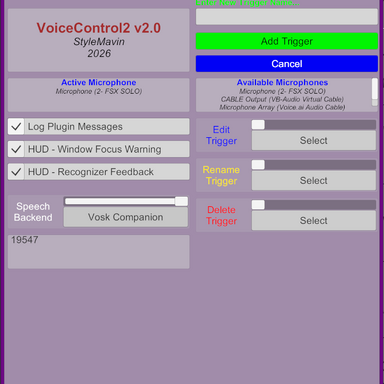
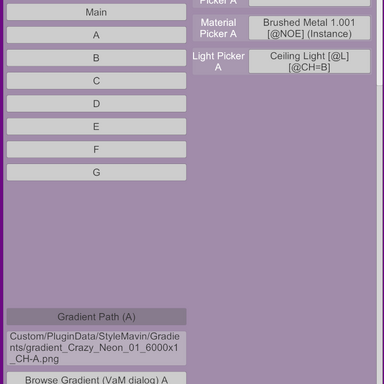
This plugin could work with other CUA, but the lights in the CUA have to have been named with a specific syntax like [@E] [@CH=A] for Emissive Channel A. Lights are coded as [@L], emissives as [@E], and each channel A-G is coded with [@CH=A-G] as you can see in the images below if you want to make your own CUA that use this plugin.
The gradients that it uses have to be named like this; gradient_Crazy_Neon_01_6000x1_CH-A.png, where the CH- is the channel A-G that will use them. They need to be 6000x1 pixels, and linear color.
This plugin could work with other CUA, but the lights in the CUA have to have been named with a specific syntax like [@E] [@CH=A] for Emissive Channel A. Lights are coded as [@L], emissives as [@E], and each channel A-G is coded with [@CH=A-G] as you can see in the images below if you want to make your own CUA that use this plugin.
The gradients that it uses have to be named like this; gradient_Crazy_Neon_01_6000x1_CH-A.png, where the CH- is the channel A-G that will use them. They need to be 6000x1 pixels, and linear color.
中文说明
这是一个驱动 Custom Unity Asset 灯光和发光材质的插件 — 颜色沿着渐变色条带平滑循环变化,支持 A–G 七个独立通道。
- 零设置:把插件加到 CUA 原子上即可,自动加载渐变色、自动识别目标,灯光立即开始变化
- 每个通道独立控制:渐变色、时长、亮度、开关
- 支持自制渐变色:任意宽、1像素高的 PNG 图片即可
- 循环或往返播放,带全局速度和平滑控制
可在我的 Pleasure Salon CUA(免费)和 Blowjob Lab 场景中看到实际效果。欢迎查看我的其他作品,或在 Patreon 上支持我。