GradientCUADriver v2
Drives the lights and emissive materials of a Custom Unity Asset through smooth, endlessly looping color gradients. Seven independent channels (A–G), each reading along its own 6000-pixel gradient strip at its own pace.
Zero setup
Add the plugin to your CUA atom and it just works: seven bundled gradient sets auto-load on init, targets are found automatically (the plugin waits for the asset to finish loading), and the lights start cycling immediately.
Features
- 7 channels (A–G), each with its own gradient, duration, intensity, and enable toggle
- Bundled gradient strips included in the var — nothing to hunt for
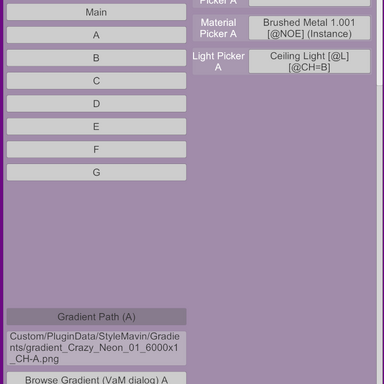
- Swap in your own gradients: any wide, 1-pixel-tall PNG (Gradients tab → Browse), or point it at a folder and it auto-assigns A–G by filename
- Global speed multiplier, color smoothing, and pixel blending for perfectly smooth transitions
- Loop or ping-pong playback
- Drives light color/intensity, material emission, and optionally ambient light
- Clean 4-tab UI: Main (everyday controls), Gradients, Targeting, Advanced
How it targets your asset
Objects are auto-assigned by name tags on the CUA:
[@CH=A]…
[@CH=G] picks the channel,
[@L] marks lights,
[@E] marks emissive renderers/materials,
[@NOE] excludes emission. No tags in your asset? Use the Targeting tab to assign lights, renderers, and materials manually with pickers or name filters.
Making your own gradients
Create a wide, 1-pixel-tall PNG (e.g. 6000×1) in any image editor — the plugin reads left to right over the channel's Duration and loops. Longer strips + longer durations = slower, richer color journeys.
Instructions
1. Drop the var into your AddonPackages folder.
2. Add the plugin to your Custom Unity Asset atom.
3. Done — adjust Speed, Smoothing, and per-channel toggles on the Main tab to taste.
Upgrading from v1: existing scenes load fine; saved settings are preserved.