




Animated Flags & Banners Asset Pack for VAM
This pack includes 7 unique banners and 6 distinct flags, each featuring beautifully simulated waving animations to bring your stages to life. Whether you're creating a festive event, a medieval setting, or a modern showcase, these animated flags and banners will make your scene more atmospheric and dynamic.
What's Included?
- 7 Animated Banners: Each banner features a unique animation style that mimics natural wind motion, delivering realistic fluttering effects.
- 6 Animated Flags: These flags come with distinctive waving animations to bring dynamic energy to your scenes.
- Customizable Flag Faces: All banners and flags support full image customization.
➤ Includes an easy-to-use plugin to load, tile, offset, and flip any image directly onto the flag surface. - Modular Design: To maximize flexibility, no flagpoles or stands are included. Simply create a cylinder or pole in-game if needed.

*** Does not include the scene shown in the demo; it will be a separate release.
Customization Made Easy with the Included Plugin 
Say goodbye to complicated texture editing! With the included plugin, you can effortlessly customize the flag faces of all banners and flags directly in-game using any image.
With just a click, you can replace the default texture of any flag or banner-style CUA with an image of your choice from your Custom/Images/ folder. Whether it’s a group logo, idol face, event poster, or personal meme — your flag, your story.
 How to Use
- Add the plugin to any Atom containing a flag or banner-style CUA (i.e., a flat mesh with material).
- Click the “Select Image...” button in the plugin UI.
- Browse and choose your custom .jpg or .png file from the Custom/Images/ directory.
- Your chosen image will be immediately applied as the flag/banner texture.
- Use the plugin's built-in controls to adjust tiling, offset, or flip the image if needed.
- Even if you manually switch the CUA’s asset (like loading a different flag model in the same CUA), the plugin will automatically detect it and reapply your selected image. Seamless!
Bring Your Scenes to Life
These animated flags and banners are perfect props to make your VAM scenes more immersive and lively. Whether you're decorating for a concert, a historical reenactment, or a personalized celebration, the combination of realistic animations and easy customization ensures your creations stand out.
Download now and start waving your own story in VAM!

Credits:
Special thanks to: @MacGruber https://hub.virtamate.com/resources/macgruber-utils.40744/
The original model comes from:
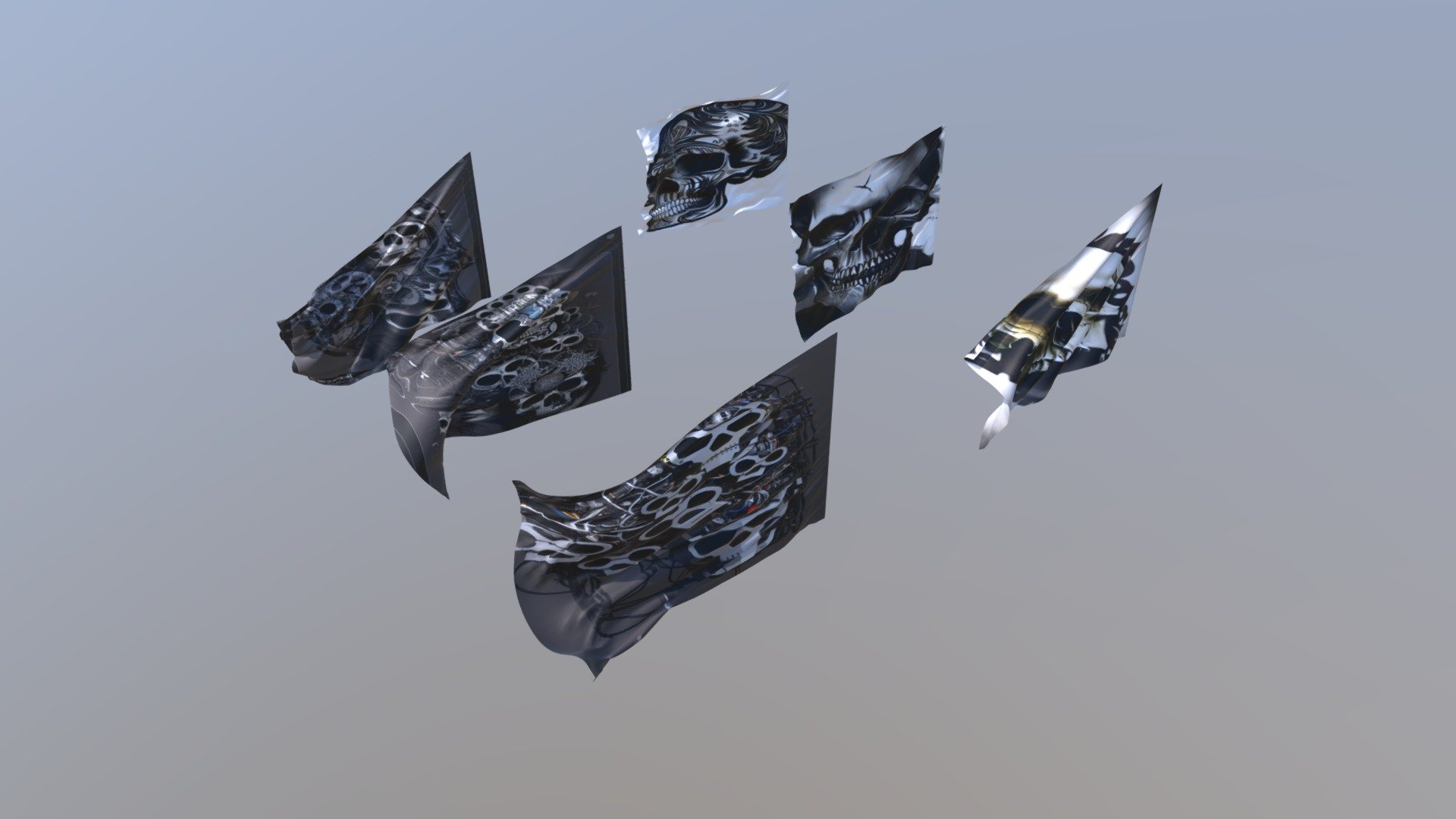
pack of flags (loop) - Download Free 3D model by vicente betoret ferrero (@deathcow)
pack de 6 banderas con animación en bucle, ideal para videojuegos,chroma,videos etc.. - pack of flags (loop) - Download Free 3D model by vicente betoret ferrero (@deathcow)
 sketchfab.com
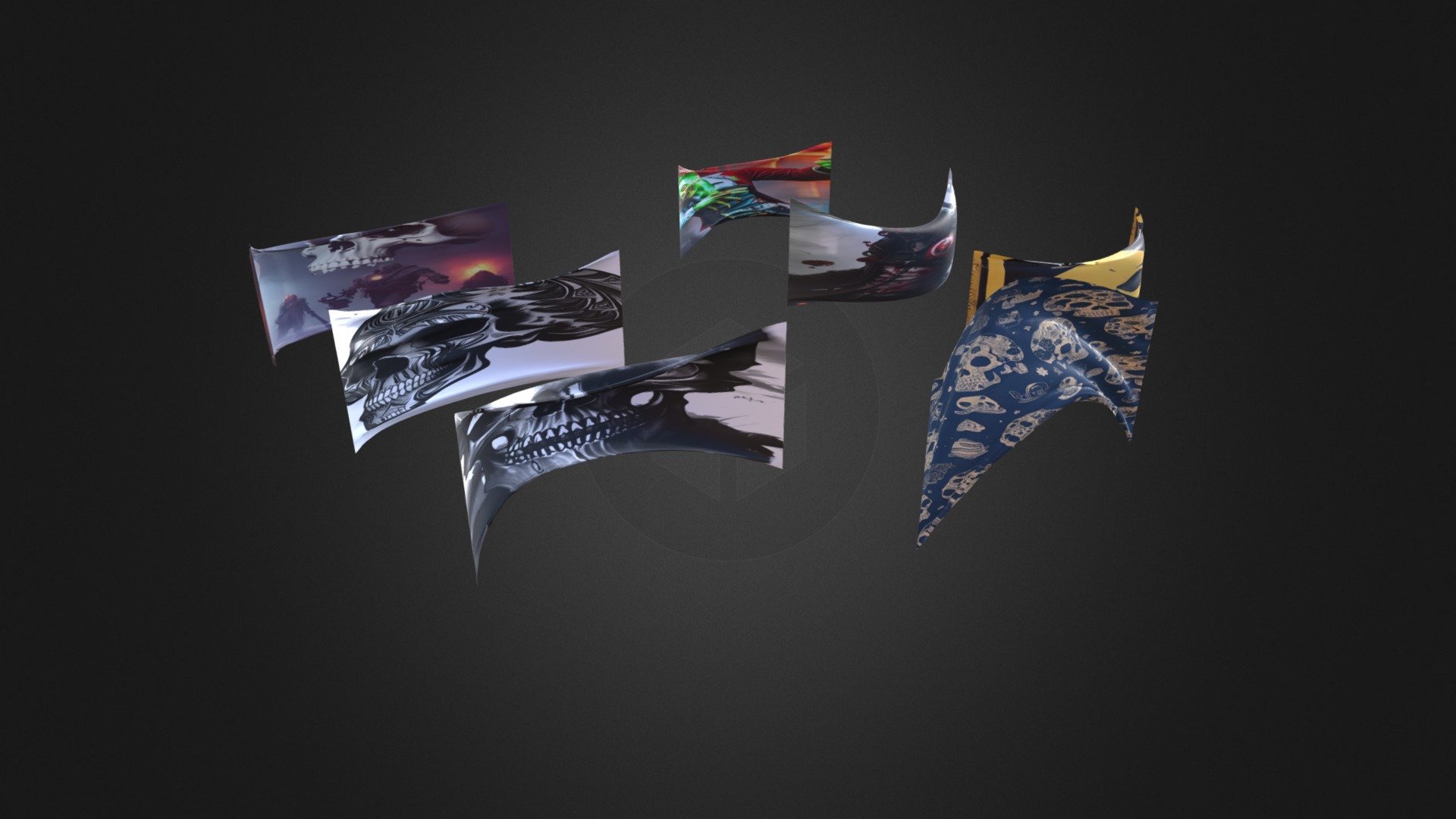
banners pack ""2 - Download Free 3D model by vicente betoret ferrero (@deathcow)
pack de pancartas, ideal para efectos especiales, chroma, videojuegos etc.. - banners pack ""2 - Download Free 3D model by vicente betoret ferrero (@deathcow)
sketchfab.com




![[ForgeLab] SeaForge: Now with More Realistic Ocean Surfaces and Underwater Worlds](https://1424104733.rsc.cdn77.org/data/resource_icons/69/69052.jpg?1787787062)
![[ForgeLab] Lumen Forge, Now with the All-New SkyRay Atmospheric Volumetric Lighting](https://1424104733.rsc.cdn77.org/data/resource_icons/68/68538.jpg?1785906791)
![[ForgeLab] Steam Forge](https://1424104733.rsc.cdn77.org/data/resource_icons/68/68680.jpg?1786442911)
![[ForgeLab] Glass Forge](https://1424104733.rsc.cdn77.org/data/resource_icons/68/68742.jpg?1786667222)
![[ForgeLab] Tail Forge](https://1424104733.rsc.cdn77.org/data/resource_icons/68/68311.jpg?1785112307)
![[Environments] Living Shore](https://1424104733.rsc.cdn77.org/data/resource_icons/69/69072.jpg?1787849707)
![[Project CRAFT] ASSET CUA STUDIO: Now supports BlendShape animation conversion](https://1424104733.rsc.cdn77.org/data/resource_icons/67/67353.jpg?1781153072)
![[Project CRAFT] AUDIO CUA STUDIO](https://1424104733.rsc.cdn77.org/data/resource_icons/67/67256.jpg?1781146550)

