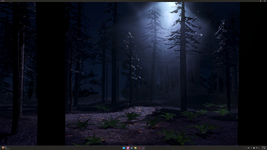
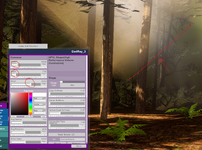
High Performance Volume Light

Plugins + Scripts High Performance Volume Light

Download [<1 MB]
I'm loving the update! Thanks so much for working on this more!! Multiple instances of fog allow you to have a "God rays" effect, which is next-level, imo.

I do have a bug report - when I load a scene with fog boxes, the fog boxes all seem to have reverted to their original/default sizes. If I open the plugin after loading the scene, the size sliders are at the correct values; changing them will cause that parameter to correct itself, the boxes "pop back" to the set size.

attached pics: Original, with correct boxes; and after loading, with small fog boxes that don't reach to the ground.
 

Attachments
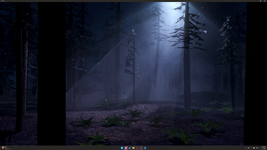
  • vam.exe Screenshot 2026.07.09 - 22.12.10.14.png
    vam.exe Screenshot 2026.07.09 - 22.12.10.14.png
    9.4 MB · Views: 0
  • vam.exe Screenshot 2026.07.09 - 22.07.35.36.png
    vam.exe Screenshot 2026.07.09 - 22.07.35.36.png
    8.7 MB · Views: 0
  • ForestFoxBoxes.png
    ForestFoxBoxes.png
    2.9 MB · Views: 0
Last edited:
I want to add that I am not sure how "Masking" works - I tried loading a random black-and-white PNG file and it appeared to simply turn off the fog box. The "Reload" and "Remove" buttons didn't behave as expected, either - "Reload" turned the fog box back on (with no apparent masking) and "Remove" turned it off again. Hoping we can get some clarity on this functionality at some point!! Would be really cool, if it is what I think it is.
 
PluginIdea updated High Performance Volume Light with a new update entry:

inside fog, and a major performance boost

View attachment 613903

What's new:

1. Inside fog for Box / Sphere Fog. Step into the volume and still see the fog. One toggle (on by default).

2. (Box / Sphere Fog) Much better performance with lighting enabled. Point and spot light scenes stay smoother when Enable Lighting is on.

3. Lighting is easier to balance. Fine-tune for looks or frame rate as needed.

Read the rest of this update entry...
 
PluginIdea updated High Performance Volume Light with a new update entry:

core features: New fog shapes,Clip planes,fog masks

View attachment 638316

View attachment 638314View attachment 638315

1. New fog shapes: Cylinder and dome are now available alongside sphere and box. Help better adapt to the scene.

2. Adjustable fog masks: Tiling, offset and strength controls, matched between fog volumes and dust.

3. More natural dust motion: Richer random drift, with turbulence working in every motion mode.

4. Beam dust randomness: A dedicated random motion slider lets you tune...

Read the rest of this update entry...
 
PluginIdea updated High Performance Volume Light with a new update entry:

Big update of light beam cutting

View attachment 639024

View attachment 639026


Here, the beam cutting has been greatly improved. For other new features, please refer to the last update.

New Features:

1. Add, select, and toggle each cut plane on its own.

2. Align to view or pick a surface: in pick mode, click any scene object and the plane snaps onto the surface and matches its normal (desktop).

3. Fine-tune placement: push or pull along the normal, use X/Y/Z offsets, and adjust rotation and...

Read the rest of this update entry...
 
PluginIdea updated High Performance Volume Light with a new update entry:

Experience optimization, bug fixing

View attachment 639521

Highlights:
1. Fog Color sticks when lighting is on. Extra lights no longer wash the volume to pure lamp color.
2. The Mask section now has a title and a short note. You can see how the grayscale map thins density.
3. Every section title has a short hint, with taller text so Chinese and English aren’t clipped.
4. Three near-no-op controls are gone: Ambient Strength, Light Absorption, Add Pass Shadows. Default look is unchanged; the panel is cleaner.
5...

Read the rest of this update entry...
 
Back
Top Bottom