


The new update is on the way, just need to be approved by moders. There's everything (mostly) you guys asked and moooooooreAnother thing I should mention is alot of scenes I use cubes and stuff to make sure the model doesnt go through furniture. I use the chrome key plugin to make it transparent once I have it placed where I need it/them. Maybe make a switch than can turn on and off transparency of objects, not just make the whole scene background disappear.
You are using an out of date browser. It may not display this or other websites correctly.
You should upgrade or use an alternative browser.
You should upgrade or use an alternative browser.
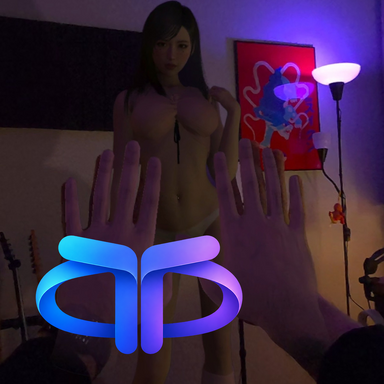
Plugins + Scripts True Through - Native Passthrough Meta Bridge
- Thread starter Meharock
- Start date
I tried installing 0.25, but it complains about Assembly-CSharp.dll from https://hub.virtamate.com/resources/misivs-vam-patch.70102/ 2.2The new update is on the way, just need to be approved by moders. There's everything (mostly) you guys asked and mooooooore
Supposed to work according to earlier posts here I think, but I guess with their recent new version 2.2 something changed.
yeah, I didn’t check itI tried installing 0.25, but it complains about Assembly-CSharp.dll from https://hub.virtamate.com/resources/misivs-vam-patch.70102/ 2.2
Supposed to work according to earlier posts here I think, but I guess with their recent new version 2.2 something changed.

Maybe need to find a way to avoid this kind of issues.
I'm preapring a hot fix to avoid any kind of these issues!I tried installing 0.25, but it complains about Assembly-CSharp.dll from https://hub.virtamate.com/resources/misivs-vam-patch.70102/ 2.2
Supposed to work according to earlier posts here I think, but I guess with their recent new version 2.2 something changed.
Meharock updated True Through - Native Passthrough Meta Bridge with a new update entry:
True Through for VaM 1.25.1 Assembly-CSharp.dll compatibility hotfix
Read the rest of this update entry...
True Through for VaM 1.25.1 Assembly-CSharp.dll compatibility hotfix
Sometimes, we just need to learn to accept each other as we are...
Now TT works with all modifications, replacing the crude check for the original game.
Thanks for helping making it better <3
View attachment 643238
Read the rest of this update entry...

I struggled with getting TT running for a while + had an issue with black shadow/silhouette, and this settings (plus Sliced Encoding set to ON) sorted it out.GUYS!
Here's recommended setting for oculus debug tool.
It's confirmed, some things here breaks TT work.
FOV-Tangent Multiplier can be left default.
(PC) Asynchronous Spacewrap turns off automatically by TT
Video Codec is critical, use H.264!
Encode bitrate can be changed for your liking.
Hope it helps!
View attachment 637972
I think this settings might be worth pinning/posting on the resource main page.
Crazy stuff, keep it coming chief!
I noticed MacGruber's PostMagic LUT plugin breaks the passthrough (and possibly other LUT plugins too)Looking for some advice on two things..
1) Any tips on plugins to remove rooms/objects/environments on existing scenes for this?
'Camera Background Color' render toggle options are great, but of course instead puts in the greenscreen, etc, which is no longer needed/wanted.
'SceneStripper', at least to me, seems to either remove too little or too much.
2) Seems sometimes when switching scenes to something that already has a feature to remove the room, it "randomly" becomes black rather than the passthrough (even though it worked previously), any way to restore the passthrough when that occurs? Since it happens even when fully switching/reloading scene I assume it's not specific to the scene itself.
Hm, the last update was about to fix that... Also there's a new update waiting for approval, which fixes Assembly-CSharp.dll, but anyway, I will keep diggin that post fx things, they are tricky AF.I noticed MacGruber's PostMagic LUT plugin breaks the passthrough (and possibly other LUT plugins too)
Omg, for real, something broke it :CI noticed MacGruber's PostMagic LUT plugin breaks the passthrough (and possibly other LUT plugins too)
Meharock updated True Through - Native Passthrough Meta Bridge with a new update entry:
True Through for VaM 0.25.1 Assembly-CSharp.dll compatibility hotfix
Read the rest of this update entry...
True Through for VaM 0.25.1 Assembly-CSharp.dll compatibility hotfix
Sometimes, we just need to learn to accept each other as we are...
Now TT works with all modifications, replacing the crude check for the original game.
Also fixed a few dumb mistakes.
Thanks for helping making it better <3
View attachment 643356
Read the rest of this update entry...
Fixed it. Wait until the next version. Let me know if there's anything else should be made. Each thing works differently, so had to be adjusted separately with the passthroughI noticed MacGruber's PostMagic LUT plugin breaks the passthrough (and possibly other LUT plugins too)
You guys should be working together to make one perfect plugin because right now im sure there are people like me that are like hmmm which to choose.

 hub.virtamate.com
PassthroughKey - Plugins + Scripts -
PassthroughKey Clean Virtual Desktop chroma-key passthrough for VaM – by CraSh.it Put your VaM characters into your real room on Quest, with a clean key: no holes in the character, no fringing on the background, and a VaM menu that stays solid –...
hub.virtamate.com
Yeah, that’s funny) But approaches are different an products are different. Passthroughkey uses virtual desktop and chroma key and works with every helmet, and TrueTrough is for meta only, uses link and uses all features of meta helmet like hands, spatial anchors and many other things.You guys should be working together to make one perfect plugin because right now im sure there are people like me that are like hmmm which to choose.
PassthroughKey - Plugins + Scripts -
PassthroughKey Clean Virtual Desktop chroma-key passthrough for VaM – by CraSh.it Put your VaM characters into your real room on Quest, with a clean key: no holes in the character, no fringing on the background, and a VaM menu that stays solid –...
Anyway, let me know what works for you and what doesn’t!You guys should be working together to make one perfect plugin because right now im sure there are people like me that are like hmmm which to choose.
PassthroughKey - Plugins + Scripts -
PassthroughKey Clean Virtual Desktop chroma-key passthrough for VaM – by CraSh.it Put your VaM characters into your real room on Quest, with a clean key: no holes in the character, no fringing on the background, and a VaM menu that stays solid –...
Patched a clean VaM installation and clicked Start TrueThrough while connected through Meta Link with Meta Horizon Link application running in my PC, but I always get this error

Both Meta Horizon Link and my Meta Quest 3 are up to date currently.
Both Meta Horizon Link and my Meta Quest 3 are up to date currently.
I believe it’s because of the meta link version. Turn on the public test channel and update link and let me know if it helped!Patched a clean VaM installation and clicked Start TrueThrough while connected through Meta Link with Meta Horizon Link application running in my PC, but I always get this error
View attachment 643623
Both Meta Horizon Link and my Meta Quest 3 are up to date currently.
Worked, many thanks!I believe it’s because of the meta link version. Turn on the public test channel and update link and let me know if it helped!
Awesome! I’m waiting for the feedbackWorked, many thanks!
so unsure if this is something on my end or on TT's end, but since the update, my hands are spazzing out, flickering all over the place unless I hold them out in front of me with my fingers spread and keep them very still. When i use the 3D model hand, my thumb is either further away from the rest of my hand, or folded in so much that its touching the base of my pinky. I swear .24 was working fine though, but maybe the spazzing was less noticiable?
That sounds strange. Let’s see if anyone else encounters this issue, but everything should be working perfectly—the tracking is very precise, and none of what you described is normal. Let’s try to figure it out. Could it be a setting in the Oculus Debug Tool again? What do you have set there?so unsure if this is something on my end or on TT's end, but since the update, my hands are spazzing out, flickering all over the place unless I hold them out in front of me with my fingers spread and keep them very still. When i use the 3D model hand, my thumb is either further away from the rest of my hand, or folded in so much that its touching the base of my pinky. I swear .24 was working fine though, but maybe the spazzing was less noticiable?
Does this plugin not support virtual desktop? I havent tried it yet but have it downloaded. I dont use air meta linkYeah, that’s funny) But approaches are different an products are different. Passthroughkey uses virtual desktop and chroma key and works with every helmet, and TrueTrough is for meta only, uses link and uses all features of meta helmet like hands, spatial anchors and many other things.
Nope, it relies on meta link only. Give it a tryDoes this plugin not support virtual desktop? I havent tried it yet but have it downloaded. I dont use air meta link
Air link? Didnt even know that could do passthroughNope, it relies on meta link only. Give it a try
If you use meta quest helmet - yesAir link? Didnt even know that could do passthrough
Cant you get way higher graphics throughput on VD?If you use meta quest helmet - yes
Any time I ever used air link the graphics on games was way worse.


