• Hi Guest!

    We have posted a new VaM2 dev log on Patreon, starting a monthly cadence of written progress updates between Beta releases. Highlights include the new Gizmos System, Selection Carousel, and Modes System with Context-Specific Editing. Beta1.2 is 15 of 21 items complete.

    Read the full post on Patreon, or follow progress on the public Trello roadmap.

VaM 1.x Stay in Plugin-UI or Jump back to Plugin-UI

Threads regarding the original VaM 1.x

Ghostwalden

Invaluable member
Featured Contributor
Joined
Apr 8, 2023
Messages
657
Solutions
2
Reactions
5,650
Hi there 👋

I’m working on a plugin and want to implement a feature that keeps the plugin UI open when I select something in the scene,
or at least allows for a quick return to the plugin UI.

If anyone knows how to achieve this reliably and efficiently, or even knows of a plugin that already does this, that would be a huge help.
 
I know something like this has been done, where if you're in edit mode, a UI pops up. I can't remember where this was used.
 
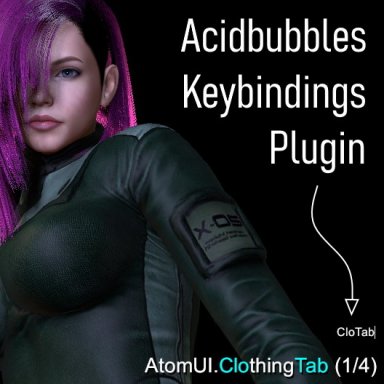
They Keybindings plugin (by AcidBubbles) can open some UI screens, including plugins UI. If plugins added support for it, there might even be more features available via hotkeys. E.g. in the case of my own IdlePoser you can open the tabs within the plugin UI directly. Timeline plugin has also support, AFAIK.


Keybindings profile for IdlePoser plugin:
 
They Keybindings plugin (by AcidBubbles) can open some UI screens, including plugins UI. If plugins added support for it, there might even be more features available via hotkeys. E.g. in the case of my own IdlePoser you can open the tabs within the plugin UI directly. Timeline plugin has also support, AFAIK.


Keybindings profile for IdlePoser plugin:
Thanks for the hint MacGruber, will try this.

If keybindings can open my plugin UI and it runs stably, I could use this method directly for my plugin.
 
Thanks for the hint MacGruber, will try this.

If keybindings can open my plugin UI and it runs stably, I could use this method directly for my plugin.
Here is instructions how to get your plugin to interact with Keybindings plugin:
Benefit of using Acid's plugin as a "standard" is that its super easy to integrate, you get configurable hotkeys and sharable profiles almost for free and users can deal with conflicting other plugins that happen to use the same hotkeys.
 
Thank you MacGruber
I decided to make my plugin standalone and independent.
I simply adopted the way Scene Plugins is opened within the Keybiddings plugin, and then built my Edit Mode so that it automatically jumps back to Scene Plugins or via a shortcut.
This will probably be the best solution.
I guess, staying in Session Plugins (Plugin UI), without even having to jump back, will probably not be possible at all.

Hi SlimerJSpud
Thanks, that sounds interesting too.
For my plugin, however, I needed a stable solution so I could jump back to Scene Plugins that contains my plugin and its UI.
After doing some research on keybindings, I've now got it to the point where it's stable and usable.
But I'll keep the popup menu idea in mind in case I need something like that for a future plugin.
 
Back
Top Bottom