


The VAM Resolution always changes to 1080p after using VR in Virtual Desktop and i have no clue why that is.
Situation is :
- I open VAM in Virtual Desktop
- I shutdown Virtual Desktop
- I open VAM in Desktop again on my PC
VAm resets the set Resolution from previously added 2560x1440 to 1920x1080
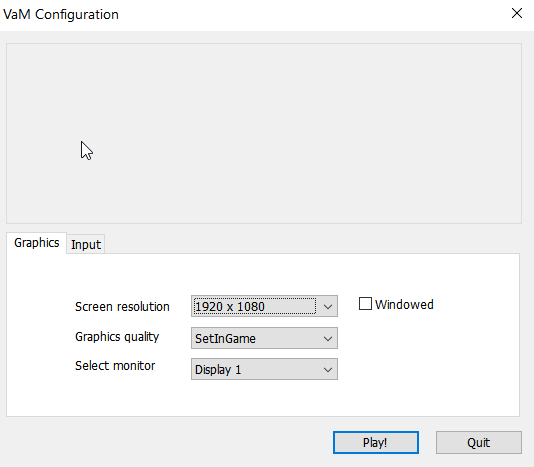
How can i avoid this to happen alltime?
Where is that display configuration file located in VAM so i can lock it to be overwritten alltime after i used virtual desktop on quest 2 ?
Thx in Advance
Situation is :
- I open VAM in Virtual Desktop
- I shutdown Virtual Desktop
- I open VAM in Desktop again on my PC
VAm resets the set Resolution from previously added 2560x1440 to 1920x1080
How can i avoid this to happen alltime?
Where is that display configuration file located in VAM so i can lock it to be overwritten alltime after i used virtual desktop on quest 2 ?
Thx in Advance


