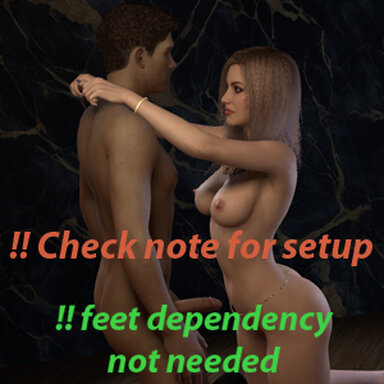
Splurging (Interactive anim)

Scenes Splurging (Interactive anim)

Download [3.83 MB]

Aipas

Active member
Joined
Sep 27, 2024
Messages
119
Reactions
156
Aipas submitted a new resource:

Splurging (Interactive anim) - Control the action

Lexi gets a visit from a client who upgrades his membership.
Also available through Satin stories launcher.

!IMPORTANT: if you don't alter/replace the lfe.keyboardshortcuts.json file, direct movement will not work
Before you load the scene:

1. Open Vam's root folder/Saves (root = where is Vam is installed)
2. Open another window with Vam's root folder/addonPackages/Splurging_(Interactive_anim).var, and inside the var go to the...

Read more about this resource...
 
I know you explained what to do before hand but I have no idea what you actually are saying to do. CAn you elaborate on the altering / replace lf.ekeyboard thing because I cant seem to grasp what it is to actually do, I open my vam folder..go to saves? then open up another window and I get to the splurging locatoion and its just a item that says we dont have an app that can open htis type of file I dont get what youre saying to do man, please enlighten me
 
No problem.
A .var file is a type of .rar file so you can use winrar to open it (you can download a trial version that last forever, it will just nag you when you start it) Don't know if you can use 7.zip or winzip.
Go to Vam's install folder \ AddonPackages and open the Aipas.Splurging_(Interactive_anim).1.var file. There is a folder called "saves" and inside it a file called lfe.keyboardshorcuts.json (or just lfe.keyboardshortcuts depending on windows settings). Extract that file to Vam install folder \ saves folder.
Doesn't matter if that folder has the file or not.

Hope that helps. Ask away if you still have doubts.
 
No problem.
A .var file is a type of .rar file so you can use winrar to open it (you can download a trial version that last forever, it will just nag you when you start it) Don't know if you can use 7.zip or winzip.
Go to Vam's install folder \ AddonPackages and open the Aipas.Splurging_(Interactive_anim).1.var file. There is a folder called "saves" and inside it a file called lfe.keyboardshorcuts.json (or just lfe.keyboardshortcuts depending on windows settings). Extract that file to Vam install folder \ saves folder.
Doesn't matter if that folder has the file or not.

Hope that helps. Ask away if you still have doubts.
thank you so much sorry I only had some other rar extractor that was the problem ty ty ty!
 
Nice, you got it working!
I really wanted to avoid having this extra step in this scene, but I don't know of another method to achieve the same result.
I'll try to come up with a different solution for the next interactive anim, if possible.
Cheers.
 
Back
Top Bottom