• Hi Guest!

    We have posted a new VaM2 dev log on Patreon, starting a monthly cadence of written progress updates between Beta releases. Highlights include the new Gizmos System, Selection Carousel, and Modes System with Context-Specific Editing. Beta1.2 is 15 of 21 items complete.

    Read the full post on Patreon, or follow progress on the public Trello roadmap.

Question Save thumbnail image is black

SpankyHarder

New member
Joined
Dec 12, 2021
Messages
3
Reactions
1
When I go to save scene/looks/presets the thumbnail only shows black.

The older thumbnails show the images. Even the new screenshots are black. This just happened a few days ago.

Any ideas?
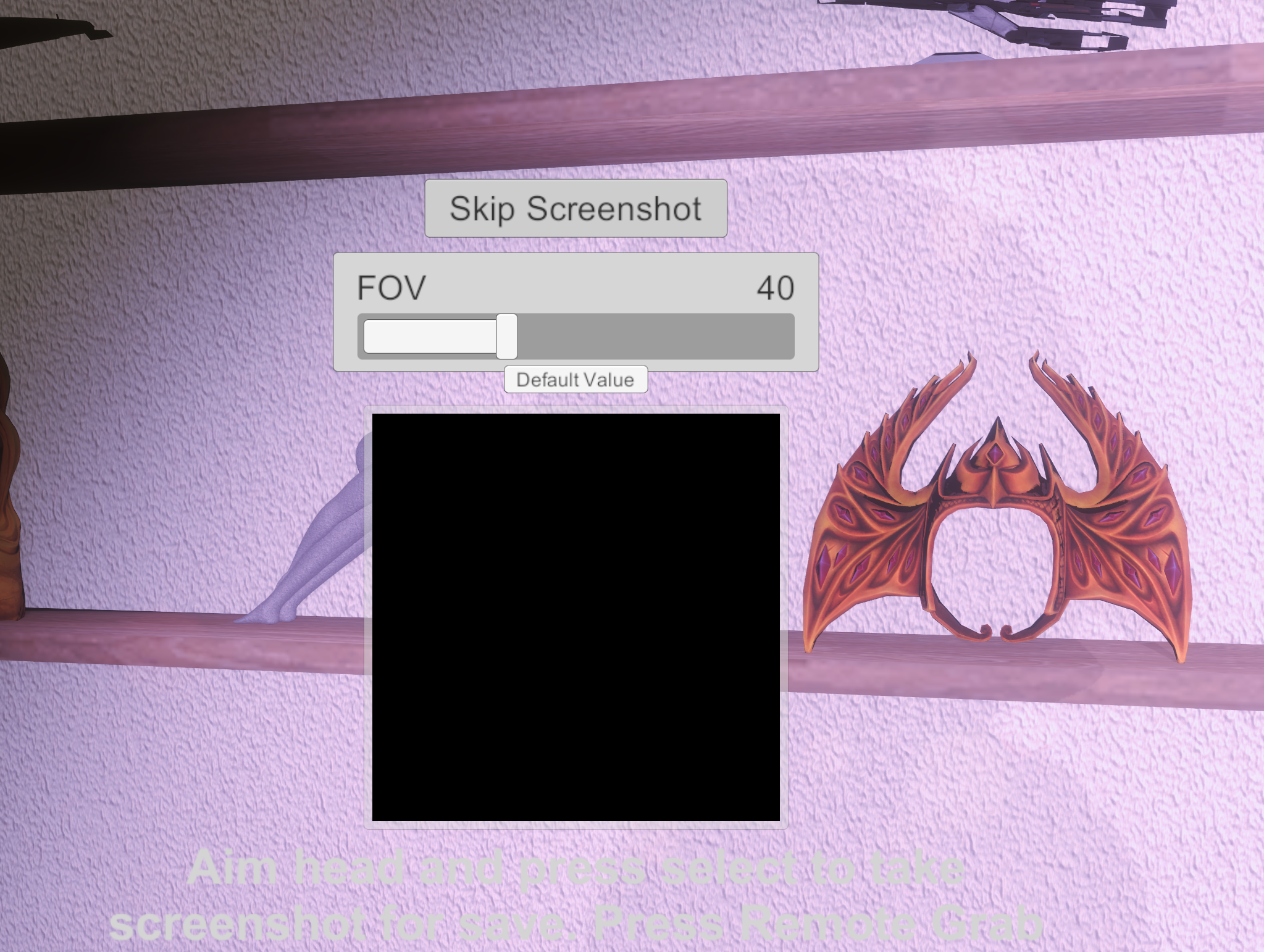
1663863425430.png
 
I realize this is old, but I ran into the same issue. By process of elimination, I discovered only the PostMagic AntiAliasing plugin caused my thumbnail to go black.
 
Upvote 0
You can fix this issue by saving the scene and restarting VaM.

I had this issue aswell when I used a GTX 1080. But after I bought a RTX 4080, this issue never occured again.

So, maybe it has something to do with running out of Vram or something.

When this happens, the picture you try to shoot is also completely black.
 
Upvote 0
You can fix this issue by saving the scene and restarting VaM.

I had this issue aswell when I used a GTX 1080. But after I bought a RTX 4080, this issue never occured again.

So, maybe it has something to do with running out of Vram or something.

When this happens, the picture you try to shoot is also completely black.
At the time, I tried that, and it made no difference until PostMagic Antialiasing was disabled. I'm running a Radeon RX 5700 XT with 8 MB vram. While it could still be a vram issue, it was just odd that a restart didn't help. I haven't had it happen since and I normally run 2-3 VAM instances simultaneously.
 
Upvote 0
Back
Top Bottom