• Hi Guest!

    We are extremely excited to announce the release of our first Beta1.1 and the first release of our Public AddonKit!
    To participate in the Beta, a subscription to the Entertainer or Creator Tier is required. For access to the Public AddonKit you must be a Creator tier member. Once subscribed, download instructions can be found here.

    Click here for information and guides regarding the VaM2 beta. Join our Discord server for more announcements and community discussion about VaM2.
  • Hi Guest!

    VaM2 Resource Categories have now been added to the Hub! For information on posting VaM2 resources and details about VaM2 related changes to our Community Forums, please see our official announcement here.

VaM 1.x Macro keypads in VR VAM scenes

Threads regarding the original VaM 1.x

atani

Invaluable member
Wiki Contributor
Featured Contributor
Joined
Jan 15, 2021
Messages
3,605
Solutions
112
Reactions
3,290
banner

What is a macro keypad?

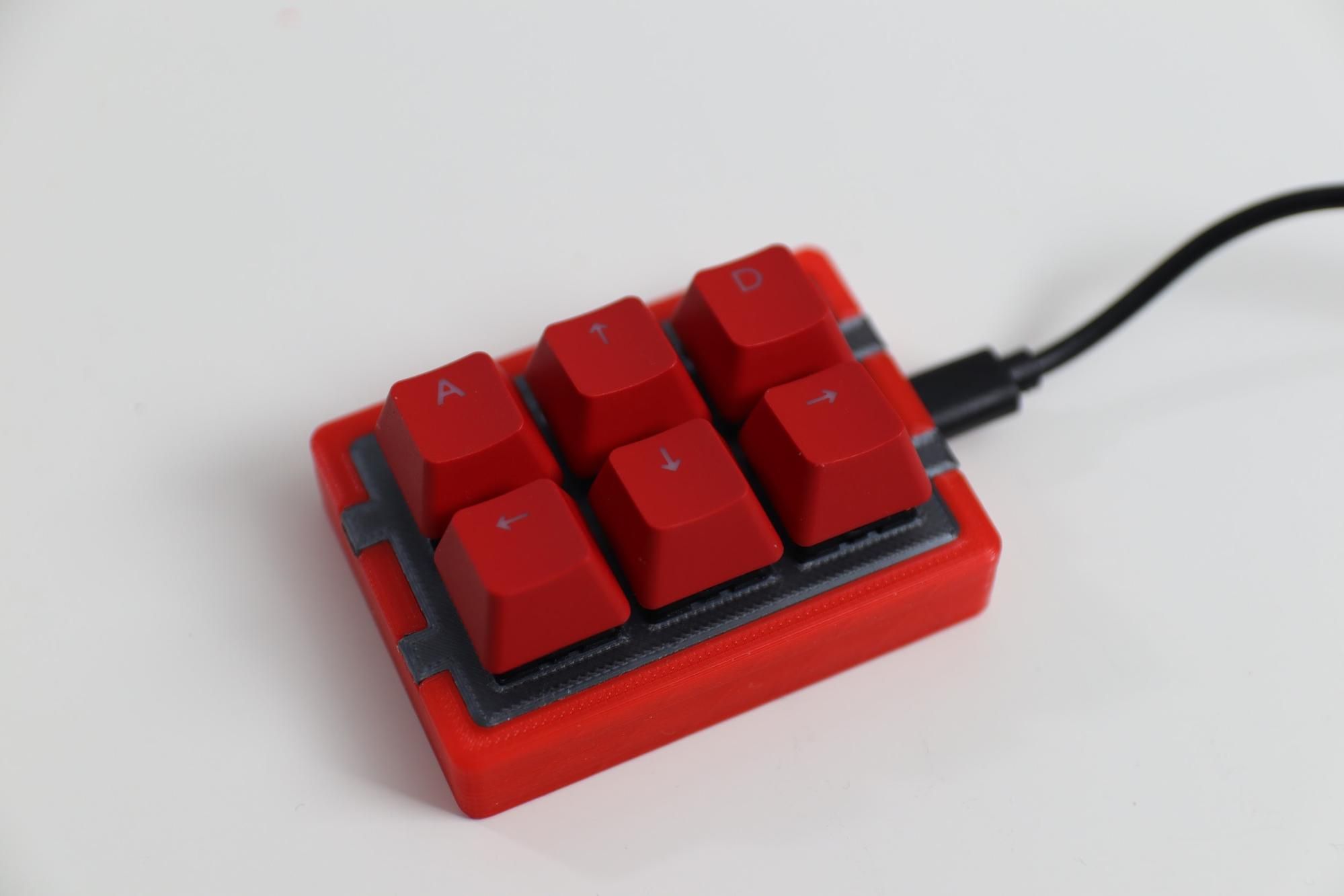
Is something like this:

macro keypad


What can a macro keypad do?

You use it as a configurable set of buttons, assigning keyboard shortcuts or commands to be triggered when a button is pressed.
e.g.: a button can act as a copy/paste shortcut instead of doing Ctrl+C/V, open a web browser, and many more other things.


And in VAM?

In VAM, you can set keybindings for a global use with the session plugin Keybindings, and a scene use with the scene plugin Simple Keybind. Maybe other plugins exist, IDK.


Using a macro keyboard when playing VAM in VR


This is the scenario that I would like to explore more about.
I only play VAM in VR, currently using a lot of passthrough and the ocasional bigger accessory. I'm often looking for immersion experience improvements, and one thing that breaks it, especially at some crucial moments, is having to grab my controller, find the UI, aim well to trigger the button even if it's at an awkward angle from my position, to finally trigger what I want. Uffff...

Speech recognition could be an option, but it's a chore to get it right, to configure to scenes, to work consistently, and I would feel a little silly doing this 😅.

So I was thinking that for now, a macro keypad could be a decent compromise. It's reliable, it's small enough to put somewhere out of the way but within reach, and pressing a button barely "takes you out" of what's happening.
I'm currently exploring this option, will post more about it soon.


What about you? Do you use macro keyboards in VAM? What about other ways to trigger things in scenes without using the controller or have to hold it?
 
I made this resource to include in scenes, mine and others, thinking already about how to make it modular and flexible.
Yesterday I tried it playing VAM in VR passthrough, and it's definitely something I intend to keep using and exploring.

 
Last edited:
My macro keypad is a DIY device following this project:

A pi pico, 6 buttons, a 3D printed case, some wiring and soldering, a usb cable, and that's it hardware-wise. The code provided in the page is very simple to change and works great on Windows and Linux.

I'm using a 5 meters long usb cable to connect my PC and macro keypad, so that I can use it on bed. Would be great to find a powered and wireless solution, but it's a lot more work and for now this is more than good enough.
While a macro keypad is a low bandwidth device, keep in mind that passive usb cables have recommended length limits to provide a reliable use.

Assigning keybinds to VAM scene triggers

So far I've set it the buttons on one scene to do the following actions:
  • Play the "cum" animation
  • Reset/play the scene (mocap scene)
  • Calibrate Naturalis
  • Load a random appearance preset using ky1001 preset loader plugin
  • Play the next music of an audiobundle
These follow some of the scene's particularities and my often used operations in a scene.

There are some options I want to explore with my current pad, like:
  • using a button to load a different collection of triggers (preset of Macro atom)
    • this extends my 6 buttons to unlimited associations
    • a sequence choice logicbrick seems to be a good option to handle multiple preset loading with one button
  • using the included audiosource as audio feedback for:
    • when the button is pressed
    • audio description of what that button does (pre-recorded sounds in an audiobundle)
 
Last edited:
Back
Top Bottom