Hi All.
I have this weird general error in VaM VR: When I start it up, it's in double vision, like when PostMagic is on on some scenes.
Problem is, this is in root, not in a specific scene.
Only way to turn it off is if I toggle monitor on, but then the eyes of my avatar are floating 1 metre above my head.
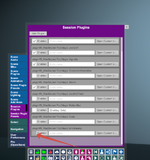
I tried disabling postmagic, but no luck.
I'm running through Virtual Desktop, non-SteamVR, on a Quest 3.
Hope someone can help.
I have this weird general error in VaM VR: When I start it up, it's in double vision, like when PostMagic is on on some scenes.
Problem is, this is in root, not in a specific scene.
Only way to turn it off is if I toggle monitor on, but then the eyes of my avatar are floating 1 metre above my head.
I tried disabling postmagic, but no luck.
I'm running through Virtual Desktop, non-SteamVR, on a Quest 3.
Hope someone can help.