• Hi Guest!

    We have posted a new VaM2 dev log on Patreon, starting a monthly cadence of written progress updates between Beta releases. Highlights include the new Gizmos System, Selection Carousel, and Modes System with Context-Specific Editing. Beta1.2 is 15 of 21 items complete.

    Read the full post on Patreon, or follow progress on the public Trello roadmap.
Clothing Decal Placer - Workhorse Beta

Plugins + Scripts Clothing Decal Placer - Workhorse Beta

Download [<1 MB]

LeChuck99

Member
Joined
Apr 5, 2021
Messages
77
Reactions
74
LeChuck99 submitted a new resource:

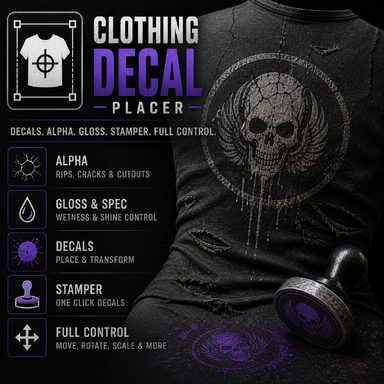
Clothing Decal Placer - Workhorse Beta - Clothing Decal Placer/Stamper (decal, alpha, spec, gloss) Trigger capability

I am not a coder, just made this plugin with AI because there was nothing similar on the hub. Already fixed some bugs and revamped it, so i will drop it now here.
Its a simple "workhorse" Plugin, to place decals onto clothing in different ways. It is also usable via Trigger e.g. Timeline.
Because of the VAM load lags of scene Stuff, the best way is, to save the setup and reload it after scene load. Mostly its enought to push/trigger the "refresh clothing" button after the scene is fully...

Read more about this resource...
 
LeChuck99 updated Clothing Decal Placer - Workhorse Beta with a new update entry:

Bugfix and some changes

  • Changed slot logic: each slot now uses one shared clothing item for Decal, Alpha, Gloss, and Spec.
    • Why? Handling. Its more Easy to use one slot completly for the same cloth item for all 4 textures.
  • Added per-slot Global Intensity control. -> One Slider for all 4 textures. But the performance is not the best. (single slider still possible as it was)
  • Added Capture Slot Global Preset to store balanced...

Read the rest of this update entry...
 
Hey there, I usually do symbol-based texture edits on clothing textures (and mainly use Photoshop). I've got a bug and feature requests!
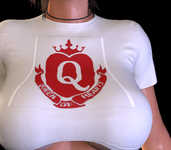
1) Bug: Currently, it doesn't work with transparent images for decals, i.e. I have a 1:1 heartsymbol.png I wish to add on to the clothing, which around the heart symbol, it is transparent, but instead of transparent when I add it to the clothing, it's a white colour, bringing in a square white image + the symbol rather than just keeping it transparent showing only the symbol.
2) Feature Request: Can we have a way, instead of only saving presets, to save the decal (after we have placed it) as a .png combined with the original clothing texture? Or at least save it separately so I can combine them in Photoshop and load my new decals onto the clothing decal texture itself without needing to load the plugin only for loading purposes?
3) Feature Request: When you add a decal, and then want to change to add a new decal and create a new texture, when you press load, is it possible to make it remember the last location you loaded a texture from? Because I usually store my .png templates in custom/atom/textures/presets, having to click through those files every time I create a new texture is annoying and time-consuming from a user experience perspective.
Thank you for this plugin, can't wait to see it develop more!
 
hey, thanks for the message.

1) hmm. thats strange. sometimes there are those transparent colors not really transparent. But i will check this out. Maybe its posible to finetune the crop color etc. or maybe its some simple thing.
I grabbed a heart as png then made an jpg. the png works for me, the JPG not bc it dosnt have a transparent layer. I will check this out, but you can maybe save the image again with an picture editor as an png and chose the transparant color again. Maybe is there something wrong and new save will fix that. I used for testing right now only IRfan View to save a transparent png and its working as you see on the pic. But i will check it.

testh.jpg


2) i think thats possible. Its more a "Bake the texture with all decals at once and save it as file" -Button. But i have to check this out, if that really that easy to cach the entire texture at a way, that you can easy add it as an new ready to add main texture. If it works, youre right, then you dont have to do it in photoshop.

3) i think so. its one of the things i wanna fix, because it annoys me too :)
 
I have attached a screenshot and the image texture I'm trying to upload myself. Within Photoshop, it is transparent and works just fine, and if I edit in Photoshop with the clothing texture, then I will get the edit I desire normally. But adding it through this plugin, you can see the visual artifacts and the square border (square because it's 1:1 image ratio). Not sure why this happens. But if this is fixed, and we get a functionality to save .pngs from the plugin, then it is a 10/10 plugin for me, and you will save me so much time from testing if the texture looks good or not by exporting from Photoshop and manually loading on VAM constantly.
 

Attachments

  • Screenshot 2026-05-05 215547.png
    Screenshot 2026-05-05 215547.png
    566.9 KB · Views: 0
  • QoH16-1.png
    QoH16-1.png
    86.9 KB · Views: 0
I have attached a screenshot and the image texture I'm trying to upload myself. Within Photoshop, it is transparent and works just fine, and if I edit in Photoshop with the clothing texture, then I will get the edit I desire normally. But adding it through this plugin, you can see the visual artifacts and the square border (square because it's 1:1 image ratio). Not sure why this happens. But if this is fixed, and we get a functionality to save .pngs from the plugin, then it is a 10/10 plugin for me, and you will save me so much time from testing if the texture looks good or not by exporting from Photoshop and manually loading on VAM constantly.
ok I tested your image. If i am using, then i have the square around it like on your screenshot.
I loaded it into Gimp, then saved it again. After that it works. There is something in your iriginal picture, what dosnt match but its not really visible. After i saved it you can see, there is no square around. I changed the cloth color to black, if maybe it showing something then, but it also okay. The image is now there, maybe you can try it again with this version. idk if the png still the same after i uploaded it into the message there. But i will check it out, maybe its possible to implement something what fixes images on the fly, or chosing a transparent color inside the plugin.
They removed the plugin during i am answering you, bc i wrote the name of a guy wich one publishing some paid content. Its not allowed to "advertise" for paid content. crazy. I wrote his name only as a thank you for the good content. lol now removed it, and republished again.


test2.png
test3.png
QoH16-1d.png
 
It must have something to do with Photoshop then because I exported most my decals through Photoshop and I'll need to see what causes it for decals I plan on using with this plugin, thanks for checking it out though, can't wait for new updates!
 
It must have something to do with Photoshop then because I exported most my decals through Photoshop and I'll need to see what causes it for decals I plan on using with this plugin, thanks for checking it out though, can't wait for new updates!
right now, idk, but in GIMP i have to chose save the transparent background. Maybe you need to set the background extra as alpha kanal in photoshop or something like that.
 
It must have something to do with Photoshop then because I exported most my decals through Photoshop and I'll need to see what causes it for decals I plan on using with this plugin, thanks for checking it out though, can't wait for new updates!
Is it what you want?

Place it and the Bake it:

1778013688418.png
1778013730233.png


Then load it as main texture:

1778013792151.png


works also with more complex clothing. you need to chose the correct material layer in the plugin if the clothing has more than one.
1778013844937.png
 
Is it what you want?

Place it and the Bake it:

View attachment 588783View attachment 588784

Then load it as main texture:

View attachment 588785

works also with more complex clothing. you need to chose the correct material layer in the plugin if the clothing has more than one.
View attachment 588786
Yes being able to save it is perfect! Maybe if there can be a 2nd way of saving it as a decal instead (so saving it without the clothing texture, i.e. the transparent png itself in the location we placed it) that would be cool too (so you can basically make multiple different decals and just switch decals too rather than only switching main texture). Basically if both options exist it will be perfect.
 
LeChuck99 updated Clothing Decal Placer - Workhorse Beta with a new update entry:

Decal Baker feature to use merged cloth texture with placed decal for using it without the plugin.

Added the decal baker function.

V66:
  • Added Bake Decal To Main Texture button.
  • Baking exports the current slot’s Decal onto the clothing Main/Diffuse texture.
  • Alpha, Gloss, and Spec are not included in the bake.
  • Bake output keeps the clothing UV layout, so the saved texture can be reused as a normal main texture without the plugin.
  • Material = All exports one baked texture per material. (means you got three picture files if the cloth has three...

Read the rest of this update entry...
 
ah ok, right now i understand what you mean with the second variant. You will place the decal somewhere, scaling it around etc. then save only the decal, so you can add it in clothing screen without the plugin as an stand alone decal with transparent colors around it.
Have to check it too. I think in the next update its also inside. Maybe tomorrow. This one is now uploaded. It bakes the entire main texture with the decal.
the update needs an moderator approval. just have to wait.
 
Last edited:
ah ok, right now i understand what you mean with the second variant. You will place the decal somewhere, scaling it around etc. then save only the decal, so you can add it in clothing screen without the plugin as an stand alone decal with transparent colors around it.
Have to check it too. I think in the next update its also inside. Maybe tomorrow. This one is now uploaded. It bakes the entire main texture with the decal.
the update needs an moderator approval. just have to wait.
Thank you so much for working on it! Will try it out when it's out and I'm able to and give a review!
 
LeChuck99 updated Clothing Decal Placer - Workhorse Beta with a new update entry:

more decal BAKER functions.

Completed the Decal "baker" function.
This is version 68, because there is no need to publish V67 anymore.

- save all visible decals and main texture as stand alone file, to load it as an main texture without the plugin.
- save all visible decals as stand alone decal texture to load them as clothing decal without the plugin

Added two "bake" buttons for the new save feature.
you can place your decals, scale and move them, then bake a complete main texture with the decal or save the decals...

Read the rest of this update entry...
 
Back
Top Bottom