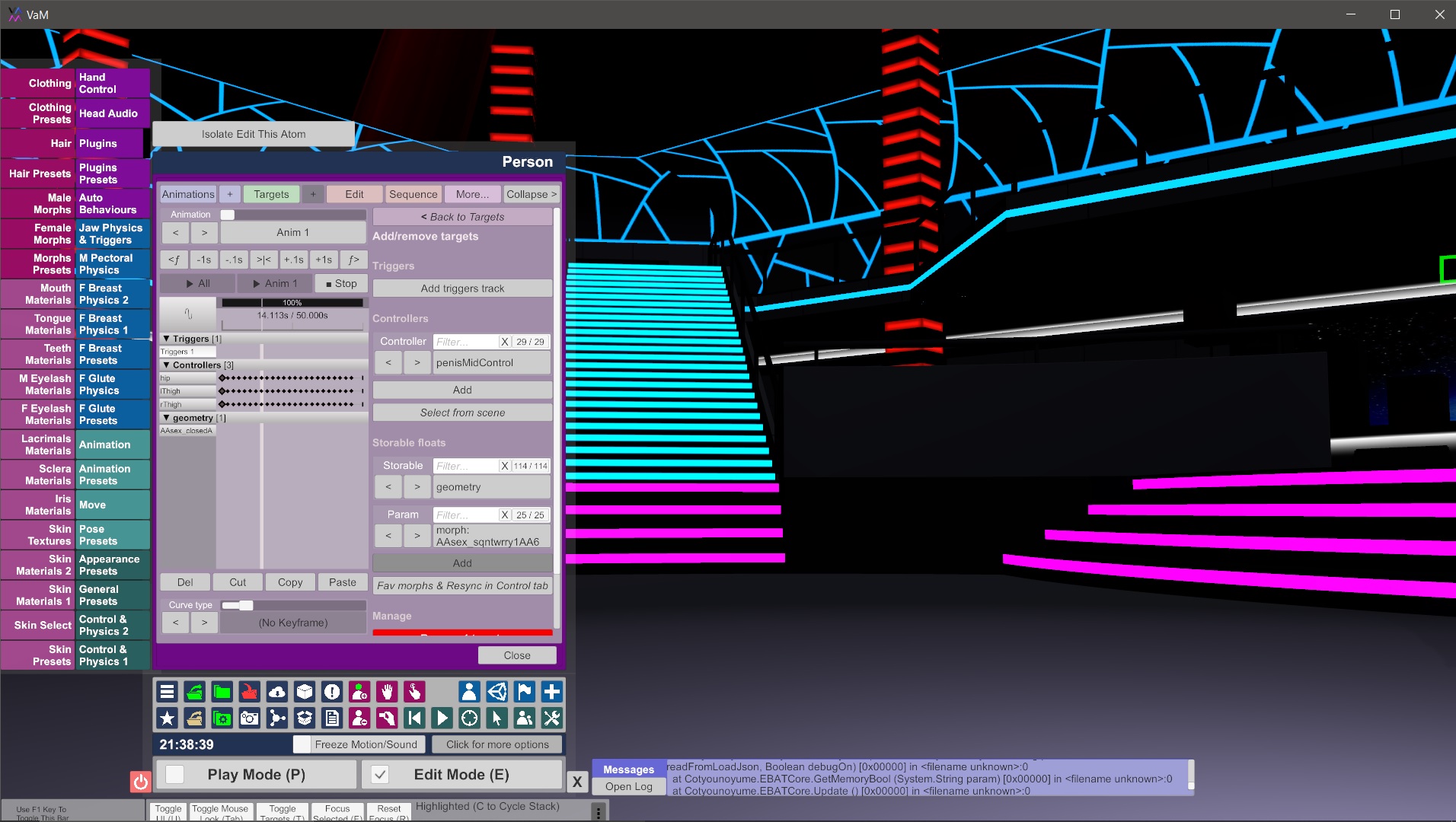
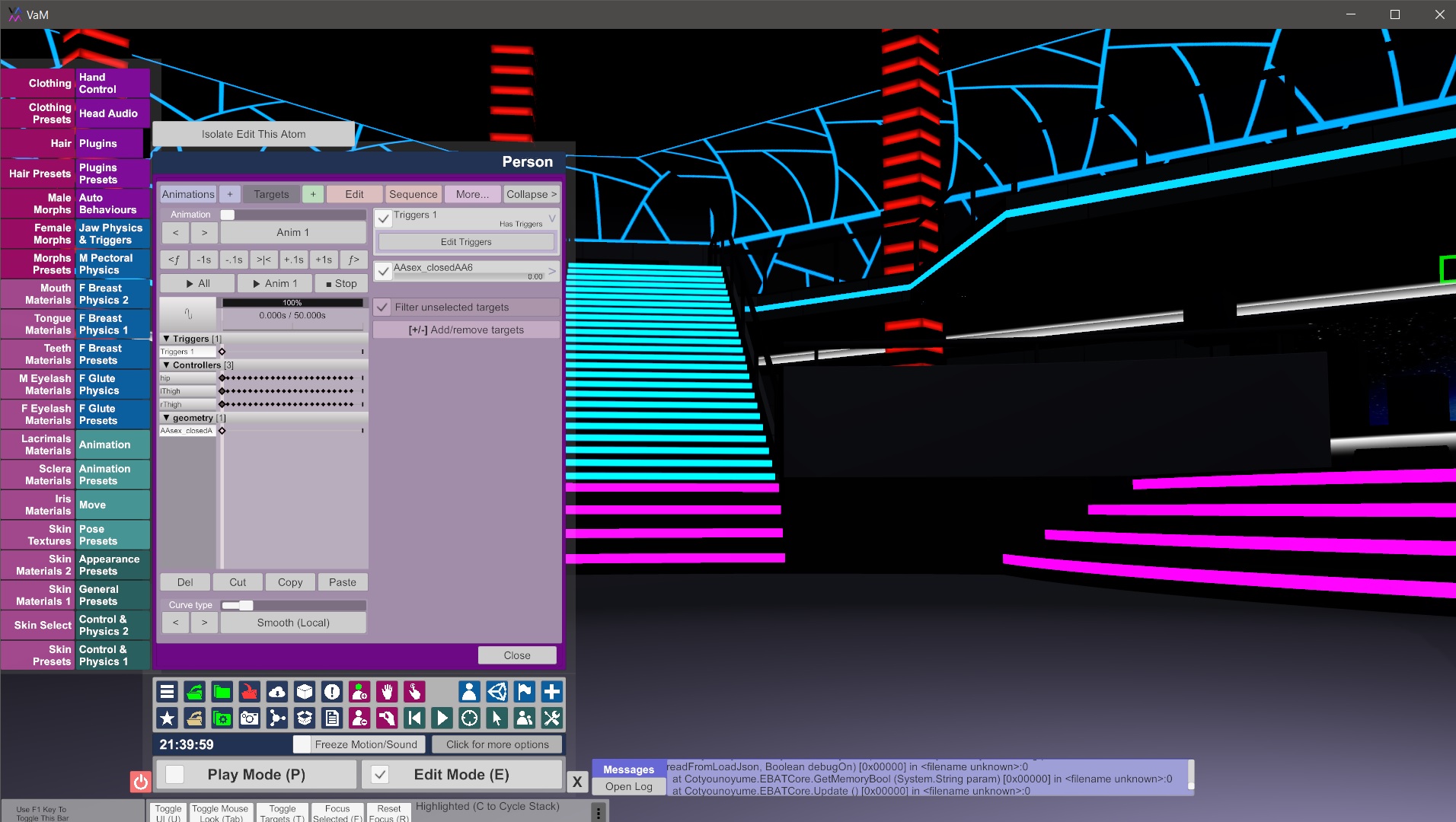
I am by no means an expert in Timeline (nor a good instructor), but some creators have been asking how to change morphs with timelines. In the first graphic below, Timeline is opened up against a person atom. In the first graphic I have selected targets and "+." In the bottom right I have geometry selected in the storable floats section and here you will see all morphs that you have selected as favorites within the morph tab of VAM. To have morphs listed here requires you to go to your female or male morphs tab and select these morphs as your favorites. There is a button below in the storable floats section of Timeline to then click "add" for this parameter to be added to timeline. Then, once it is added, if you click on that parameter on the left, in this case AAsex closedA..., you will see the screen similar to the second graphic below. Then for each place in timeline that you add that geometry to, you can set the value of that morph in the upper right slider under the "edit triggers" section. So, you basically move the time options using the time selection options under the Anim 1 button, then adjust the morph with the slider on the upper right corner for each point in time.