- Number Of Pieces — how many fragments a random cut splits the garment into (2–64).
- Random Seed — change it for a different random cut pattern at the same piece count.
- Cut Raggedness — jitters the tear lines; higher = more torn-looking (border cloth a little floppier).
- Release Next Piece — drops one more piece each press, for a gradual tear instead of all at once.
- Click A Piece To Drop It (Space) — aim at a piece and press Space to drop just that one; the rest stay on.
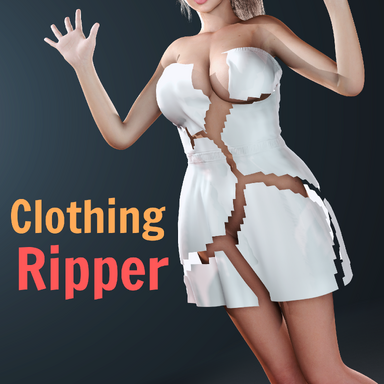
- Show Cut Lines (live preview) — opens the seams as thin slits on the worn garment so you can see where it'll tear. Updates live as you change Number Of Pieces / Random Seed / Cut Raggedness / Seam Width.
- Save Preset (cut + settings) — saves this item's settings and its exact cut to its own folder under Saves/PluginData/ClothingRipper/<item>/.
- Load Preset — loads a saved preset onto the selected item (cut + settings on the same garment; settings only on a different one).
- Save As Default For This Item — auto-applies on equip.
|
- Draw Cut Mode — turn on to draw a cut directly on the garment.
- Draw Tool — Free: hold Space to paint a cut (Ctrl+Space erases). Straight Line: Space at two screen points to slice along that line. Plane: Space slices the garment along the chosen axis at the aimed spot (clean waist/side cut). Edge Path: Space-click vertices to thread the cut along mesh edges (Ctrl+Space undoes the last segment).
- Plane / Line Axis — axis for the Plane/Line tools (X / Y / Z / View).
- Hide Body While Drawing — hides the body so an arm can't block your view of the cloth.
- Open Cut: slit (stays on) — draw an opening instead of detaching a piece; the garment stays on and just splits along your line (no need to close a loop). With Progressive Rip on, the slit opens gradually along the line over Rip Travel Time instead of all at once.
- ↳ Open Cut: drop whole item — for an open cut: when on, RIP unpins the whole garment so it falls off, opening along the slit. (With Progressive Rip on at Apply, the slit stays closed until RIP, then tears open along your line.)
- Draw Brush / Band Radius (m) — thickness of the drawn cut.
- Apply Drawn Cuts (pre-cut) — commits your drawing as the active cut (replaces the random cut until you switch back).
- Clear Drawing — erases the in-progress drawing.
- Switch To Random Cut — discards the drawn cut and goes back to random pieces.
- Seam Width (rings) — how many triangle rings are removed along the cut (1 = thinnest).
- Hide Over-Stretched Triangles — hides any triangle stretched past the threshold below, killing the "spike to the floor" stretchy-texture you'd otherwise see when loosened cloth falls, and letting the seam stay thin. (Re-appears if the cloth comes back, e.g. reversing Rip Progress.)
- Hide Above Stretch (× rest) — the stretch multiple at which a triangle gets hidden; lower hides stretching sooner.
|
- Rip Burst Force (radial/outward) — blows each piece outward in its own direction when released. 0 = just let them drop.
- Rip Burst Duration (s) — how long that outward push lasts.
- Fade Released Pieces After (s, 0=never) — a released piece fades out (material alpha) after this many seconds; it keeps falling while it fades.
- Fade Duration (s) — how long the fade-out takes.
- Detach Duration (s, 0=instant) — ramps a dropped piece's pins to zero over this time so it sags then falls, instead of letting go instantly.
- Detach Curve (higher = sags sooner) — shape of that release: higher starts the sag earlier for an even fall; lower holds then drops late.
- Progressive Rip (tears along the line) — the tear travels across the garment like a bolt of lightning instead of opening all at once.
- Rip Travel Time (s) — how long the progressive tear takes to sweep across.
- Rip Direction — which way the tear sweeps: Bottom→Top, Top→Bottom, Left→Right, Front→Back, etc., plus Along Cut Line (zips a drawn line/loop end-to-end) and Spread From Point (radiates from one corner). For a drawn or open cut the tear unzips along the cut line and the dropdown now orients which end it starts from (Bottom→Top vs Top→Bottom flips it, Left→Right vs Right→Left flips it, etc.); "Along Cut Line" keeps the cut's own orientation.
- Rip Progress % (Pre-Cut first; animatable) — drive the tear by hand instead of by time: Pre-Cut, then sweep this 0→100% along the Rip Direction. Animatable in Timeline at any pace, and reversible — scrub it back and the cloth re-attaches. (Don't press RIP when using this.)
|
- Change Weight/Friction On Rip — ramps the cloth's Weight and Friction to the targets below when it rips (e.g. make it heavier so it falls faster). Off = values untouched; Restore puts them back.
- Rip Target Weight — target cloth Weight on rip (0–2).
- Rip Target Friction — target cloth Friction on rip (0–1).
- Weight/Friction Transition (s) — how long the weight/friction change takes.
- Interactive Mode (pull pieces off) — after pre-cut, grab and pull the cloth (VR grab / cloth grab sphere) and pieces tear off where you pull.
- Interactive Detach Threshold — how hard you must pull before a piece tears in Interactive Mode.
- Tear When Pulled (VR) — arms the cut without ripping; grab the cloth on each side of the cut and pull, and it tears right where you stretch it, running along the cut as you keep pulling. (Turn ON before Apply on an Open Cut so the slit stays closed until you pull it.)
- Tear At Stretch (× rest length) — how far a span must stretch before it gives; higher = tougher cloth.
- Loosen Cloth As It Tears — as a tear opens, the freed cloth around it unpins from the body and hangs slack like real ripped fabric (only near the cut, and only once it actually starts tearing).
- Loosen Spread (rings) — how far the slack (and the peel) reaches out from the tear.
- Loosen Strength — how fully the loosened cloth lets go (1 = fully limp).
- Unpin When Stretched (× rest, 0=off) — cloth near the cut peels off the skin once stretched past this multiple of its rest size, so a hard pull drags the surrounding garment loose. 0 = off; lower = peels more easily.
- Play Random Rip Sound (off by default) — plays a random clip from the plugin's Rip Sounds folder on each rip. Drop your own .wav/.mp3/.ogg files there.
- Procedural Rip Sound (per-tear grains) — synthesizes a tiny "snap" for every separation, so a slow/progressive or hand-pulled tear crackles and a fast one merges into a riiip. Best for the progressive / pull-to-tear / Rip Progress paths. Off by default.
- Rip Grain Density — how many grains per separation (thicker vs sparser crackle).
- Rip Grain Pitch — tunes the grain timbre lower/higher.
- Rip Sound Volume — playback level for the rip sounds.
- Reload Rip Sounds — re-scans the Rip Sounds folder after you add/remove files.
|
- Save Computed Rip With Scene — stores the computed cut in the scene so Timeline rips are instant on load.
- Auto-Detect + Precompute New Clothing — finds clothing equipped at runtime (no manual scan) and precomputes its rip in the background, so it's included in RIP ALL and rips instantly — great for letting users bring their own outfits.
- Debug: Piece Wireframe — overlays the mesh with each piece colored and the cut edges in red; if the item isn't cut yet it pre-computes the cut first, so you can preview where it'll tear without ripping. Updates live with the sliders.
- Debug: Log Analysis Report — prints diagnostic info about the selected garment to the log.
- Auto-Load Default Preset On Equip — when on, a garment's saved default preset (cut + settings) auto-applies when it's equipped / on plugin load. (Pairs with "Save As Default For This Item".)
|