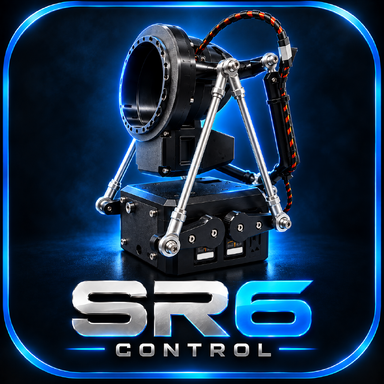



SR6Control is a VaM Session Plugin that converts live scene motion into T-Code for multi-axis devices such as the SR6 and OSR2/+
I built it by combining functions and ideas from three existing plugins: Yoooi's ToySerialController v24, Blazedust's ToySerialController+VAMLaunch v12 and MahiroOyama's Driven Dildo Fork.
Tested in VaM with an SR6.
FIXES AND IMPROVEMENTS
If you run into any bugs while using it, or have any suggestions for features that could be added or things that could be improved, I'd be happy to hear them and I'll do my best to add or fix them
CREDITS
I combined these workflows and added DRIVEN/AUTO integration, the additional motion controls, protection from sudden position jumps and the fixes listed above.
Released under CC BY-SA. Full attribution and retained license notices are included in the package.
I built it by combining functions and ideas from three existing plugins: Yoooi's ToySerialController v24, Blazedust's ToySerialController+VAMLaunch v12 and MahiroOyama's Driven Dildo Fork.
Tested in VaM with an SR6.
- STANDARD mode for regular VaM scenes. Select the moving source and the target Person, then SR6Control converts their movement into SR6 motion. With the target set to Auto, it can follow the active Vagina, Anus, Mouth, Hand, Foot or other enabled body target as the scene changes.
- DRIVEN mode for movement without physical contact. Use it when you want the SR6 to react to a character's body movement even when there is no penetration or other contact - for example during a dance. Select Empty + Female and choose Hips or Pelvis to make the SR6 follow her movement. Dildo and CustomUnityAsset sources are also supported.
- AUTO mode (Beta). Configure STANDARD and DRIVEN once, and AUTO can switch between them. For example, when normal body contact stops, it can switch to the DRIVEN setup; when stable contact returns, it can switch back. Both delays are adjustable.
- Smooth Sudden Changes. If one animation targets the Mouth and the next instantly jumps to the Vagina in a different position, the SR6 does not make the same instant jump. It moves smoothly from the current position to the new one. The trigger can be set from 5% to 90% and the transition from 0.5 to 4.0 seconds. Yes, now you can switch animations in @Zeeko and @sxs4 scenes without worrying about your SR6 ripping something off :3 Short VaM freezes or frame-rate drops are also less likely to cause a sudden device jump.
- More control over strong or weak motion. Motion Range Boost can enlarge movement that feels too small. Max Speed can calm an axis that moves too aggressively. Both controls are available separately for every SR6 axis.
FIXES AND IMPROVEMENTS
- Correct position while a scene loads. The SR6 moves toward a normal centered position instead of pushing its side and forward movement away from neutral.
- Smooth return if the motion source disappears. If the selected Person or object is removed or temporarily unavailable, the SR6 waits briefly and then returns smoothly toward neutral instead of remaining stuck in its last position.
- Very slow movement is no longer lost. Small changes build up correctly, so slow continuous animation still produces movement on the SR6.
- Clean position after reconnecting. After restarting Serial or UDP, the complete SR6 position is sent again. An unchanged axis can no longer remain stuck at an old value from before the reconnect.
- More reliable Serial and UDP connections. Connections can be stopped and restarted cleanly after changing the COM port, IP address or port, or after a connection error. Refresh Ports updates the COM-port list without reloading the plugin.
- Better Dildo and CUA tracking. Rotated or scaled objects are measured where they actually appear in the scene, and the selected CUA mesh remains selected after a refresh or scene load. CUA parts with the same name can now be selected correctly, and different direction settings behave more reliably.
- Hands and feet line up more naturally. Hand targets no longer sit several centimeters above the visible hand. Feet use the side facing the device, so an upside-down or sideways Foot is much less likely to force the SR6 into an uncomfortable Pitch/Roll position.
- Auto target is more stable. If a hand moves close to the Vagina during penetration, the target can stay on the Vagina instead of jumping rapidly between both positions. Nearby Left/Right Hands and Feet also stop fighting for the target, and Vagina versus Anus selection follows the actual closest position when both priority options are disabled. Switching between different Persons no longer confuses the target selection, and disabled targets stay disabled.
- Improved default settings. The new default profile is designed to work well with most standard VaM scenes, giving you a solid starting point without requiring extensive manual setup.
- Smaller corrections. Male + Male setups now save the two selected Persons correctly, and Range Test moves the axis selected by the user, including Pitch. Straight-line Animation Patterns now work correctly, disabled patterns stop cleanly, and SR6 movement remains more consistent when VaM's frame rate changes.
If you run into any bugs while using it, or have any suggestions for features that could be added or things that could be improved, I'd be happy to hear them and I'll do my best to add or fix them
CREDITS
- Yoooi - ToySerialController v24 core, STANDARD motion sources, T-Code output, Serial/UDP connection, UI/config structure and debug drawing.
- Blazedust - adaptive Person and body-target selection from ToySerialController+VAMLaunch v12. VaMLaunch itself and its dependencies are not included.
- MahiroOyama - the Dildo/CUA/Empty DRIVEN workflow concepts from Driven Dildo Fork v2/v3 and the live offset correction introduced in v3.
I combined these workflows and added DRIVEN/AUTO integration, the additional motion controls, protection from sudden position jumps and the fixes listed above.
Released under CC BY-SA. Full attribution and retained license notices are included in the package.