

You are using an out of date browser. It may not display this or other websites correctly.
You should upgrade or use an alternative browser.
You should upgrade or use an alternative browser.
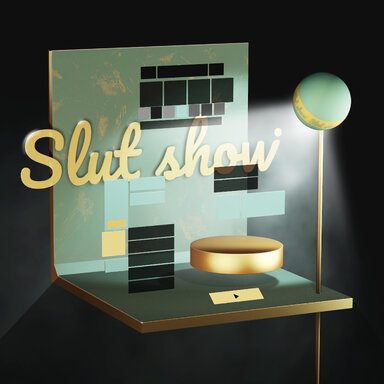
Scenes Slut show - Your personal Exhibition Hall
- Author supperGR
- Creation date
- Hub-Hosted VAR
- CC BY-NC-ND
1.New colour theme
Vanilla Gold
Full coverage colour design including
- wall and floor
- colour components
- custom environments
- lighting design
- matching in Gift Box mode
Shown with primary lighting tweaks, which are now heavily optimised
2.More immersive toolbar
Hide and greyscale
Mouse position detection via @14mhz genius Plugin-AtomClickTrigger, get a whole new way of interaction!
Integrate the height Adjustment Tool into the extra ribbon
- Part of the colour UI is greyscaled for colour-themed immersion
- Hidden extra ribbon, display can be triggered on mouse over
3.Enrichment Gift Box mode
Sound effects and interactive animations
Enriching the scene on a visual and auditory level
Simple music tempo synchronisation with the great BeatIt plugin from @HAL9001
- Fade in and out sound effect
- BGM
- Interactive sound effects
- Interactive visual feedback
Sound on
4.Snap SHOT Enhancements
Improved functionality and pose library
Useful features and more poses
- Full scene colour switching
- Hidden button ‘+’
- Adding Portrait Mode Lights to Optional Lighting Groups
- The pose library is now 90+
- Remove unnecessary animation switching
5.A set of multifunctional gun poses
Gun poses that allow you to switch weapons freely
Join Gun_Pose from @klphgz
Using @Tanklover excellent gun assets Counter_Strike_Global_Offensive_Weapon_Assets
Also works with @14mhz Plugin-AtomClickTrigger for intuitive mouse interaction, clicking on weapons and toggling the asset display
6.Real-time status display
debug character name and pose information
Using @HAL9001 great LogicBricks2 to implement the extraction
Display scene data, character names, poses and state machine status displays
7.More poses
Add and adjust a large number of Great poses
From:
@Zeeko Zeeko.WALL_POSE_COLLECTION
@Luminestrial Luminestrial.StandingPosesExhibit.2
Luminestrial.StandingPosePack.1
Luminestrial.StandingPoseCollection.2
Luminestrial.CKPosePack.1
@LDR LDR.Standing_Pose_part1.1
LDR.Sofa_Pose_part1.2
@ptrxxx
8.Other optimisation adjustments
Tons of....
- Adjustment for each of the eight lights in the seven theme colours
- Minimise the number of unnecessary UIs and use Vamstory for integration
- Adjusting the timing of a large number of transition animations to increase the efficiency of their use
- Adjusting the Priority of Ground Display and LUT Settings
- Adjusting the default display angle of the skybox
- Adjusting the sound size of some audio
- Enter SnapSHOT mode to force the display of the ground
- Remove a lot of redundant code
- ...
Heads up!
In summary, 3 additional dependencies have been added
14mhz.Plugin-AtomClickTrigger
Tanklover.Counter_Strike_Global_Offensive_Weapon_Assets
HAL9001.BeatIt
Enjoy!

1.
Many thanks to @boondavvv for the prompt feedback, found a lot of UI disappearing issues
Now fixed!

2.
Changed the back mode of Custom Environments to skybox mode

3.
Adjust the appearance of Pose grouping button

4.
Add some new poses
5.
Optimize the visual state in "box mode" in Custom Environments
Now you can synchronize the front and back position using the wall distance adjustment tool

6.
Fixed the problem of skybox color in underwater mode
7.
Optimize the logic of entering custom environment
8.
Do not show the rotating module when displaying the ground

9.
Lots of other tweaks
And one more new dependency
ascorad.asco_HandMorphs.3
.48版本重大更新
Ver.48 IMPORTANT Updates
1.
全方位优化场景照明
The eight basic lights are fully optimised and upgraded, focusing on optimising the dark effect and brightness details under different colours according to the six theme colours.
Adjust the angle position of some light spots.

Dim all the lights in the Dark Space colour theme, yes the Dark colour theme now is really dark!!
2.
初步引入声音效(包括呼吸,点击音效和部分模式下的简单音频)
Adds button sounds globally, as well as fading in and out and background sounds for underwater mode.
3.
SnapSHOT
杂志快照模式加入(重要模式,在场景设计之初就打算实现的功能,目前初步实现,现以覆盖60+姿势以及120+的固定机位预设)强烈建议打开声音!
From the very beginning of the scene construction, I've been hoping to achieve something like a magazine cover snapshot, and now I've nearly got what I wanted!!!!!!

A total of 60+ poses have been selected
Each with two or three camera positions with the best lighting and LUT combinations
With each click, a preset pose is randomly selected and you can switch camera positions with the numeric buttons
So you can think of it as a Deluxe version of Random pose
Snapshot mode gives you more than 120 magazine cover effects.

You don't even need to move your viewpoint, everything is designed to be the best combination, all you need to do is one click!
And since each of the six colour themes has different lighting colours, there are even more combinations!
The following board illustrates the functionality of the interface

The Dof feature has been removed for the time being due to the fact that it's not a perfect experience.
Thanks to @Wakumiko for the counter idea!

Yes, the photo button is fake, but hey! It's just for fun!!
If there is a gravity anomaly bug, just exit snapshot and Reset pos.
It's best to try out your favourite characters on your own!
I'm sure a lot of surprises are waiting for you!
Soooon...
4.
初步支持HeelAdjust插件(大部分姿势脚部调整为适合高跟的状态,重置姿势中特定的脚趾姿势)
Previously a large number of poses had the toes in a forced bent heel position, causing the HeelAdjust plugin to not work properly
Now the foot posture of almost all poses is optimised and adjusted, and most poses are modified to heel strike, so the HeelAdjust plugin is added, Don't forget to use the height slider to pull up the character before replacing the heels!
5.
加入来自 Register的CUA Sofa,所有坐姿布局重新设计 https://hub.virtamate.com/resources/cua-sofa.22772/
With @Register CUA Sofa asset, all seating layouts are redesigned and the desired sofa modules are adjusted using the CUA_Editor plugin

New poses from @Zeeko and @IAmAFox !
6.
Reset pos的新姿势
reset pos Updates and replaces generic baseline poses
7.
Titty test 模式的场景和部分姿势进行调整
Due to the new addition of the CUA Sofa, the scene layout of the Titty test has been replaced and the pose placement has been redesigned
8.
新加入大量姿势,同时制作部分姿势简单动画
A lot of great new poses from Zeeko and IAmAFox, and simple timeline animations for some of the existing poses.
9.
加入三个可选的全新LUTs
Add optional new LUTs from @MrOrange and @ICannotDie
10.
删除部分不必要的拖沓动画,以及其他大量逻辑优化
Remove some unnecessary and lengthy transition animations, and Numerous other logic optimisation updates
Looking forward to your feedback!
Attachments


Pose Preset:
Optimise a lot of poses and change naming rules
Add a lot of new poses, now there are 325 preset poses to choose from

Comprehensively optimise Bed-related pose display effects, add bed-on-clothes and hair collision bodies

Colour Theme:
Each theme colour can now be freely matched with five wall coverings
Gift Box Mode:
- Complete visual reset
- Optimised Box Mode hair physics by adding collision bodies
- Box Cover animation added
- New interaction logic
- Added Gift Box Mode viewpoint teleportation
- Added animation
Other optimisation adjustments:
- New Poses for Portrait Mode
- Temporarily cancelled the Random Pose function, and plan to modify it to SnapShot function
- Optimise operation logic
- Optimise some UI visual effects
- Adjust the brightness of some light sources
Extra function area update
- Add wall distance adjustment tool, you can adjust the distance of the wall at will
- Logo on the background can be hidden now

- Added startup subtitles for all Extra ribbon operations
- Adjust the UI operation logic and mode of operation of the Extra Area, such as smooth motion animation
A range of snowflake globe colors
- The snowflake globe in the custom environment has matched all theme colours
Optimise dynamic background
- Optimise the dynamic background display logic again, fix the bug that sometimes it can't be triggered properly
Optimise underwater mode
- Added particle effect in underwater mode, from Farger Under the Sea: https://hub.virtamate.com/resources/under-the-sea.54024/
- Optimise the visual effect of underwater mode
- Add UI hide button for underwater mode
Other adjustments
- Shorten the time of subtitle fade-in and fade-out

Dynamic backgrounds are activated at the end of each loading of atoms or characters or clothes etc.
It's a bit messy
Trying to fix it in this .31 version
My goal is to only run the dynamic wallpaper when you click to switch the colour theme
- 1
-
 1
1
Customised light angle
Now it's easy to customise the angle of most lights, click the button at the bottom of the light ribbon to turn on the slider bar, and most of the full body lights can be adjusted.
Optimise Under the Ocean mode
Optimise the details of day/night switching, modify the default pose, modify the viewpoint teleport position, optimise the display effect like bloom and the sun or moon simulation
Bloom effect
Lut mode adds Bloom effect toggle
Dynamic background animation rate optimisation
Adjusting details such as animation length and rate
A series of detail adjustments
- Gift box mode now could toggle ground display
- Fix blinking issue after closing eyes in some poses
- Add a new BDSM dynamic pose
- Modify the ground display logic in Idlee mode
- Adjusting the density of grey wall textures
Important Updates:
- New mode: Packaging Girl 'A wonderful asset from Folkghost'
- Two poses are available
- Design a variety of theme colours


- Blue Milk: Object theme colour update

- Dynamic background when switching theme colours
- Background big screen effect switching


- Other few logic judgement adjustments, and some colour object adjustments
Important Updates:
- Var Package slimming
- Compress all PNG and JPG, reduce Var size from 48.7mb to 15.9mb, improve loading speed as much as possible.
- Comprehensively adjust the colour selection of 'Sky Blue Barbie' theme colour.

- Enhance the visual effect and functionality of the 'Under Ocean' mode.
- The day/night switching function
- Optimise the light intensity and effect by Farger.Particles_of_Riddick
- Optimise poses
- New UI design for selection enable


- Enhance the functionality of the 'Height Measurement' mode to enable users to swiftly switch between data sets.

Small tweaks:
- Once you have enabled Sweet DOF, you will see that its button flashes to remind you of its position.
- Adjust the value of Specular Intensity when ‘LUT on’.
- Upgrade to the latest VAMLive plugin for better experience.
- Fix other logic bugs.
(There are two new additional dependencies for this update: VAMLive.4 and Farger.Particles_of_Riddick.8)
Important Updates:
- Fixed the issue with the Under the Ocean lighting textures not loading properly. Thanks to @JonyPink for helping with testing!
- Added a new background big screen that can be toggled on and off at any time, Switch button located in the Extra Area.


- Thanks to @PrettyFrank's amazing work, the DOF experience has been completely revamped!! I've introduced the Sweet DOF startup toggle switch in all scenes, with a larger button design for easy exit.
- CamRide is now available for idlee dynamics test mode. From VamTimbo Nadia Halloween Idle
Small tweaks:
- Some optimisations to the colour of the loading prompt bar in front of the character.
- Optimised the lighting colours related to some colour themes.
- Optimised some poses and gaze point positions.
@kanen99, I'm sorry, It's hard to get a background music that everyone is happy with... So, for now, there won't be any music contents.