


-- Description:
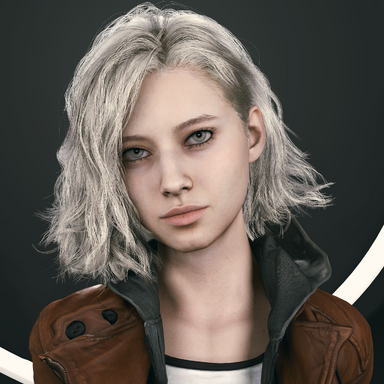
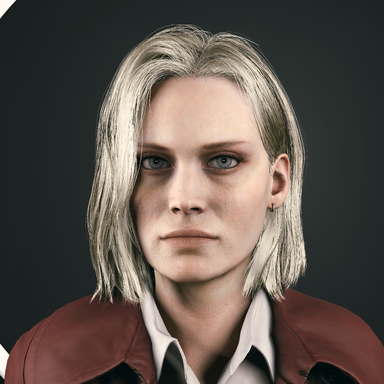
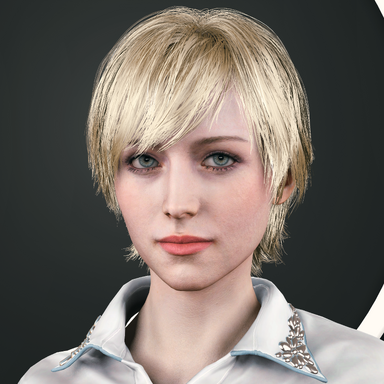
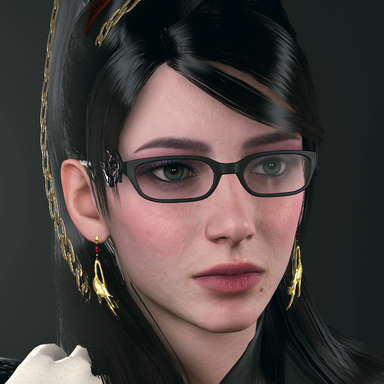
- Plugin that aims to increase skin rendering realism by replacing the native skin shader with added screen-space subsurface scattering & translucency approximation.
-- Contents:
- SkinSSS script files, mask texture files and shaders packed in an assetbundle file.
-- How to use?
- Simply load SkinSSS.cslist on female person atom.
-- Features:
- Highly optimized, Only takes up about 1ms of frame time.
- Depth mask with Dilation feature to prevent metallic clothing lighting from leaking onto skin.
- Adaptive Tessellation for better skin geometry resolution without affecting performance by much, with default mask textures that exclude the scalp area to prevent clipping with scalp meshes.
- Toggle to use GGX reflectance shading model. (similar to blender)
- VR rendering supported.
- Subsurface scattering approximation with a fixed diffusion profile.
- Translucency approximation.
- Supports VaM's native window camera, screenshot cameras and Macgruber's SuperShot high resolution screenshot camera.
- SSS Luminance range feature, Excludes SSS from dark features like eyebrows, scalp or tattoos.
- Tooltips system for detailed explanation for each plugin UI element.
- Can load your own custom SSS & Tessellation mask textures.
- Preset system.
-- Tips:
- For smooth blending with transparent clothing items like make-up, eyelashes, skin thight fishnets or lip stick... etc, It is recommended to set their render queue to 2501+.
- For accurate occlusion of opaque clothing use 1999 or less in their render queue to make use of the more accurate stencil based masking.
- To further improve performance lower "SSS Denoiser" value or disable it altogether from the toggle.
- To save performance in desktop mode, make sure to manually select the camera used as the plugin will render on all active cameras with Auto-Detect selected which can tank fps if multiple cameras are enabled for example both player view camera + window camera.
-- Main Preview:
-- Comparison snaps for various skin tones:
* Left is no SSS.
* Center is SSS default values.
* Right is Scaler value at 12 with SSS blend at 0.80.


-- Comparison snaps for genitals:
* Left is no SSS.
* Center is SSS default values.
* Right is Scaler value at 12 with SSS blend at 0.80.

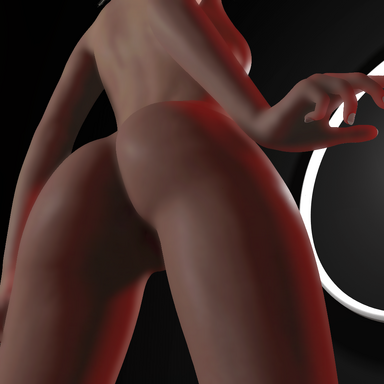
-- Comparison snaps for body:
* Top is no SSS.
* Center is SSS default values.
* Bottom is Scaler value at 12 with SSS blend at 0.80.

-- Plugin reference credits:
- @MacGruber for Utils.
- @regguise for CustomShaderLoader.
- Plugin that aims to increase skin rendering realism by replacing the native skin shader with added screen-space subsurface scattering & translucency approximation.
-- Contents:
- SkinSSS script files, mask texture files and shaders packed in an assetbundle file.
-- How to use?
- Simply load SkinSSS.cslist on female person atom.
-- Features:
- Highly optimized, Only takes up about 1ms of frame time.
- Depth mask with Dilation feature to prevent metallic clothing lighting from leaking onto skin.
- Adaptive Tessellation for better skin geometry resolution without affecting performance by much, with default mask textures that exclude the scalp area to prevent clipping with scalp meshes.
- Toggle to use GGX reflectance shading model. (similar to blender)
- VR rendering supported.
- Subsurface scattering approximation with a fixed diffusion profile.
- Translucency approximation.
- Supports VaM's native window camera, screenshot cameras and Macgruber's SuperShot high resolution screenshot camera.
- SSS Luminance range feature, Excludes SSS from dark features like eyebrows, scalp or tattoos.
- Tooltips system for detailed explanation for each plugin UI element.
- Can load your own custom SSS & Tessellation mask textures.
- Preset system.
-- Tips:
- For smooth blending with transparent clothing items like make-up, eyelashes, skin thight fishnets or lip stick... etc, It is recommended to set their render queue to 2501+.
- For accurate occlusion of opaque clothing use 1999 or less in their render queue to make use of the more accurate stencil based masking.
- To further improve performance lower "SSS Denoiser" value or disable it altogether from the toggle.
- To save performance in desktop mode, make sure to manually select the camera used as the plugin will render on all active cameras with Auto-Detect selected which can tank fps if multiple cameras are enabled for example both player view camera + window camera.
-- Main Preview:
-- Comparison snaps for various skin tones:
* Left is no SSS.
* Center is SSS default values.
* Right is Scaler value at 12 with SSS blend at 0.80.
-- Comparison snaps for genitals:
* Left is no SSS.
* Center is SSS default values.
* Right is Scaler value at 12 with SSS blend at 0.80.
-- Comparison snaps for body:
* Top is no SSS.
* Center is SSS default values.
* Bottom is Scaler value at 12 with SSS blend at 0.80.
-- Plugin reference credits:
- @MacGruber for Utils.
- @regguise for CustomShaderLoader.