


Quickly load and play randomised music playlists in audiobundle form
You might be interested in reading this guide if you:
- want to play your own music on any scene
- like to change and load different music collections
- have it or plan to have your music as an assetbundle for super quick loading (which is now super easy to do)
- like to read guides and/or want to make your VAM experience even better
At least read this stuff to get the gist:
Outside VAM:
- copy your music into assetbundle form (aka audiobundle)
- add a AudioSource atom in a scene
- name the AudioSource atom as quickmusic
- load the atom preset shared in this guide
- the AudioSource preset should be placed in the folder Custom/Atom/AudioSource

- the AudioSource preset should be placed in the folder Custom/Atom/AudioSource
- configure the preset appropriately (see instructions below) and save your new quickmusic preset
- repeat for as many presets as you wish to make
Cool stuff, now you have quickmusic presets that you can load and change on demand, randomised or not, with as many playlists as you decided.
All you need on a scene is to:
- have or add an audiosource atom called quickmusic
- load a preset of yours
If you made it this far it means you are very interested, very confused, or both...
So I reward (or punish) you with how everything works:

You like that, don't you?
Come on... admit it!
If you are reading a guide, you like this technical stuff.
The nerdier the better

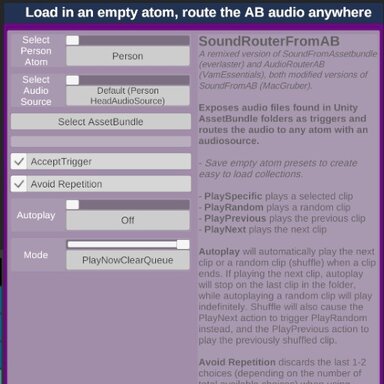
Single source playlist On the left you have the included base quickmusic preset.
Multi AB folders/sources playlists On the right you have an extended base quickmusic preset with more SoundFromAB plugins and multiple choices on plugin#0.
|
Need a picture to explain the above text? No problem, here you go:
What about the plugin in the middle (EventAudioQueueEmpty)?
You don't need to do anything there. Its purpose is to audostart the music and make sure that there's always something playing. See the diagram on top, it triggers the plugin Sequence Choice when the audio queue is empty.
Credits
MacGruber, the Logicbricks magician