

-- Description:
- Post Processing plugin with effects that are fully compatible with VR mode, featuring:
* SSAO: Screen Space Ambient Occlusion.
* RTGI: Raytraced screen space Global Illumination.
* DOF: Depth Of Field with HQ bokeh with multiple shapes.
* LUT: Color Grading that supports Unity's strip LUT formats.
* Bloom: glow effect.
* MotionBlur: motion blurring from fast movements in scene.
- Tooltips system, providing explanation for each UI parameter in the plugin.
- Compatible with VaM screenshot cameras + MacGruber's SuperShot camera.
- Can be loaded as session, scene or person plugin.
- All effects have parameters to balance quality vs performance.
-- How to use?
- Simply load the PostFxPro.cslist file as session plugin, you can also load it as a scene plugin or a person plugin.
-- Tips:
- For increased performance, you can decrease the resolution scale of effects & also switch to Performance mode in Core textures from advanced tab.
- If your VaM freezes for too long upon taking high resolution screenshots, consider lowering the temporal samples in advanced tab.
-- SSAO Preview:
-- RTGI Preview:
-- DOF Preview:
-- LUT Preview:
-- Bloom Preview:
-- Motion Blur Preview:
-- Debug View Modes Preview:
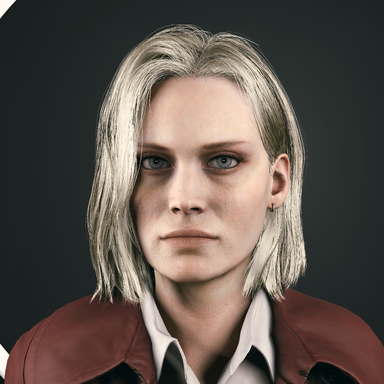
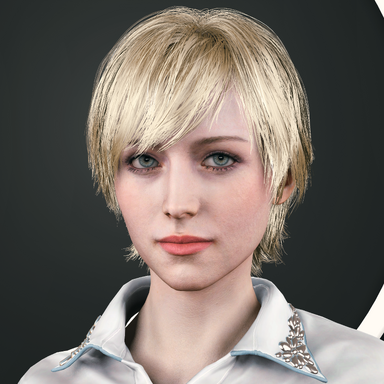
-- Comparison snaps, left is Vanilla Vam and right is with PostFx Pro enabled:


-- Plugin Reference Credits:
- @MacGruber for Utils.
- @ICannotDie for LUT packs.
-- Clips Reference Credits:
- @ddaamm for hair long 10.
- @VAM-OOOO for Japanese classroom env.
- Post Processing plugin with effects that are fully compatible with VR mode, featuring:
* SSAO: Screen Space Ambient Occlusion.
* RTGI: Raytraced screen space Global Illumination.
* DOF: Depth Of Field with HQ bokeh with multiple shapes.
* LUT: Color Grading that supports Unity's strip LUT formats.
* Bloom: glow effect.
* MotionBlur: motion blurring from fast movements in scene.
- Tooltips system, providing explanation for each UI parameter in the plugin.
- Compatible with VaM screenshot cameras + MacGruber's SuperShot camera.
- Can be loaded as session, scene or person plugin.
- All effects have parameters to balance quality vs performance.
-- How to use?
- Simply load the PostFxPro.cslist file as session plugin, you can also load it as a scene plugin or a person plugin.
-- Tips:
- For increased performance, you can decrease the resolution scale of effects & also switch to Performance mode in Core textures from advanced tab.
- If your VaM freezes for too long upon taking high resolution screenshots, consider lowering the temporal samples in advanced tab.
-- SSAO Preview:
-- RTGI Preview:
-- DOF Preview:
-- LUT Preview:
-- Bloom Preview:
-- Motion Blur Preview:
-- Debug View Modes Preview:
-- Comparison snaps, left is Vanilla Vam and right is with PostFx Pro enabled:
-- Plugin Reference Credits:
- @MacGruber for Utils.
- @ICannotDie for LUT packs.
-- Clips Reference Credits:
- @ddaamm for hair long 10.
- @VAM-OOOO for Japanese classroom env.