

Outliner — Fast Scene Navigation & Lighting Workflow for Virt-A-Mate
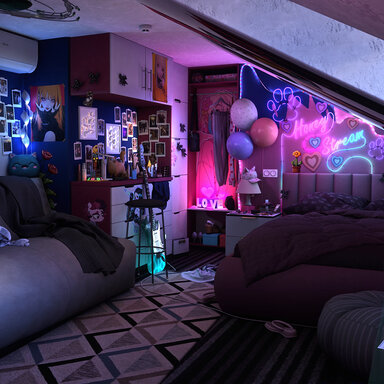
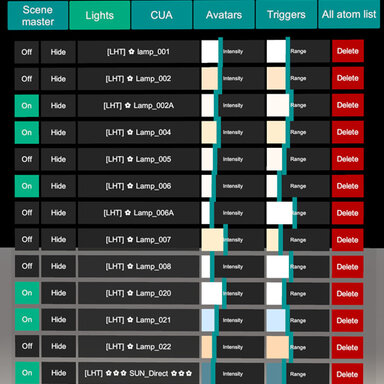
Outliner is a compact in-scene control panel built to speed up real VaM scene work. It gives you a clean, scrollable atom list with smart filters, plus direct controls for Lights, Reflection Probes, Scene Master, and CUA tools — so you can iterate without digging through multiple VaM menus.
Outliner is a compact in-scene control panel built to speed up real VaM scene work. It gives you a clean, scrollable atom list with smart filters, plus direct controls for Lights, Reflection Probes, Scene Master, and CUA tools — so you can iterate without digging through multiple VaM menus.
Improvements v1.1:
Added preset renaming functionality.
Added preset import from other scenes (works if the light names match between scenes).
Added visual gizmos for lights (range sphere for point lights, range and angle cone for spot lights).
Added highlight for the selected CUA.
Added a reflection probe (as a demo for interaction).
Added a CUA pole (as a demo asset for interaction).
 Instant scene navigation
- Quick filters for the atoms you use most: Scene Master, Lights, Probes, Presets, CUA, Avatars, Audio/Triggers, and All atoms
- One-click selection and fast camera workflow for crowded scenes
 Per-Scene Light Presets (scene-linked)
Outliner uses a per-scene preset list: each scene keeps its own set of lighting presets, so when you switch scenes you only see/load the presets that belong to that scene.How it works
- The scene file stores the preset references (a list of preset names linked to that specific scene).
- The preset files themselves are stored globally on disk, so they’re easy to back up and reuse.
 Lights: intensity & range, right where you need them
- Adjust Light Intensity and Light Range directly from the list (fast look-dev, fast fixes)
- Quick on/off controls for rapid A/B testing while lighting
 Reflection Probes (no menu diving)
- Dedicated controls for probe tuning (e.g., intensity and blending behavior)
- Makes reflections and scene “readability” faster to dial in
 Workflow shortcuts
- ALT + LMB: instantly focus the camera on the selected asset — perfect for crowded scenes
 Scene Master: global lighting control
- Central panel for scene-wide lighting settings (Skybox, exposure/ambient feel, overall lighting balance)
- Great for quick “make the whole scene work” passes
 CUA workflow tools
- Quickly duplicate or delete CUA items while you build
- Toggle collisions on/off when you need clean posing, performance, or less interference
 Hotkeys (fast access, zero friction)
- Open/close Outliner instantly via a hotkey (F2 by the default)
- Customizable binding so it fits your setup and avoids conflicts
 Flexible UI placement
- Follow camera, fixed distance, or “stick to screen” style behavior
- Adjustable UI scale and visible rows to fit any monitor and workflow
 Optional background low-power mode
- Lowers load when VaM is minimized/unfocused so your GPU isn’t wasting power while you multitask (as an option in the plugin settings)