





MR Chroma Parts
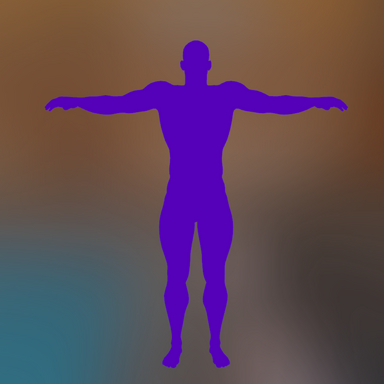
MR Chroma Parts is a session plugin designed for VR mixed-reality and passthrough scenes. It renders selectedcharacter regions as a fully unlit solid color that remains unchanged by scene lighting, viewing angle, or shadows.
This makes those regions suitable for chroma-key-style masking and mixed-reality effects.
Recommended Companion Plugin
For best results, use Sally.CameraBackgroundColor to create a matching solid-color background for mixed-reality compositing.Features
- Supports both male and female Person atoms
- Automatically detects characters added after the plugin is loaded
- Targets the first matching character by default
- Can target a specific character or all characters of the selected gender
- Uses one configurable solid color for all visible regions
- Independent visibility controls for hands, genitalia, head, and remaining body
- Head classification includes eyes and mouth materials
- Optional hair hiding
- Optional clothing hiding
- Can ignore VR head collision with processed characters
- Preserves head collision with characters that are not being processed
- Compatible with AcidBubbles' Embody HideGeometry and first-person features
- Supports VR single-pass stereo rendering
- Saves settings locally between VaM sessions
- No external dependencies
Languages
The interface includes:- English
- Simplified Chinese
- Traditional Chinese
- Japanese
- Korean
- Spanish
- French
- German
- Portuguese
- Russian
Installation
- Place Yuehua.MRChromaParts.1.var in your VaM AddonPackages folder.
- Open the Session Plugins screen.
- Add the following script:
Custom/Scripts/Yuehua/MRChromaParts/MRChromaParts.cs
Basic Usage
- Leave Female Characters disabled to process male characters, or enable it to process female characters.
- Use Apply To to select a specific character or all matching characters.
- Enable the body regions that should remain visible.
- Select the desired Chroma Color.
- Configure hair, clothing, and VR head-collision options as needed.
The first detected character of the selected gender is used by default.
Compatibility Notes
This plugin changes active skin materials and shaders. It may conflict with plugins that also replace character skin
shaders, including some SSS, tessellation, anime, or cel-shading plugins.
If updating the package while VaM is already running, fully restart VaM so the updated Shader AssetBundle is loaded
instead of the cached version.
Credits
Created by Yuehua.
Based in part on GhostPenetrator by Hunting-Succubus.
Embody compatibility was designed for AcidBubbles' Embody HideGeometry system.
License
CC BY-SA