Foot Factory 3
Realistic, dynamic textures you can blend and make your own.
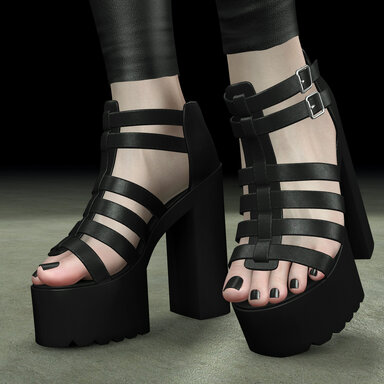
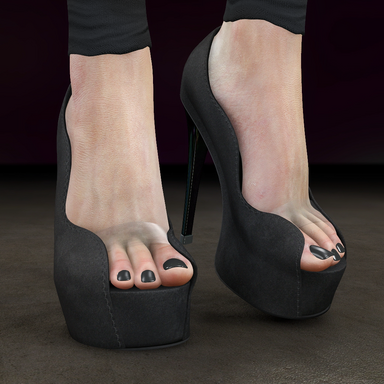
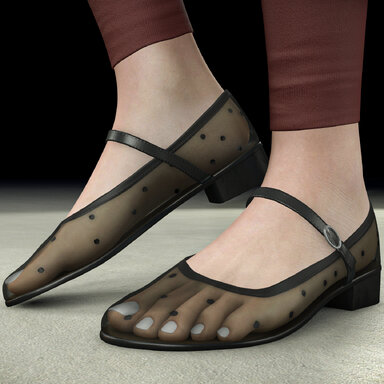
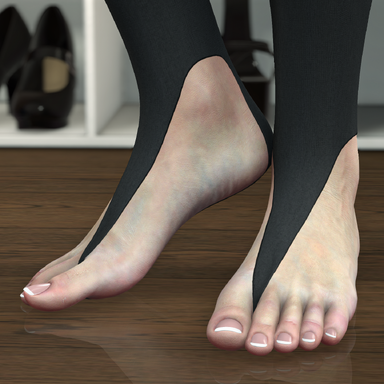
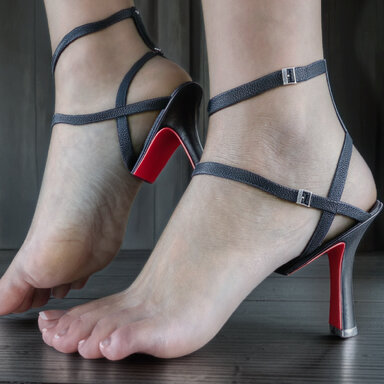
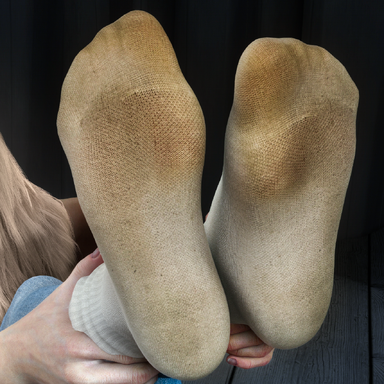
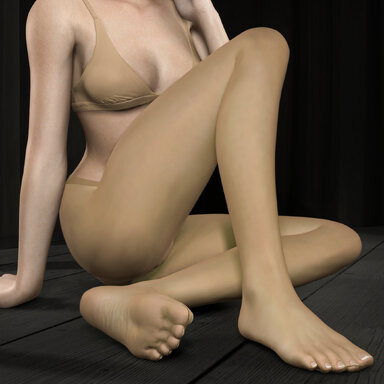
8k skin, soles, toenails, veins, callouses, dirt and subsurface glow, built up in layers, with soles that crease as the toes curl + MUCH MORE

Realistic, dynamic textures you can blend and make your own.
8k skin, soles, toenails, veins, callouses, dirt and subsurface glow, built up in layers, with soles that crease as the toes curl + MUCH MORE
How to use itAdd Foot Factory to a Person atom and open its panel, get experimenting! Documentation is included within the plugin for any help.
Sole textures
This is one of the standout features. We have incredible looking, blendable 8k sole textures you can mix and match, tone, colorize, and use dynamically.
We all have our preferences, and hopefully you can achieve yours with all the control you need to tune that sole!
Toenails
Nails that sit snugly on each toe, with a soft fold of skin and a cuticle around them.
- Shape every nail: roundness, width, length, thickness, placement and tilt, per toe.
- Any colour, on all nails at once or one toe at a time.
- Plain or natural style, with tip strength, thickness and colour for a natural or French tip.
- Shine and surface ridges, or use your own nail textures.
Dynamic Feet
Feet that react as they scrunch and stretch.
- Dynamic sole creasing: the creased sole fades in as the toes curl. It can follow VaM's toe controller, or a morph you choose for each foot.
- Auto toes: scrunches and spreads the toes as they bend, so the movement looks natural. You can pick your own scrunch and spread morphs.
- Move feet with toes: If you're using animations for the toes, using this will allow the feet to slightly move along with them in a natural fashion (as in the demo scene).
Base foot
A whole new 8k base foot skin covering the sole, toes, top of the foot and ankle, blended into your character's leg skin.
The idea is that this neutral forms the basis for all the other high def textures. In previous FootFactory versions the soles looked too high def for the rest of the foot!
Colorize
Here lies my favourite feature! We can affect the tone / shade / color / texture clarity / lightness of all parts of the foot.
Not only that but you can make it work when the toes scrunch - the soles crease - the skin yellows & pinks. It's awesome.
Per area you get: colour tint, strength, brightness, temperature, tint, contrast, highlights, skin detail, vibrance and saturation.
Toe skins
It's not just soles you can mix, we also have different skin textures for the toes which all blend in and can be fine tuned.
Toes have long since been "Not so good" in vam. Their pixel density is low. I've managed to cram as much detail into them as possible and so now render with 8k detail!
Veins
Unlike standard vein textures these don't require normal maps - but we do have them!
You can color / blend the actual subsurface veins themselves, and use the normal maps on top to help give more definition.
Dirt & debris
Yeah so... not all feet are perfect right? You can scale this up / down as much as you like. Adding layers of "stuff" to your hearts content.
New in FootFactory 3 are better designed areas for coverage as well as the top of the foot. You can hit it all.
A new blend mode + normals (raised effect) lets you better "ingrain" it into the skin rather than pasted on top.
Callouses
Give your feet a bit more wear, if you like the natural worn look - here you go! A range of callouses / scabs & other bits to blend in.
Toe occlusion
This is one of those things that you don't notice it until you do. To me this is what makes them stand out and gives you an additional realism cue.
When you look at a real foot, the toes are usually very dark in between, giving them a sense of separation. VaM by default does not, you get there by some degree
with good lighting. But generally not enough. When you toggle this on / off you will know what I mean!
Subsurface scattering
You may not need this - but you also might... If you use an SSS plugin already then don't bother with this. If not it can in the right circumstances give you a cool effect.
And the rest
- Presets: save your look, and choose which parts load. Take the toenails from one preset and the skin details from another.
- Save as default: every character you add Foot Factory to starts with your setup.
- 4K or 8K textures: 8K is sharper up close, 4K is lighter on video memory.
- Tessellation: smooths the foot's shape so close-ups look round, not blocky.
- Optimize colliders: foot and toe colliders sit just inside the skin, so contact happens where you see it.
- Edge shading: softly darkens the feet toward their outline so they look rounder.
- Built-in docs: every setting is explained inside the plugin.
You will need
- The texture pack: SoleStorm.FootFactoryPack_DefaultTextures. The plugin is designed to accept future DLC's to keep it growing!
That's all - Enjoy the show!
If you want to support me and my kinky mission please check out my Patreon & Discord:
https://www.patreon.com/c/SoleStorm
https://discord.gg/QKsyAkQWqT