


You are using an out of date browser. It may not display this or other websites correctly.
You should upgrade or use an alternative browser.
You should upgrade or use an alternative browser.
V9: New Lambert Diffuse Shading + Performance Pass
NEW: Lambert Diffuse Shading
Thanks to the amazing work provided to me by @UncleBurrito , DeepSkin now has a new shading method using the Lambert Diffuse model.


Neutral Environment - Environments -
Neutral environment for VAM. Requires: Script_ColorScale of Blazedust 1.Open Neutral-Environment-MERGE.json with "Merge Load Scene" 2.Select "Neutral-Environment-Color" atom and select plugin to change color.hub.virtamate.com
Vivienne Hair - Hairstyles -
Credit: @VL_13 VL_13.Scalp_v12 Special thanks to the creator!
Lace Bodysuit - Clothing -
Lace Bodysuit 6 presets 3 alphas per variation Credits for the poses https://hub.virtamate.com/resources/ht_standing_pose.68609 https://hub.virtamate.com/resources/lumis-standing-pose-pack-legacy.20286
Lingerie [A] - Clothing -
(Female) Lingerie [A] (sim) Includes: Top, Skirt, Panties ⭐ Subscribe for more! ⭐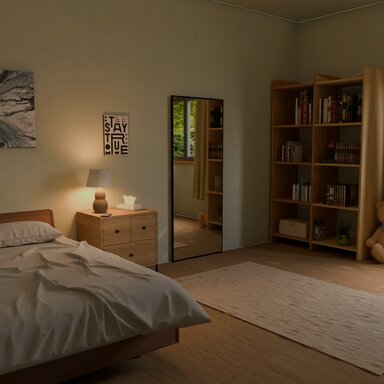
Soft Neutral Bedroom - Environments -
Daytime environments can look quite good as long as you pay attention to the direction of the main light. If you need more shadows, set the main light like this: Credits and Thanks: paintings...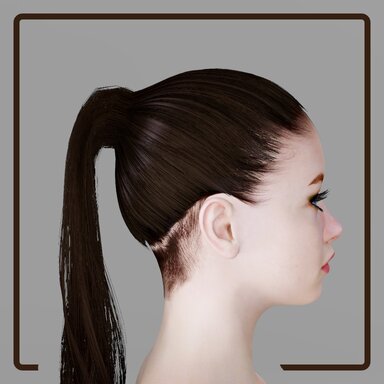
Tight Ponytail - Hairstyles -
This hairstyle is made for the VL_13's Scalp_v12_2, without which it'll not look right. Use included presets to apply everything easily. Especially on the male gender, where I've had to hardcode the presets to reference textures from female scalp...NOTE: Scenes and presets saved before V9 with DeepSkin on the Person atom keep their original look, so the new shading starts switched off in them. To use it, open DeepSkin on that person, go to the Shading tab, turn on Enable Shading, and save the scene. New scenes and characters you add DeepSkin to from now on get it automatically.
- Lambert Diffuse, with Lambert Wrap to soften the shadow line.
- Diffuse Roughness: matte, powdery skin, using the EON rough-diffuse model (Portsmouth, Kutz and Hill, 2025).
- Specular Fresnel Falloff and Specular Terminator: gives finer control over skin highlights, adapted from the skin shading of "The Callisto Protocol" (Jimenez and Petersen, SIGGRAPH 2023). The terminator eases highlights into the shadow side to give an oily sheen, with its own length and tint.
- Enable Shading at the top of the tab switches all of it off. Skin then shades exactly as in V8.
- On by default: Lambert on, Diffuse Roughness 0.1, Specular Fresnel Falloff 0.65, Specular Terminator 0.3.
- Lights without shadows no longer light the side of the body facing away from them. Scenes built around that can look darker on the shadow side.
- Costs next to nothing: not measurable in a heavy test scene, about 0.15 ms per frame in a light scene.
NEW: Performance Pass
As DeepSkin has grown with each version, it has also gotten heavier. Every new feature added a bit more work per frame, it all added up and some of you noticed your frame rate not being as high anymore. So for V9, I did a proper performance pass: I measured every part of DeepSkin frame by frame, on both the GPU and the CPU, found where the time actually went, and made it as light as I could without changing how it looks. Most of the cost turned out to be the skin’s lighting and shadows, which were redone for every light in the scene, even lights that couldn’t reach the character.
DeepSkin's GPU cost per frame is about 40% lower in scenes with many lights. In a test scene (at 4K) with six shadow-casting spot lights, it went from 11.7ms to 6.8ms per frame. The CPU time went from 1.9 to 1.4 ms. Simple scenes with few lights and low tessellation stay about the same.
- Adaptive Tessellation (Tessellation tab, on by default): the skin is only subdivided based on how many pixels it takes up on screen. Full detail up close, and less at a distance. Adaptive Edge Size (px) is used to set how fine. The Tessellation slider is the maximum.
- Lights that can't reach a character no longer cost anything on the skin, and the skin is skipped while it's off screen.
- For spot and point lights, shadow casting skips the parts of the body outside the light's view and the side facing away from it.
Fixed: Transmission on dark skin and ears
- The transmission used to be the same strength for every skin color, so on darker skin the glow could look like orange paint. The glow now takes on the skin’s own color and darkness: darker skin lets through less light, tinted by its own hue, and fair skin looks as before. The new Skin Tone Influence slider (Transmission tab, default 1) controls it; 0 brings back the old glow.
- A mistake on my part had the transmission thickness for ears set to a very low number and made part of the default preset. This made ears look unrealistically bright. So, the new plugin defaults are: ear tissue density 3 (was 0.8), torso 1.5 (was 1), Transmission Strength 0.5 (was 0.6).
NEW: Session mode can save settings with the scene (optional)
- Save Character Settings With Scene. With DeepSkin as a session plugin, turn this on and each character's settings are saved with the scene. So changes to one character, like a transparent head, will load properly next time you load that scene.
- It's off by default, so that if you were using the session plugin to apply your settings across every scene you loaded, that still works the same as before.
- The default preset no longer carries the Fade tab's transparency values, so a transparent head saved into the preset no longer shows up on every character.
VR
- Fixed an issue where reflections and highlights on the skin pointed away from your view in VR with captured scene lighting. DeepSkin now gives each eye its own camera position. This also removes a shimmer issue on the skin that could happen in VR.
DLSS Compatibility Fixes (Plugin by Uncle Burrito)
- Fixed an issue where DeepSkin gave the "command buffer is being rebuilt every frame" warning when DLSS was turned on. You no longer need to toggle "Hook Capture Cameras" off when using DLSS.
- Fixed issues where running DLSS at lower internal resolutions (anything below DLAA) would cause some features to misbehave (hide skin under clothing, adaptive tessellation)
- DeepSkin no longer switches off the upscaler's motion vectors when it rebuilds its render setup.
Fixes
- Fixed an issue where the first time DeepSkin loaded from a new package, right after clicking 'Allow', it ignored the default preset and the SSS looked much weaker.
- Switching DeepSkin on no longer has a delay for certain features to appear. Micro detail and the eyes used to come in up to a second later, this is now fixed.
- Controls greying out would also have a slight delay. This now happens instantly.
- Fixed an issue where switching 'Hide Skin Under Item' off kept the skin hidden.
- Fixed an issue where some characters with a geograft were barely tessellated at any Tessellation setting (Show Tessellation Density stayed dark purple).
- Fixed an issue where switching 'Enable Tessellation' off and on again left the skin tessellated lower than on a freshly loaded character.
- Fixed an issue where turning DeepSkin off or removing it with tessellation on could leave those parts on VaM's tessellated shader.
- Fixed an issue where the Forearms material was treated as part of the head because its name contains "ear", so head-only handling such as Embody's head hiding could reach the forearms. Found by Uncle Burrito.
Upgrading from V8
- Scenes and presets saved with V8 stay how they looked. They load with 'Enable Shading' off. Switch it on to get the new shading.
- Your saved default preset is updated once, on the first load of V9: 'Enable Shading' is switched on, and red glow and transmission values still at V8's defaults move to V9's. Values you changed yourself are kept, and the message log lists what was updated. To keep V8's look for new characters, switch Enable Shading off and save your default again.
- Scenes and presets that still have V8's default ear and transmission values get the new ones when they load. Save the scene to keep them.
- 2
-
 2
2
V8: CUA Subsurface Scattering & UI Reworked
NEW: CUA Subsurface Scattering
DeepSkin now works on CUAs, VaM toys and assets (dildo), XPS models (using XPSLoader on an Empty) and my FloatingHand plugin.


Animated people Nude - Assets + Accessories -
Note: This is a modified version of the bikini edition pack which was removed for licensing issues with the Daz3d assets used, so If you were lucky enough to download that package you don't really need to download this one. I've had to remove all...
[Assetbundle] Sex Toys Bundle - Assets + Accessories -
Watch with sound ;D Credits and license links are in "credits.txt" file.
BigDumbIdiot's Dildo Pack-Part 1 - Assets + Accessories -
I wasn't finding many options for realistic dildos on the hub, so I made some myself. The first one I threw together quickly. It isn't very good. The second one I took more time on, but is a little more vertex heavy. The third one is a reworked...
FloatingHand - Plugins + Scripts -
FloatingHand | A standalone, fully animatable physics hand for your scenes FloatingHand spawns VaM's own VR controller hand as a scene object on an Empty atom. It comes with the same per-finger joint physics and collision as the VR hands. Every...
HEM' 12 - Tentacle Ecology 1 - Free - Demo Assets + Accessories -
If you like this asset, please support my subscription version. Tentacle Ecology 1 - Subscription: https://hub.virtamate.com/resources/hem-12-tentacle-ecology-1.47043/ Asset package Including 54 animated tentacle assets, 4 animated scene assets...Found in the Main tab in Person/Session mode:
- Add DeepSkin.cslist to the CUA.
- Either via the CUA's own Plugins tab,
- or via "Add DeepSkin To CUAs" in the Main tab of DeepSkin in Person/Session mode.- Check the Materials list on the right. Tick every part that should get SSS and untick the rest.
- Tune the sliders to how you like it.
- Use the Copy SSS Settings to copy the values for pasting them onto other CUAs.

- Select which materials of the asset get the screen-space SSS applied onto it.
- Skin materials are picked automatically by name (face, torso, limbs, hands, feet, nails etc.). Small objects without skin names, like a toy, get all their opaque materials enabled. Large CUAs such as environments start with none until you manually select materials.
- Scatter Color per CUA:
- Skin (red spreads farthest, same as on people),
- Neutral (marble, wax)
- Match Material (colored plastic, silicone)
- Custom Color (set the color yourself)
- Auto (uses Skin on skin-named materials and Match Material on everything else).- Light on performance: one DeepSkin draws the SSS for every CUA in the scene in a single pass, so ten CUAs still costs one pass, not ten. In testing, giving SSS to many CUAs at once, and even to a whole environment, made no measurable difference to the frame rate.
- Hovering over a material in the list will light up the material in the scene to better see what material you're selecting.
- Copy SSS and Paste SSS settings to copy settings from one CUA to another.
NEW: UI Rework
- The long scrolling info boxes on every tab are gone. Each setting now has a short description right beside it, which lines up with the control.
- New rounded panels, a title and version number in the top right, and a line under Enable DeepSkin that says which mode of DeepSkin you're using (Person, Session or CUA mode).
- The Main tab has a status box (shaders loaded confirmation, a warning such as a missing shader bundle or a skin-shader conflict) and a short list of what's new in the latest update.
- The scrollbar now shows at all times, so switching between a short tab and a long tab no longer spawns the scrollbar which shifts the panel sideways (which looked jarring in my opinion).
- The CUA mode of DeepSkin uses the same styling.
NEW: Faster Screen-Space SSS
- The SSS used to check every pixel of the frame for skin, including the background, in each of its passes. That check is cheap per pixel, but at 4K or in VR it adds up to millions of pixels. DeepSkin now skips the parts of the screen that don't have a Person (or CUA with DeepSkin). This mostly saves performance when a character is further away / small on screen. Close-ups where the skin fills most of the screen will cost the same as before.
Smaller Changes
- Bones tab: new Enable Bones master toggle, so every tab / main feature of DeepSkin has a master toggle at the top.
- Regions tab: Paint Mode turns on 'Show Transmission Regions' automatically now.
- Clothing tab: the Clothing Item list shows each item's name as it appears in VaM's clothing menu, instead of its internal mesh name.
- Auto Remove Eye Clothing no longer writes a log message. So loading clothing presets with eye clothing won't constantly bring up this message anymore.
Fixes
- Fixed an issue with Scene Lighting Capture where a pink silhouette of the character could show up in the capture when anti-aliasing (MSAA) was on.
- Fixed an issue where Auto Remove Eye Clothing wouldn't remove eye clothing items that had cloth sim enabled (BooMoon's Pretty Eyes Pack latest update had this, among others).
- Fixed an issue where on some clothing items, the SSS could leave gaps across the item. Those items would also get weird shadows with 'Fade Shadows With Alpha' turned on. This is now fixed.
- Fixed an issue where clothing items that cover more of the face than the eyes are no longer mistaken for eye clothing.
- Fixed an issue where 1 Person would not show SSS in renders with SuperShot or VRRenderer when 2 Person's with DeepSkin were in the render.
- 1
-
 1
1
V7: Micro Detail & Capture Scene Lighting
NEW: Micro Detail
- Built-in skin micro detail, found in the new 'MicroDetail' tab. Off by default, so existing scenes and presets keep their look.
- Procedural texture baked by the plugin (so no extra textures in the .var) with a live preview of the map in the plugin UI. The texture is shared by every person in the scene, while weights and scales are per look.

- Global Detail Weight and Detail Scale sliders, and per-region scale and weight multipliers for the face, torso, limbs and genitals.
- Diffuse Share is how much of the detail the diffuse lighting sees. The specular highlights always show all of it. The slider at 0 keeps the diffused lit skin smooth and shows the micro detail only in the specular highlights.
- Distance Fade (off by default): the micro detail fades out with the camera distance. Use the "Set" buttons to quickly set the current distance.

- Custom textures: load your own micro detail texture instead of the procedural one, with optional per-region buttons to set different textures for the face, torso, limbs or genitals.
NEW: Scene Lighting Capture
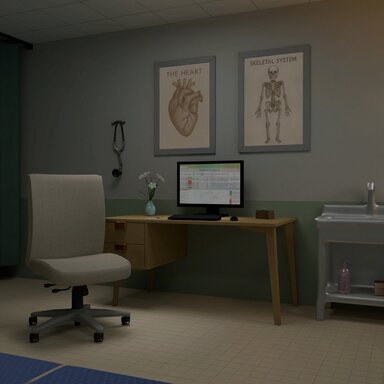
Care room - Environments -
If want to get looks and quality scenes,please support me. https://www.patreon.com/lidongran128 Only release on patreon Looks: https://im.ge/a/looks-for-vam.Q1Q0z It can receive shadows from the game’s built-in lights and delivers good...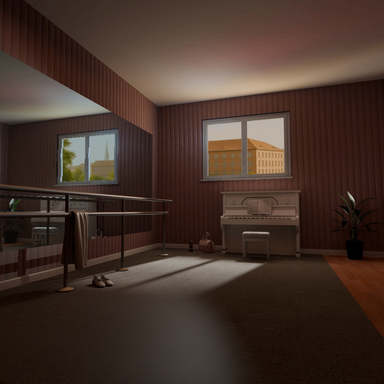
Sunlit Rehearsal Hall - Environments -
In User Preferences, check “Mirrored Surfaces Enable.”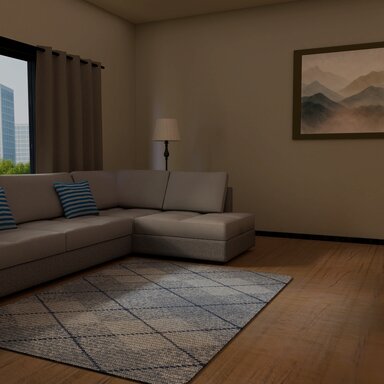
The Living Kitchen - Environments -
If want to get looks and quality scenes,please support me. https://www.patreon.com/lidongran128 Only release on patreon Looks: https://im.ge/a/looks-for-vam.Q1Q0z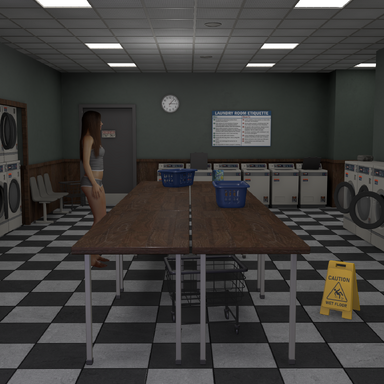
Laundromat - Environments -
This is my first environment and upload created in unity and for the use a Virt-A-Mate creators and users alike. Important: This environment contains baked lighting that will not reflect on to the character model. I've placed a few lights in the...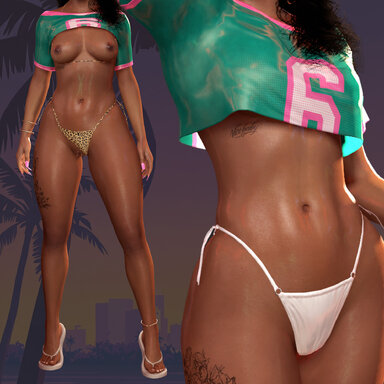
GTA6 Bikini - Clothing -
GTA6 Inspired Bikini Set Bikini set and shirt created inspired by the popular cover girl from the GTA6 cover! I've made a lot of different variants and loads of clothing presets. There are lewd variants of the shirt, bikini panties and bikini...
- One button click captures the scene around the character and puts it into VaM's own global illumination, the same way an HDRI lights and reflects in a render. This is essentially a one-click solution of what previously required MacGruber's SkyMagicExporter/Loader. This also helps give a better baseline lighting for the DLSS Neural Rendering plugin by @UncleBurrito
- Capture point (defaults to Person's headControl) is where the capture is taken from.
- The Global Illum Master/Diffuse/Specular Intensity sliders are the same sliders as the ones in VaM's Scene Lighting tab, just placed in DeepSkin's UI for convenience.
- The capture saves with the scene, not in presets, and can be re-captured at any time and triggered.

OTHER FIXES/CHANGES:
UI
Clothing
- Master toggle at the top now says 'Enable DeepSkin' instead of just 'Enabled'
- Enable Screen-Space Blur master toggle at the top of the Blur tab, in case you want to use DeepSkin only for certain features and not be forced to use SSS.
- Added headers/groups to the Main and Tessellation tab for clearer separation of the settings.
Eyes
- New toggle Hide Skin Under All Items (found at the bottom below 'Advanced') turns on the 'Hide Skin Under Item' feature for all worn clothing items. Clothing items that only cover the head (scalps, makeup layers, lashes, hats) and pieces that cover no skin are skipped automatically. Please remember that this feature is still experimental, and it still has limitations. For example: see-through clothing items will show the hidden skin behind it.
Startup
- Edge Blend brightness default has been lowered to 0.70 (existing presets won't be affected)
- A DeepSkin instance that is set as a session preset with VaM's Enabled box unchecked will no longer read its shader bundle, start the asynchronous load or build materials. This now happens on the first frame the plugin actually runs. (rare case bug reported by @DJ )


V6: Transparency & Hide Skin Under Clothing
This update brings built-in transparency in DeepSkin. With transparency in DeepSkin's shader, it allowed me to build an experimental system for hiding skin under clothing to minimize clipping.
(Many people have requested compatibility with @mopedlampe 's newest 2B model, which is now fully compatible.)

NEW: TRANSPARENCY

 Bikini is Micro Bikini by modkkola
- Built-in transparency, found in the new "Fade" tab. Unlike transparency plugins that swap the skin to a stock transparency shader and lose the shading, transparency now happens inside DeepSkin's own skin shader: SSS, transmission, wetness and shadows all fade down together with the skin.
- Global Transparency, six Group Masters (Face, Torso, Limbs, Hands, Feet, Eyes) and per-part sliders. Every slider is a plugin storable, so Timeline can animate them.
- Alpha Masks (Face, Torso, Limbs, Genitals) allow you to load custom alpha textures just like other transparency plugins.
- Fade Shadows: gradually fades the shadows as the skin is fading. Shadow Hold keeps the shadows stronger deeper into the fade, Keep Shadows Below sets the cut point when Fade Shadows is off.
- Dissolve Style: a special effect for the skin fading. A continuous noise pattern across the body with glowing edges. (as seen in the GIF above)
- Render Queue slider
- 'Show Fade Masks (debug)' makes transparent skin red for checking masks and coverage.
NEW: HIDE SKIN UNDER CLOTHING [experimental]
Auto-reveals the skin as the clothing slides off:
Or manually paint areas of the skin that should hide:
Clothing in the video is Blouse & Skirt Set 006 by YameteOuji
Environment is Laundromat by Fishy
Found in the "Clothing Tab":
- When toggled on, skin under a clothing gets hidden, which helps prevent clipping of skin through clothing.
- Toggle per clothing item: "Hide Skin Under Item". DeepSkin automatically maps the skin covered by the clothing item and 'paints' it hidden.
- Clothing Depth Guard: a per-pixel test that only shows skin sitting in front of the fabric on screen. Guard Bias sets how far skin may show in front of the clothing before it shows; Soft Body Guard Bias is a higher value and applies over the breasts and glutes, since those areas tend to clip the most.
- Auto Reveal When Cloth Moves: a system where hidden skin shows again wherever its fabric is no longer covering it, so a towel or robe being dropped will dynamically un-hide the skin. For clothing items that cover most of the skin and aren't supposed to come off (like bodysuits, t-shirts), I recommend turning off auto-reveal so the skin will always stay hidden.
- Paint Hidden Skin for manual refinement: paint the skin that should be hidden, or erase to keep those areas always visible. Paint saves per item and reloads next time you equip the clothing item.
- Known limitations:
- The depth guard makes auto-reveal possible, but extreme movement can still show brief clipping at grazing angles.
- Clothing that have see-through parts will not show skin below it (because it's hidden).
- Mirrors use the proximity field only, so clipping will still show on mirrors.
- The automatic bake is taken at the pose you enable it in. Toggle the item off and on to bake again.
FIXES:
Clothing
- The per-item settings on the Clothing tab (Include In SSS Blur, Hide Skin Under Item, shadow fade opt-outs) now save with the scene, not just in presets.
Mouth
- Fixed the mouth shadow lagging behind head movement and darkening the teeth mid-motion.
- Lip shadows are now per jaw: the lower lip no longer darkens the upper teeth in smiles and lip bites, and vice versa.
Skin
- Fixed the Skin Gloss slider doing nothing under exclusively VaM global lighting.

V5: Catchlights & Scene Reflection


NEW: Catchlights Editing
Catchlights are the way VaM's point & spotlights look in the eye reflection. This update lets you customize those.
- Catchlight styles: Soft, Sharp Disc, Sharp Rectangle, Sharp Ring, Sharp Octagon and Sharp Window.
- Eye Reflection Sharpness now also controls the sharpness of the edges of the sharp catchlights.
- Catchlight Aspect and Rotation lets you stretch and rotate the catchlight shapes.
- The default global catchlights keep a fixed apparent size by default, the way default VaM and eye clothing items worked. Catchlight Distance Scaling makes the catchlights scale with distance, so a light close to a face will read larger than a light across the room.
- Per-light catchlights: pick any scene light and give it its own catchlight style, size, aspect, rotation and brightness, or None to hide it in the eye reflection. The selected light/atom flashes yellow to know which light you've selected. Saves with the scene.
- Any atom can be a catchlight source, so not only VaM lights.
Catchlight Editing preview:
NEW: Scene Reflection
See an accurate reflection of the scene in the eyes.
Scene Reflection preview:
- Capture Scene For Eye Reflection: takes a one-click snapshot from the character's own eyes and sets that as a cubemap reflection, so the eye reflects the actual scene. Each character captures from their own position. When toggled on, a capture is automatically done on scene-load and upon loading DeepSkin. A capture can also be triggered.
- Captured Highlights Boost lifts flat emissive surfaces (unlit ceiling panels, screens) toward the brightness a real light would have in the capture.
- Sclera Reflection Amount and Sclera Catchlight Amount control how much the sclera reflects.
- Sclera Reflection Bumpiness: the sclera is not a perfectly smooth surface like the cornea is. The sclera now has a more realistic bumpy surface.
- Reflection Curvature: increases the corneal reflection curvature, so catchlights appear closer together in the reflection. This was added to make the reflections look closer to what you might be used to from eye clothing items.
- First Environment is Laundromat by @Fishy007Cornea
- Second Environment is E-Girl Bedroom by @AXnop.732
- Iris Caustic: real corneas refract and focus incoming light onto the side of the iris opposite the light, which makes the bottom of the iris appear brighter if a light source is up high.
- Iris Caustic Shadow: how dark the shadowed area looks compared to the lit area.
Wetness additions
- Load wet textures: load your own custom gloss and specular maps for the wetness. These will show on the wet area on top of your character's current textures. I highly recommend WeebUVR's Sweat Gloss maps
Performance
- Eye rendering performance improvements: the reflection layer draws in half the render passes it used to, and redundant per-pixel work was removed.
- Skin renders slightly cheaper when the wetness system is off.
Fixes
Defaults and Upgrading
- Fixed most of the iris material's own sliders doing nothing on the refracted iris. Gloss, Specular Intensity, Specular Texture Offset, Specular Bumpiness, the offsets and the Global Illumination Filter all work now.
- The iris material's texture no longer touch the pupil. Iris textures that had a white center would show a white pupil. This no longer happens.
- Fixed the white of the eye glowing per light in point-lit scenes. New Edge Blend Brightness default has been set to 0.8.
- Fixed pixelated sclera bumpiness in close-ups.
- Animating the camera FOV no longer causes per-frame rebuild work.
- V5 ships new tuned eye defaults. Everything added since V4 already loads tuned, and settings you saved in V4 keep your values, which is usually what you want.
- Load V5 Eye Values (Recommended) applies my tuned V5 defaults onto the character being edited, leaving skin, mouth and region settings untouched. Save your default preset afterwards to keep it.




V4: Eyes Overhaul
Model used in the previews is Lara by @BooMoon . Thanks for allowing me to use her for the previews!
Eyelid shadows
Iris edge
- Upper and lower lid contact shadows, measured from the character's own lid line every frame. They follow blinks, expression morphs and the gaze.
- Eye corner shadow, plus a lid interior shadow that darkens the inner eyelids where they touch the eye.
- Width, height, reach and softness sliders.
Reflection
- Eye Tessellation smooths the eyeball mesh.
- Iris Edge Blend hides the hard mesh seam between iris and sclera using the character's own sclera texture, with reach, brightness and grazing-angle controls.
- Corneal Refraction: the view ray bends at the cornea with a real refractive index. Iris Depth and Iris Concavity give the pupil true parallax at side views, like a real eye.
- Iris UV Bake reads the mesh's actual mapping, so pupil morphs such as slits show correctly in the refraction.
- Pupil Uses Iris Texture, and an Export Eye UV Template button (VaM doesn't expose the pupil texture by default, this toggle enables that).
Tear line
- Finer controls over reflection brightness, sharpness, fresnel and environmental reflections.
- Eye Scene Reflections (SSR): screen space reflections that reflect the nose, eyelids and eyelashes.
- Physical Corneal Dome: the cornea is real geometry with a real silhouette. It retracts under the lids as they close, so it doesn't clip through the lids when they are closed. The shading-only bulge remains as the alternative.
- The reflection layer follows eye morphs. A Shell Clearance slider controls the offset if needed.
Sclera
- Custom Tear Line exposes the G2F's tear line which VaM doesn't expose by default: a wet line along the lower lid with adjustable reflectivity, fresnel and micro-detail.
- Tear Follows the lower lid and can be offset.
Lashes
- Procedural Sclera generates the white of the eye on the GPU: corner redness, veins, detail, bumpiness and spacing can be tweaked with sliders.
- Sclera Shell Cover hides the hard sclera and iris mesh seam.
Preview of most adjustable features:
- Tessellated Eyelashes
COMPATIBILITY
OTHER CHANGES
- Follow Transparency Plugins: basic compatibility for GoingGoingGone. When a body part or group gets hidden by this plugin, DeepSkin 'releases' that area so that it can become transparent. When transparency reaches 0 DeepSkin takes that part back again.
- Auto Remove Eye Clothing: automatically removes clothing items that sit above the eyes (with an exception of lashes), so you don't have to manually remove these items from a model when loading up DeepSkin.
- Fixed issue where the SSS was floating above the genital area
- Fixed capture plugins (VRRenderer and similar) rendering the skin orange in recorded frames.
- Fixed VR double vision issue when changing the resolution scale.
- Wetness settings now save with the scene only, no longer with look presets.
- Sliders that do nothing while their feature is off now grey out.
- Less per-frame work in scenes with mirrors and while recording.


V3: Teeth & Mouth Overhaul
Teeth, gums and tongue are now included in the SSS and get a complete overhaul.
- Mouth SSS: teeth, gums and tongue now have SSS.
- Mouth Interior Shadow: The the mouth now darkens with depth past the lips towards the back of the mouth (adjustable).
- Lip Shadow: This darkens the mouth right behind the lips and fades out as they part. It is driven by the lip opening, measured from the character's own lip vertices every frame, so the lip shadows follow the lips actual position during smiles or talking. Top / Bottom Lip Shadow Offset let you calibrate where each line sits on your character.
- Mouth tessellation: the mouth gets its own density multiplier, so the low-poly stock teeth can be smooth without relying on the body-wide tessellation. Mouth Tess Depth Falloff drops the density with depth behind the lips, so the areas you barely see don't get tessellated. Auto Reduce Mouth Tessellation decreases tessellation further while the lips are sealed.
- Mouth Replacement Textures (on by default): a bundled higher-quality teeth and gum set provided to me by @BooMoon .
- Auto Remove Teeth Clothing (on by default): automatically removes mouth/teeth/gums clothing items from the model so you don't need to manually remove them to see DeepSkin's teeth. Turning this off or disabling/removing the plugin will restore them.
NOTE: DeepSkin automatically sets the colors/materials of the mouth & teeth material tabs to values I hand-picked. You can still manually change them to whatever you desire and click the "Save Mouth Materials As Defaults" button in the mouth tab to set your changes as the defaults.
Other Fixes & Improvements
- Embody Compatibility: When activating Embody, DeepSkin automatically releases it's shader from the head so Embody can hide it as normal, and takes it back when possession ends.
- Fixed an issue where the decal on clothing items didn't fade with the 'Fade Shadows' option.
- Fixed an issue where tessellation wouldn't get reverted to the state it had before adding DeepSkin, meaning re-adding could cause tessellation to multiply it each cycle.
- Fixed an issue where you needed to restart VaM when trying to load a different version of DeepSkin.
- Fixed an issue where certain strong normal maps created artifacts.
V2: Wetness
Place a water volume collider in the scene and skin gets wet when it touches and leaves the water.
- Water surface used in this video is Fluid Surface Sim by Skynet
- Environment is Bath House by AssetBox
- Bikini is Micro Bikini by modkkola
- Water acoustics made with LightCookies inside VamStoryVFX by hazmhox
- Ponytail is tight ponytail by qdaroNEW: Glow Edge Softness (Transmission tab)
- Place a water volume (box or cylinder, attached to any atom) in your scene. Skin entering it gets wet exactly up to the waterline, and slowly dries after leaving. Works on every Person in the scene.
- Underwater skin is its own look: the shine disappears while submerged (skin underwater looks diffused) and comes back the moment skin surfaces. Optional underwater brightening.
- Two-phase drying: fresh out of the water the extreme wet look fades off fast, while the remaining out-of-water wetness dries slowly. Both speeds adjustable, 0 = stays wet forever.
- The wet look can be set with the same sliders you know from Skin Materials 2: Wet Gloss and Wet Gloss Texture Offset. Fully wet skin renders as if you had raised those sliders.
- Soak Whole Body and Dry Instantly buttons, both triggerable, so for scene creation you can trigger these.
- 'Show Water Volume' preview for easy setup.
The backlit glow used to end in a hard line wherever an arm, the jaw or hair blocked the light. It now fades out softly instead. On by default at 2mm, including for existing presets. Set it to 0 if you want the old hard cutoff back.


Improvements
- Fade Shadows With Alpha is now ON by default for every clothing item. Scalp pieces stay off by default (faded scalps put a red glow on the hairline). Per-item toggle can still be used to include/exclude clothing items.
- New Load Plugin Defaults button: if you want to return to the plugin's defaults. Button needs to be pressed twice to confirm.
- Default Blur Amount for new installs lowered to 0.10. Existing presets won't be affected.
(next up in DeepSkin V3 will be realistic mouth and teeth rendering)