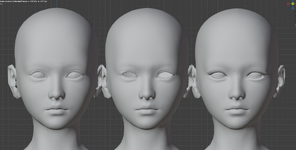
Daz Generations Converter

Plugins + Scripts Daz Generations Converter

Go to download
This is a Blender Extension, developed in Blender 4.4 and tested in Blender 5.1

Daz Generations 2.1.0 Beta https://mega.nz/file/HTY0iAoJ#Fr6wx-lQEOcIuAnXCw18IAAwZjyDXFltWY5nKpD4Z8w

The program has been rewritten and the UI simplified. Supports Only Females, Males are still to be done.

1. Click Import OBJ
2. Select Output Model
3. Convert
4. Click on Converted model
5. Save Converted Model
export.JPG


This Screenshot shows a conversion of Original Gen 8 > Gen 9 > Gen 2
1787871630607.png


This version uses a direct barycentric placement which provides better detail transfer and the cost of loosing the proper pose.
It attempts to recreate and repose the model to match the default pose that generation of Daz model should have.

Issues:
Eyes, Eylashes and Mouth is still still needs fine tuning.

Attachments

  • 1787871373898.png
    1787871373898.png
    911.2 KB · Views: 0
This adds one feature and one utility, and allows use in Blender versions >4.x

Feature: The tool will attempt to match scales of models before running the conversion script. This helps keep the proper T pose for G2 figures.
Choices are
  • Scale to Match source: Source is scaled to match the Target then the Morphed output is then re-scaled back match the source
  • Scale to Match Target: Source is scaled to match the Target.
  • No Scaling
Utility: Added our own Import and Export functions based on the old Blender legacy importer. These ALWAYS respect vertex order, no need to change any settings.

This will allow you to continue using this tool with Blender 4.x

1710542337359.png
The is the first release version of Daz Generations.
  • Adds Male model support
  • Adds Genesis 9 support
  • Fixes mesh selection code that required plugin to be reloaded before recognizing selections.
  • Adds Repair deformed eyes
  • Add Repair deformed mouth
  • Add Recover from subdivided meshes.
  • Moved to using a sqlite database instead of json.
Cleans up code and UI.

Repair options are designed to automate fixing the eye and mouth issues that occur with Daz fit to figure and Wrap3D.
It is not needed for conversions made by this tool.


Recover subdivision will attempt to extract a base shape from a subdivided/high definition mesh, when you have mistakenly applied the modifier when exporting or sculpting. It may allow you to salvage the work if the changes to the mesh were just additive (adding faces, verts, lines).
Used by loading the sculpt and the correct base figure then Select the source and ctl+click the base
Version 3 of the conversion script.
We now use the distance weighted average of the nearest 4 vertex positions when calculating the target vertex movement.
This helps smooth out the ridging that often occurred along the sides of the models.

Eyes and Mouth are still moved as parts and not per vertex, so no distortion occurs.

Cleaned up the conversion UI to separate the older techniques.

1680746448845.png


If the model converters refuse to light up, try and reload the plugin from blender and check that the models are at base resolution.

Tested Blender 3.5 which seems to have finally fixed the default Obj importer to keep vertex order.

Overall I am happy with the current solution so I will begin working on making the Male conversion system next.
Adds a v2 conversion option.
This keeps the eyes and mouth in the "stock" shape, and only moves and reposition their location. This prevents distortion that occurs with method V1.
This means the eyes and mouth will be "stock" in shape and not morph with the figure
Back
Top Bottom