1. Per-button “Only visible when main UI is open" Added by request. Thank you for the idea!
New option for every button: Only visible when main UI is open (tab 3. Button size & place). With it on, the button shows only while VaM’s main UI is open.
2. For all buttons (tab 5. Panel layout - Button orientation): Horizontal puts the buttons in a row, Vertical stacks them in a column. For each button (tab 3. Button size & place - This button: orientation): place this button next to the previous one or under it. Mix them freely to build any layout.
3. Stick to screen. New option in tab 5. Panel layout - Stick to screen: the panel follows the camera and is always on screen. Screen position: corners, sides or center.
4. Animated buttons.
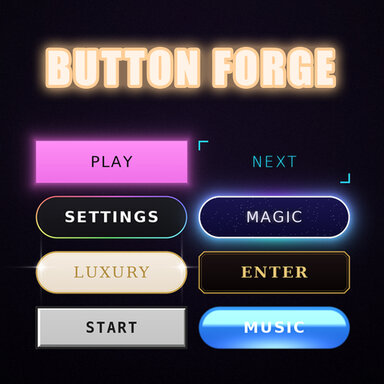
New tab 6. Animation. Choose an animation for all buttons at once, or give each button its own. Works with all 30 styles.
12 animations:
Pulse: the glow around the button slowly breathes
Shine sweep: a shine runs across the button
Candle flicker: a warm, uneven candle-like glow
Neon flicker: the neon blinks now and then, like an old sign
Running border: a light runs around the border
Rainbow flow: the border flows through rainbow colors
Marching dashes: a dashed line crawls around the button
Sparkles twinkle: little stars twinkle inside
Aurora flow: soft colors drift inside the button
Fog/smoke: slow smoke floats inside
Float: the button gently floats up and down
Heartbeat: the button gives a soft heartbeat now and then