

What is Button Forge for?
A panel of clickable buttons for your scene, all on one Empty atom.
How to use it?
A panel of clickable buttons for your scene, all on one Empty atom.
• Buttons run any VaM trigger: poses, lights, sounds, clothing, other scenes.
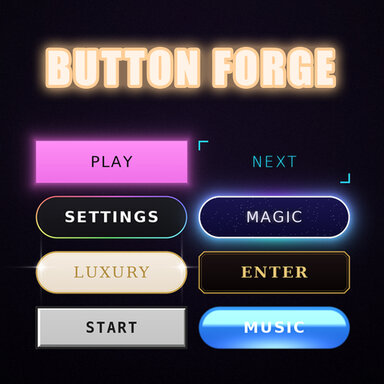
• 5 button types: Action, Image, Toggle, Slider, Scene.
• 30 styles, any font, your own colors, pictures, click sounds.
• Eye button hides the panel for a clean view.
How to use it?
1. Add an Empty atom where the panel should be.
2. Open the atom, go to Plugins, press Add Plugin, choose ButtonForge.cs, then press Open Custom UI.
3. In tab "1. Add & actions" press "+ Add new button" and type the text for the button.
4. Choose the button type: Action, Image Button, Toggle, Slider or Scene.
5. Press "Button Trigger..." and add actions the same way as on a normal VaM UIButton.
6. Tabs 2 and 3 change the selected button: its look, picture, size and place. Tabs 4 and 5 change all buttons at once: style, colors, sounds, layout and the eye button.
7. Move and rotate the Empty atom to place the panel. Save the scene: all buttons and settings are saved with it.
Simple tabbed settings — everything in one place

30 built-in styles

Every button can have its own style and font

All buttons look — styles, colors, fonts and sounds
ButtonForge is my very first plugin. I hope you enjoy it!
If something doesn’t work, please let me know in the discussion tab and I’ll do my best to fix it.
30 built-in styles
Every button can have its own style and font
All buttons look — styles, colors, fonts and sounds
ButtonForge is my very first plugin. I hope you enjoy it!
If something doesn’t work, please let me know in the discussion tab and I’ll do my best to fix it.