

Big update!!! Read the update post and check out the new video below.
VamLightingDirector: Your Personal (and Completely Underpaid) Lighting Technician
We all know the feeling: the scene's lighting is a dream, the mood is perfect. But then you hit play, your character takes two relaxed steps forward – and suddenly stands in the dark, while your carefully placed spotlight dramatically illuminates the bare wall behind them.
Until now, you basically had only two options for dynamic lighting in VaM: Either you torture yourself through the timeline and painfully set position keyframes. Or you simply attach the light directly to a body part via Parent Link – only to realize that every nod, every shrug, and even breathing transfers 1:1 to the lamp, causing your shadows to wildly jitter across the room. If you're sick of both, here is the solution.
The VamLightingDirector is a clever all-in-one manager that spawns, manages, and equips invisible lights with a solid dose of smart math. A single script that takes the tedious work off your hands, letting you focus on what really matters.
Highlights on the Menu:
Clingy, Solid Rock, or Searchlight (Follow, Static & Look-At)
Do you want your accent light to gently follow your character's nose? The plugin does exactly that, completely stutter-free thanks to adjustable smoothing. Need a stubborn construction light that doesn't move a millimeter? Just turn off the tracking. Or use the brilliant Static Look-At mode: The light stays firmly anchored in place, but continuously rotates like a searchlight to keep your target perfectly in focus.
The Anti-Wobble Dampener
Is your character breathing so heavily they look like they just ran a marathon, and your light cone is nodding along to the beat? The toggleable "Flat Rotation" coldly ignores the forward and backward tilting of the body. The light stays extremely steady, no matter how wild the pose gets.
Floating Desktop HUD & Visual Selection Marker
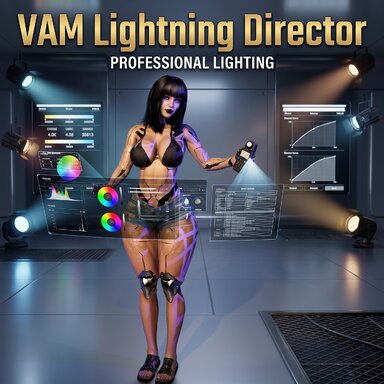
End the constant opening and closing of the bulky VaM main menu that always blocks the view of your masterpiece! Activate the Desktop HUD: a freely movable, scalable window right on your screen. Control lights, adjust intensities, switch effects, and load presets – live and in real-time while your scene is running. The HUD can also be minimized to a narrow bar so nothing blocks your view. And to make sure you don't lose track when dealing with many lights: as soon as you select a lamp, a brief visual effect (sphere/cone) directly in the scene marks exactly which light you are currently editing.
Party, Panic & Audio Sync at the Push of a Button (Special Effects)
Bring some life into the room without having to animate a single value. Choose organic flickering (Perlin Noise) for the perfect creepy basement vibe, a strobe effect for the club, or the colorful RGB loop.
The absolute game-changer, however, is the Audio Sync Module: Link any audio sources to your lights. Let the light organically pulse to the volume ("Audio Sync") or use "Peak Strobe" for hard flashes on heavy beats. Not just the brightness, but the light cone itself (Pulse Spot Angle) can widen and narrow to match the beat.
Built-in Equalizer, Frequency Tuning & Audio Player
No more guessing: The plugin shows you a live 64-band equalizer in the HUD. Use the slider to determine exactly which frequency your light should react to. An independent sensitivity control for each mode and an integrated noise gate ensure absolutely clean results.
Additionally, a complete Audio Player is firmly integrated into the package! Universally usable for any audio source in the scene, you can add various music folders, play tracklists, and switch smoothly between them. The plugin even spawns its own audio sources (Tracked Audio Sources) and pins them buttery-smooth to your character's body parts.
We Have Cookies! (Custom Stencils)
Load your own PNG textures straight from your hard drive and slap them in front of the light. Thanks to seamless rotation, you can build a spinning police siren, a disco ball, or flowing shadow plays in seconds.
The "One-Click-and-Done" Preset System & Smart Cleanup
Spent three hours tweaking a setup? Save it! If you load this preset later in a new scene, everything is instantly back – including all the fine audio mixes. The real kicker: Your static lights remember their exact world coordinates. Your saved hallway light will hang precisely in the hallway again. In addition, the plugin monitors your scene in real-time (Smart Auto-Cleanup): If you delete or rename atoms directly in VaM, the script keeps its internal lists perfectly synchronized automatically.
Total Escalation & The Tabula Rasa Nuke Button
You are, of course, not limited to a single character. Slap the plugin onto as many atoms as your rig can handle. And what if you load a third-party scene that is totally cluttered with countless lights? One click on the "NUKE ALL LIGHTS" kill switch mercilessly destroys absolutely all invisible lights in the entire scene. The ultimate reset button for a squeaky-clean fresh start!
Have an absolute blast playing around with all these new toys! If your virtual lighting technician starts acting up, you stumble across any bugs, or you simply have questions about a specific setup, please don't hesitate to reach out. I'm always happy to help. Have fun bringing your scenes to life!
Part 1:
Video Timestamps / Chapters:
00:00 - Basic Settings
02:50 - Tracking (Follow, Look-At & Scanner)
09:20 - Special Effects & Audio Sync
15:20 - Custom Cookies & Stencils
Part 2:
Video 2 Timestamps / Chapters:
00:00 - Desktop HUD
01:50 - Enjoy the Show
08:20 - Integrated Audio Player


VamLightingDirector: Your Personal (and Completely Underpaid) Lighting Technician
We all know the feeling: the scene's lighting is a dream, the mood is perfect. But then you hit play, your character takes two relaxed steps forward – and suddenly stands in the dark, while your carefully placed spotlight dramatically illuminates the bare wall behind them.
Until now, you basically had only two options for dynamic lighting in VaM: Either you torture yourself through the timeline and painfully set position keyframes. Or you simply attach the light directly to a body part via Parent Link – only to realize that every nod, every shrug, and even breathing transfers 1:1 to the lamp, causing your shadows to wildly jitter across the room. If you're sick of both, here is the solution.
The VamLightingDirector is a clever all-in-one manager that spawns, manages, and equips invisible lights with a solid dose of smart math. A single script that takes the tedious work off your hands, letting you focus on what really matters.
Highlights on the Menu:
Clingy, Solid Rock, or Searchlight (Follow, Static & Look-At)
Do you want your accent light to gently follow your character's nose? The plugin does exactly that, completely stutter-free thanks to adjustable smoothing. Need a stubborn construction light that doesn't move a millimeter? Just turn off the tracking. Or use the brilliant Static Look-At mode: The light stays firmly anchored in place, but continuously rotates like a searchlight to keep your target perfectly in focus.
The Anti-Wobble Dampener
Is your character breathing so heavily they look like they just ran a marathon, and your light cone is nodding along to the beat? The toggleable "Flat Rotation" coldly ignores the forward and backward tilting of the body. The light stays extremely steady, no matter how wild the pose gets.
Floating Desktop HUD & Visual Selection Marker
End the constant opening and closing of the bulky VaM main menu that always blocks the view of your masterpiece! Activate the Desktop HUD: a freely movable, scalable window right on your screen. Control lights, adjust intensities, switch effects, and load presets – live and in real-time while your scene is running. The HUD can also be minimized to a narrow bar so nothing blocks your view. And to make sure you don't lose track when dealing with many lights: as soon as you select a lamp, a brief visual effect (sphere/cone) directly in the scene marks exactly which light you are currently editing.
Party, Panic & Audio Sync at the Push of a Button (Special Effects)
Bring some life into the room without having to animate a single value. Choose organic flickering (Perlin Noise) for the perfect creepy basement vibe, a strobe effect for the club, or the colorful RGB loop.
The absolute game-changer, however, is the Audio Sync Module: Link any audio sources to your lights. Let the light organically pulse to the volume ("Audio Sync") or use "Peak Strobe" for hard flashes on heavy beats. Not just the brightness, but the light cone itself (Pulse Spot Angle) can widen and narrow to match the beat.
Built-in Equalizer, Frequency Tuning & Audio Player
No more guessing: The plugin shows you a live 64-band equalizer in the HUD. Use the slider to determine exactly which frequency your light should react to. An independent sensitivity control for each mode and an integrated noise gate ensure absolutely clean results.
Additionally, a complete Audio Player is firmly integrated into the package! Universally usable for any audio source in the scene, you can add various music folders, play tracklists, and switch smoothly between them. The plugin even spawns its own audio sources (Tracked Audio Sources) and pins them buttery-smooth to your character's body parts.
We Have Cookies! (Custom Stencils)
Load your own PNG textures straight from your hard drive and slap them in front of the light. Thanks to seamless rotation, you can build a spinning police siren, a disco ball, or flowing shadow plays in seconds.
The "One-Click-and-Done" Preset System & Smart Cleanup
Spent three hours tweaking a setup? Save it! If you load this preset later in a new scene, everything is instantly back – including all the fine audio mixes. The real kicker: Your static lights remember their exact world coordinates. Your saved hallway light will hang precisely in the hallway again. In addition, the plugin monitors your scene in real-time (Smart Auto-Cleanup): If you delete or rename atoms directly in VaM, the script keeps its internal lists perfectly synchronized automatically.
Total Escalation & The Tabula Rasa Nuke Button
You are, of course, not limited to a single character. Slap the plugin onto as many atoms as your rig can handle. And what if you load a third-party scene that is totally cluttered with countless lights? One click on the "NUKE ALL LIGHTS" kill switch mercilessly destroys absolutely all invisible lights in the entire scene. The ultimate reset button for a squeaky-clean fresh start!
Have an absolute blast playing around with all these new toys! If your virtual lighting technician starts acting up, you stumble across any bugs, or you simply have questions about a specific setup, please don't hesitate to reach out. I'm always happy to help. Have fun bringing your scenes to life!
Part 1:
Video Timestamps / Chapters:
00:00 - Basic Settings
02:50 - Tracking (Follow, Look-At & Scanner)
09:20 - Special Effects & Audio Sync
15:20 - Custom Cookies & Stencils
Part 2:
Video 2 Timestamps / Chapters:
00:00 - Desktop HUD
01:50 - Enjoy the Show
08:20 - Integrated Audio Player