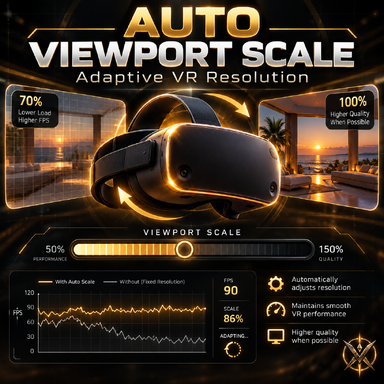
Auto Viewport Scale v0.9.0 — Stability Edition
A major stability and usability update for Auto Viewport Scale!
This release builds on the original FPS-based adaptive resolution system, with improved UI protection, more reliable loading behavior, and optional experimental physics synchronization.
What's New
Improved UI Protection
- Automatic detection of VaM Top Menu, Main UI, Hub Browser, and Scene Browser.
- Support for Person Clothing and Hair customization interfaces.
- BrowserAssist protection remains available.
- Configurable minimum UI scale (default: 0.85), with an option to restore full 1.0 resolution.
- Automatic restoration of gameplay resolution after closing protected interfaces.
Experimental Physics Sync
VaM's physics simulation and rendered frames can operate at different frequencies, potentially causing uneven or jittery physics-driven movement.
This can be particularly noticeable in VR when running at lower real frame rates, such as 45 FPS with Virtual Desktop SSW at 90 Hz.
Physics Sync dynamically adjusts the physics simulation timestep to follow the application's actual FPS, aiming to improve the perceived smoothness and consistency of physical movement.
Potential CPU Performance Benefits
Physics Sync automatically sets Physics Update Cap to 1, limiting physics calculations to a maximum of one update per rendered frame.
Compared to configurations that perform multiple physics updates per frame, this can reduce CPU workload, particularly in physics-heavy scenes.
By dynamically adjusting the physics timestep to match the actual frame rate, the plugin also attempts to avoid the slow-motion effect normally associated with Physics Update Cap = 1 at lower FPS.
Users with poorly matched physics settings or significantly fluctuating frame rates may experience smoother motion, reduced CPU load, and potentially higher average FPS due to fewer unnecessary physics calculations.
Physics Sync is primarily designed to improve motion smoothness. Performance gains are possible but not guaranteed. Results depend on scene complexity, existing physics settings, and frame rate stability.
Features:
- Optional real-time synchronization of physics frequency with application FPS.
- Configurable frequency limits (25–90 Hz by default).
- Automatic suspension during scene loading, restoring the original physics settings until loading is complete.
- Physics Sync can operate independently of automatic viewport scaling.
Stability and Interface Improvements
- Improved handling of scene loading and recovery delays.
- Reorganized settings and protection controls.
- Simplified diagnostics and removed redundant UI detection.
- Retained the Classic FPS-based scaling controller.
Known Limitations
- SteamVR: Adaptive viewport scaling is not recommended in SteamVR mode, as it may not provide the expected performance improvements. Virtual Desktop (direct launch, without SteamVR) is recommended.
- Post-processing: DLSS and certain post-processing effects may conflict with dynamic viewport scaling or cause visual artifacts.
- Physics Sync: This feature is experimental. Clothing, hair, and Soft Body Physics may exhibit jitter or instability. Disabling Soft Body Physics is recommended when testing.
- CPU bottlenecks: Lowering viewport resolution cannot resolve CPU-limited performance. Dedicated CPU-bottleneck protection is planned for future investigation.
Installation
- Download and place the new .var package in your VaM AddonPackages folder.
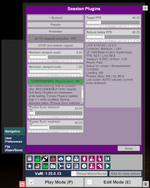
- Open Session Plugins and load Auto Viewport Scale from the package.
- Remove or disable any previous instance of the plugin to avoid conflicts.
Tested with Virt-A-Mate 1.22.0.13 using Virtual Desktop (direct launch, without SteamVR).
Thank you for trying Auto Viewport Scale! Feedback and bug reports are always welcome.
—
Vumbrix