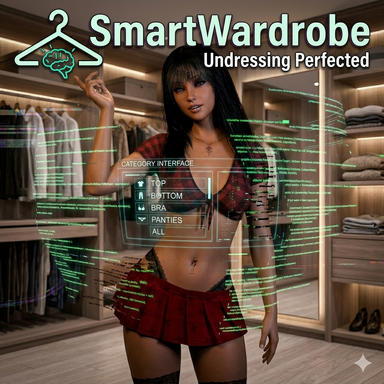


 SmartWardrobe – The ultimate wardrobe assistant (without the click-trauma!)
Let's be honest: Do you really want to spend your time in VaM clicking through endless menus just to smoothly peel your character out of their clothes? Anyone who likes complex outfits knows the drama: shoes, pants, shirt, panties, bra... 5 clothing items usually mean 5 individual triggers in VaM that you have to painstakingly link up so that in the end everything drops to the floor at the perfect moment.
The pure undress magic:
The absolute preset-killer: You build scenes and like to use many different outfits? In the past, you had to build custom triggers for every single outfit. With SmartWardrobe, you set up your undress logic exactly once. No matter if you put your character in 5, 20, or 50 different presets – the plugin recognizes the new clothes immediately. One push of a button, and the clothes come off.
Cure for the VaM "trigger amnesia": You build perfect triggers for Outfit A. You swap the preset, save the scene. When reloading, VaM cold-bloodedly deletes your painstakingly built triggers because Outfit A is currently not active. The solution: Your triggers now point rock-solidly to this plugin. Since SmartWardrobe never disappears, your striptease logic survives even the wildest preset swaps!
The end of clipping terror (The smart Auto-Hide intelligence)
SmartWardrobe doesn't just undress your character anymore, it thinks ahead while they are dressed!
Anatomy control: Nothing pokes unrealistically through the fabric anymore! The plugin smoothly hides nipples, pubic hair, as well as all labia and clitoris morphs as soon as clothes cover them. When the clothes drop, the anatomy softly fades back to your original values. The smart highlight: If your character wears crotchless panties or an open bra (topless/open-cup), the plugin immediately recognizes this and leaves your anatomy naturally visible! You can also control this manually via item tags: Simply add tags like "crotchless", "open crotch", "open cup", "cupless", or "topless" to the clothing item!
Intelligent Auto-Hide for lingerie: Tired of bra straps clipping through the t-shirt, or panties awkwardly peeking out of the jeans? SmartWardrobe smoothly hides bras and panties on demand as soon as something is worn "over" them (like a top or pants).
Smart Physics & Skin Softness (Squish): Clothing can dampen breast and glute physics. SmartWardrobe takes over this control fully automatically when dressing and undressing. NEW: The plugin now even controls the skin softness (squish) underneath! Nothing is more unrealistic than breasts jiggling like jello under a tight sports bra. With new, dynamic sliders, you can exactly define how "firm" the skin should be when dressed and how "soft" when naked. The script smoothly fades between these values when the clothes drop. The smart exception remains: If the panties are 'crotchless' or the bra is 'open-cup', the script ignores the dampening and the firm skin value – everything stays soft and continues to jiggle freely and naturally!
Friction & Surface Offset: Control the friction and the exact distance of the fabric to the skin (Surface Offset) individually for each clothing category directly from the plugin.
Outfit Presets with Memory: Thanks to the smart name and tag detection, the plugin usually knows automatically how to handle a clothing item right away. But if you prefer custom settings for a very specific look, the integrated preset system has you covered. Simply save your outfit directly via the tab in the plugin. SmartWardrobe remembers not only the clothing, but also the exact state of your toggles (e.g., which auto-hide or physics functions were activated) as well as your adjusted skin distances (Surface Offset). When you load the preset later, everything is configured exactly the way you saved it.
 What's New?
 World Browser for Native Presets (VR & Desktop!)No more constant switching to Edit Mode! You can now load your standard, native VAM clothing presets directly in Play Mode. When you click the new load button in the plugin, a slick 3D World Space Browser opens right next to your character's hip. It rotates with the character but always stays perfectly upright – making quick outfit changes an absolute breeze in both VR and on DesktopThe Closet TabYou now have your entire wardrobe directly inside the plugin! Browse, filter, and control your entire library conveniently in one place.
- Powerful Filter Options: Easily filter your library by clothing type (regions like Top, Bottom, etc.) or specifically show items from certain creators.
- Text Search: Looking for a specific item? Use the new search field to quickly scan your entire collection or individual regions by name.
- "Currently worn" Filter: One click and you see exactly only the clothing the character is currently wearing. Perfect for quick adjustments to the current outfit!
- Thumbnails: Supports Custom Thumbnails for quick visual sorting. Important note: VaM's internal default clothing items don't have thumbnails out of the box – they won't show an image by default unless you use the new feature to snap a quick custom thumbnail for them yourself!
 The Cum Clothes TabA dedicated manager just for your liquid overlays!
- Smart Regions: Overlays are automatically sorted by body region (Face, Chest, Ass, etc. – plus a new "Others" tab for uncategorized items).
- Smooth Blending: Overlays no longer pop in harshly! They now fade in and out smoothly. You can individually adjust the fade speed for each region using a new slider.
- No Duplicates: If you have multiple versions of an overlay installed (e.g., v1 and v2), the tab mercilessly filters out the old ones. You will always only see the latest version.
- Full Material Control: Control Alpha, Gloss, Color, and more conveniently right from the tab.
 Persistent Scene MemoryThe plugin will never forget your original morphs again! SmartWardrobe now securely saves all body and material values directly into the scene save. When you reload a scene, the body will be 100% flawlessly restored upon undressing.
The lifesaver: The Scene Patcher
Do you have old scenes with broken paths? Or old triggers that still point natively to the clothing and keep breaking? No problem! The built-in Scene Patcher analyzes your saved .json scenes, repairs broken paths fully automatically, and converts all your outdated clothing triggers into the new, indestructible SmartWardrobe system. One click to heal!
Conclusion: Less click-trauma, no more deleted triggers, no more clipping errors, and a character who does exactly what you want at the push of a button. Install and focus on the essentials (whatever that might be in VaM
 )!
)! IMPORTANT WARNINGS (Please read before saving & deleting!)
 Saving Appearance Presets: If you want to save an Appearance Preset of your character, please briefly disable the plugin beforehand! SmartWardrobe actively modifies your anatomy morphs and physics values in the background. If the plugin is active while saving, those "hidden" or flattened values will be permanently baked into your preset. The workflow is simple: Just uncheck the plugin's "Enabled" box (everything pops back to its original state), save your Appearance Preset, and check the box again.
Deleting the plugin: If you want to completely remove the plugin from your character, you must disable it first before clicking "Clear" or "Remove"! Only when you disable it (uncheck the box) will the script's emergency parachute trigger, safely restoring all your original morph and physics values. If you delete the plugin while it's actively running, VaM simply pulls the plug and the values will be stuck in their dressed state forever!
 Special Credits & Acknowledgments
A special thanks goes out to Hazmhox! The core mechanics for the 3D World Space Browser in this update are built upon elements of the brilliant VAMAppearanceSwapper script from his VamStory plugin. A massive thank you to Hazmhox for the fantastic groundwork and for sharing this code with the VAM community!Video SmartWardrobe:
New Closet and Cum Cloths Tab:
Video ScenePatcher Part 1 (replace trigger, demonstrated using the legendary ‘Cyberstriptease’ scene from Cuddle Mocap)
Video ScenePatcher Part 2 (replace trigger+ fix references, As demonstrated by the beautifully crafted "UNDERCOVER KIT MAN" scene, which unfortunately contains invalid paths)