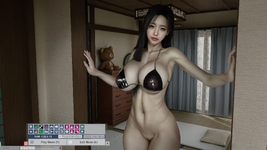
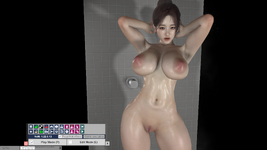
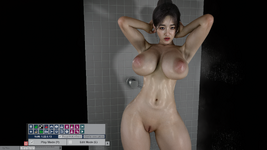
VaM 1.x DLSS 5 in VAM2

Threads regarding the original VaM 1.x
render.jpg
 
General AI is a scam by NV just like B-coin shit, Real AI is a state-level tool, ordinary people cannot touch it.

Don't waste your time and energy to believing this toy AI (GA).
 
Last edited:
really appreciate the guide @dremwav1

but step 7 might need some clarification. I'm probably just dumb but I have read it about 17 times and am very confused. which streamline goes where? the contents of the streamline folder (the dll files) goes into both where the vam.exe is, and the bepinex streamline folder as well?
 
Great results. I have a feeling DLSS 5 is going to turn my PC case into an explosive device : :unsure:
Actually it's been far less of a hit to FPS than I thought. I am running a 5090 with a 9800x3D, but still, when I render with it on I'm getting 36-55fps at 4k.
 
So in my book poeple are judging it for it looking bad on games with completly different style is dumb

That's not what people do, and with the leak, there's enough data in 2 days to show that NR is a massive bias: characters unless from very obvious ethnic background (ie: black people) are massively modified to tend to a more caucasian aspect, lighting gets quite heavily modified and loose some accuracy/fidelity and can even be incoherent, you get all the AI gen bs tropes ( color grading, face features etc )... the list goes on.


BUT if I see the first creator only uploading an ugly "dummy" model acting as AI-pre-render-helper to VaM Hub

This is not gonna happen. The guidelines are very clear, you cannot post a content that does not reflect what you will get when downloading. NR being a 40xx / 50xx (which is only a fraction of the market) and a proprietary tech, it will most certainly not be allowed for resource description/documentation.


I can see DLSS 5 opening the floodgates for AI only looks soon ...

Obviously yes haha.
And there's a lot more problems trickling down from this: lack of diversity, uniform visual vibe, lack of effort on the source letting NR do the job as you said above... etc etc etc
And this is true for VAM as for the whole game industry... these sort of techs is just the perfect tool for slop production or asset flipping.
 
really appreciate the guide @dremwav1

but step 7 might need some clarification. I'm probably just dumb but I have read it about 17 times and am very confused. which streamline goes where? the contents of the streamline folder (the dll files) goes into both where the vam.exe is, and the bepinex streamline folder as well?
Yes, you just extract the streamline dlss to where vam.exe is, and the bepinex streamline folder, i recommend just doing method 2 since the DLSS upscaler mod someone made in arca is still a work in progress and can be buggy
 

Attachments

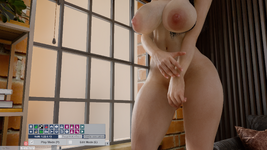
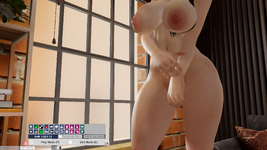
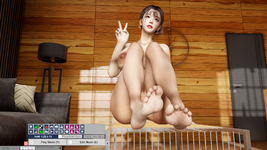
  • VaM 2026-08-30 18-37-36_169.png
    VaM 2026-08-30 18-37-36_169.png
    4.9 MB · Views: 0
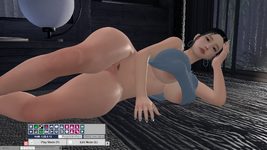
  • VaM 2026-08-30 18-37-30_239.png
    VaM 2026-08-30 18-37-30_239.png
    5.3 MB · Views: 0
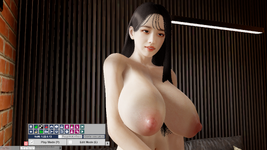
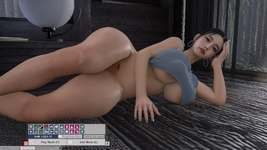
  • VaM 2026-08-30 18-54-55_212.png
    VaM 2026-08-30 18-54-55_212.png
    4.5 MB · Views: 0
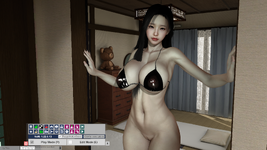
  • VaM 2026-08-30 18-54-49_523.png
    VaM 2026-08-30 18-54-49_523.png
    4.8 MB · Views: 0
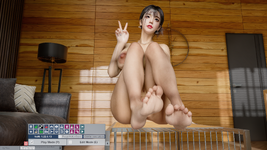
  • VaM 2026-08-30 19-01-02_243.png
    VaM 2026-08-30 19-01-02_243.png
    2.5 MB · Views: 0
  • VaM 2026-08-30 19-01-07_832.png
    VaM 2026-08-30 19-01-07_832.png
    3.4 MB · Views: 0
That's not what people do, and with the leak, there's enough data in 2 days to show that NR is a massive bias: characters unless from very obvious ethnic background (ie: black people) are massively modified to tend to a more caucasian aspect, lighting gets quite heavily modified and loose some accuracy/fidelity and can even be incoherent, you get all the AI gen bs tropes ( color grading, face features etc )... the list goes on.
In my opinion, the face still looks pretty strange. But there’s no denying that the lighting and light corrections are good. I see this as a Reshade filter—perhaps the best filter out there.

I’ve seen results where a lighter setting was used, and they looked excellent. However, I’ve also seen others that looked strange, to say the least...

I think this can make an incredible piece of work even more incredible. But it can also make a bad piece of work even worse.
 
But there’s no denying that the lighting and light corrections are good

Nope.
You can only consider it's good if :
1 - You don't know the original lighting and you assume the end result is accurate (which isn't)
2 - You look at a screenshot and not a realtime/video version of it
3 - You like what choices it makes for the end result... which is a pure subjective opinion on what "looks good"

I've tested quite extensively the implementation and I'm putting several test case aside to show how bad this look for realtime use. Just the stability and the latency of the NR makes any situation that is not lit in a quite standard manner look quite jarring and uncanny. Even low speed motions or lighting shifts create artifacts that are very distracting, and it's not even consistent over a dozen characters I tested.

This is one of these "api" that look just like the others from NV, like the hair/fur apis, that got hyped for several months or a year or two, then got completely forgotten because it's proprietary and you sink half your framerate for something that looks at best "meh".
 
Please note that links to software downloads, drive links, or installations that have not been screened or approved by the moderation team are not allowed on the Hub. Please also note that a "guide" entirely written by AI is not a real guide... (can't believe I have to say this) 😑
 
How can we get it and install it?

I tried the link from Korean site (topic "DLSSBridge-v0.19.19-beta14 (FSR support)"):
1) Downloaded and installed BepInEx
2) Then added all files from VaMDLSSBridge-v0.19.19-beta14.zip into BepInEx
In VAM I can Ctrl+Shift+D to open the settings window, I can select difference options and see the result but only for antialiasing (works very well by the way). There is nothing changes in rendering quality.
 

Attachments

  • Menu.jpg
    Menu.jpg
    29.9 KB · Views: 0
Nope.
You can only consider it's good if :
1 - You don't know the original lighting and you assume the end result is accurate (which isn't)
2 - You look at a screenshot and not a realtime/video version of it
3 - You like what choices it makes for the end result... which is a pure subjective opinion on what "looks good"

I've tested quite extensively the implementation and I'm putting several test case aside to show how bad this look for realtime use. Just the stability and the latency of the NR makes any situation that is not lit in a quite standard manner look quite jarring and uncanny. Even low speed motions or lighting shifts create artifacts that are very distracting, and it's not even consistent over a dozen characters I tested.

This is one of these "api" that look just like the others from NV, like the hair/fur apis, that got hyped for several months or a year or two, then got completely forgotten because it's proprietary and you sink half your framerate for something that looks at best "meh".
Hey have you gotten motion vectors to behave properly your version? Without MVs any small movement causes lighting and details to smear around. I have them working 70% of the time for my plugin but 30% of the time some funky scene setup causes them to break in fun ways.
 
If you’ve been using VaM 1.0 for a long time and want to understand it in depth, I think you need to understand the specifications of Unity 2018.1 before learning about DLSS or DLAA.
You need to understand what DLSS can and cannot do, as well as the pros and cons of DLAA and MSAA.
It’s a huge mistake to think that anyone can easily boost their FPS or take high-quality screenshots just by using these features.
You have to distinguish between your primary goal—whether it’s taking screenshots or creating scenes that make the most of physics—and approach them separately.
 
Hey have you gotten motion vectors to behave properly your version? Without MVs any small movement causes lighting and details to smear around. I have them working 70% of the time for my plugin but 30% of the time some funky scene setup causes them to break in fun ways.
I got mine to not have those issues. I'll share everything with you if you would like, you can re-use anything you want.
 
Has anyone tested DLSS 5 with Eosin VR Renderer yet?
Does DLSS 5/ReShade also affect Eosin's VR180 RenderTextures, or only the main VaM viewport?
Would be very interesting for offline VR180 rendering.
 
12.jpg

I just can’t pass this by. This adaptation works fine for VAM, and it works surprisingly well considering it’s an early build running on an old version of Unity. @UncleBurrito thank you! This is awesome!
 
Back
Top Bottom