• Hi Guest!

    We are extremely excited to announce the release of our first Beta1.1 and the first release of our Public AddonKit!
    To participate in the Beta, a subscription to the Entertainer or Creator Tier is required. For access to the Public AddonKit you must be a Creator tier member. Once subscribed, download instructions can be found here.

    Click here for information and guides regarding the VaM2 beta. Join our Discord server for more announcements and community discussion about VaM2.
  • Hi Guest!

    VaM2 Resource Categories have now been added to the Hub! For information on posting VaM2 resources and details about VaM2 related changes to our Community Forums, please see our official announcement here.
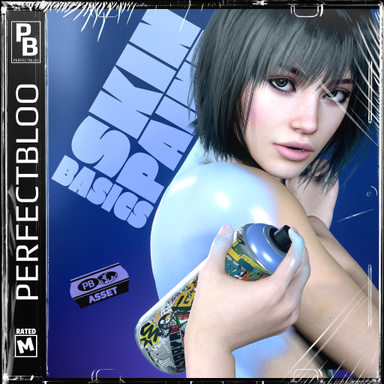
Skin Paint Basics

Assets + Accessories Skin Paint Basics

Download [3.7 MB]
Hi there! I'm not sure if I’m using your plugin correctly, but I can't seem to get any color to show up on the character's surface. Here are the steps I've taken:

  1. Loaded the CUA and selected your preset.
  2. Went to the character and selected the Paintable plugin.
  3. Tried drawing on the character—I can see the spray effect coming out when I click, but nothing actually sticks to the skin.
I have all the dependencies installed, so I’m not sure what I’m missing. I’m also using huntingsuccubus's SSS; could there be a compatibility issue between the two?

Thanks a lot for your help!
 
This is super high tech! Is it possible to adjust the max transparency of the paint sprayed?
 
Hi there! I'm not sure if I’m using your plugin correctly, but I can't seem to get any color to show up on the character's surface. Here are the steps I've taken:

  1. Loaded the CUA and selected your preset.
  2. Went to the character and selected the Paintable plugin.
  3. Tried drawing on the character—I can see the spray effect coming out when I click, but nothing actually sticks to the skin.
I have all the dependencies installed, so I’m not sure what I’m missing. I’m also using huntingsuccubus's SSS; could there be a compatibility issue between the two?

Thanks a lot for your help!
Found the issue. I can't run this plugin and huntingsuccubus's sss skin at the same time.
 
@polypox @hisubaki Sorry, something seems off with my notifications, didn't get any for your posts even though I'm watching the thread.

Found the issue. I can't run this plugin and huntingsuccubus's sss skin at the same time.
Glad you figured it out, thanks for coming back and confirming what the issue is. I don't have that plugin, so I can't see if a compatibility patch is possible at the moment.

This is super high tech! Is it possible to adjust the max transparency of the paint sprayed?
Thank you! Currently there's not max transparency setting, but it's already on the todo list. I'm not sure if this might help you for your use case, but I recently also had conversations about "colorless" effects like oil or water, and found this workaround for the time being:
  • Skin Textures | Set the person gloss textures to your "target" gloss value, e.g. fully white. Your person is fully glossy now.
  • Paintable | In the paintable plugin load fully transparent color textures, and full black for gloss. Your person is back to normal non-glossy again.
  • Painter | In the painter plugin just enable the "Erase" toggle and your good to go.
So it's kind of like painting a mask to uncover the person textures. Here's an example:

 
Hello, (sorry if my english is bad, I'm french). First of all thank you for this great work !

But can you explain me step by step how to have this pluggin to work ?

You say : "Add an empty CUA to your scene. In the CUA "Preset" tab select one of the presets from this package. The asset will be loaded and setup with all plugins" but for me, no plugins appear when I choose an object.

Sorry I am big noob ! And congratulation again for your pluggins !
 
@LosMag Hey, thanks for giving the plugin a try!

I guess you've tried to load the CUA directly via the "Asset" tab. Instead of that, use the "Preset" tab and the "Select Existing..." button (see image below). Hope that helps!

P.S.: Your English is just fine ;)

SkinPaintBasics_Presets.jpg
 
@LosMag Hey, thanks for giving the plugin a try!

I guess you've tried to load the CUA directly via the "Asset" tab. Instead of that, use the "Preset" tab and the "Select Existing..." button (see image below). Hope that helps!

P.S.: Your English is just fine ;)
OK !!! Thank you very much that was indeed the problem ! (y)(y)(y)

You're the best ! It works perfectly. Congratulations again on your work, the immersion is impressive with this kind of plugins ! :love:
 
When I try to load the spraycan preset in VR, and then grab it, I get this error on a loop:
Code:
!> [perfectbloo.SkinPaint.Painter][ERROR] System.TypeInitializationException: An exception was thrown by the type initializer for perfectbloo.SkinPaint.Painter.InputVR ---> System.NullReferenceException: Object reference not set to an instance of an object
  at Valve.VR.SteamVR_Action_Boolean_Source.UpdateValue () [0x00000] in <filename unknown>:0
  at Valve.VR.SteamVR_Action_In_Source_Map`1[SourceElement].ForceAddSourceToUpdateList (SteamVR_Input_Sources inputSource) [0x00000] in <filename unknown>:0
  at Valve.VR.SteamVR_Action_In_Source_Map`1[SourceElement].OnAccessSource (SteamVR_Input_Sources inputSource) [0x00000] in <filename unknown>:0
  at Valve.VR.SteamVR_Action_Source_Map`1[SourceElement].GetSourceElementForIndexer (SteamVR_Input_Sources inputSource) [0x00000] in <filename unknown>:0
  at Valve.VR.SteamVR_Action_Source_Map`1[SourceElement].get_Item (SteamVR_Input_Sources inputSource) [0x00000] in <filename unknown>:0
  at Valve.VR.SteamVR_Action_In`2[SourceMap,SourceElement].get_activeDevice () [0x00000] in <filename unknown>:0
  at perfectbloo.SkinPaint.Painter.InputVR.GetOpenVRSelectAction (System.String sourceName) [0x00000] in <filename unknown>:0
  at perfectbloo.SkinPaint.Painter.InputVR..cctor () [0x00000] in <filename unknown>:0
  --- End of inner exception stack trace ---
  at perfectbloo.SkinPaint.Painter.Painter.GetRay (UnityEngine.Ray& ray) [0x00000] in <filename unknown>:0
  at perfectbloo.SkinPaint.Painter.Painter+<Raycast>c__Iterator0.MoveNext () [0x00000] in <filename unknown>:0
!> [perfectbloo.SkinPaint.Painter][ERROR] System.TypeInitializationException: An exception was thrown by the type initializer for perfectbloo.SkinPaint.Painter.InputVR ---> System.NullReferenceException: Object reference not set to an instance of an object
  at Valve.VR.SteamVR_Action_Boolean_Source.UpdateValue () [0x00000] in <filename unknown>:0
  at Valve.VR.SteamVR_Action_In_Source_Map`1[SourceElement].ForceAddSourceToUpdateList (SteamVR_Input_Sources inputSource) [0x00000] in <filename unknown>:0
  at Valve.VR.SteamVR_Action_In_Source_Map`1[SourceElement].OnAccessSource (SteamVR_Input_Sources inputSource) [0x00000] in <filename unknown>:0
  at Valve.VR.SteamVR_Action_Source_Map`1[SourceElement].GetSourceElementForIndexer (SteamVR_Input_Sources inputSource) [0x00000] in <filename unknown>:0
  at Valve.VR.SteamVR_Action_Source_Map`1[SourceElement].get_Item (SteamVR_Input_Sources inputSource) [0x00000] in <filename unknown>:0
  at Valve.VR.SteamVR_Action_In`2[SourceMap,SourceElement].get_activeDevice () [0x00000] in <filename unknown>:0
  at perfectbloo.SkinPaint.Painter.InputVR.GetOpenVRSelectAction (System.String sourceName) [0x00000] in <filename unknown>:0
  at perfectbloo.SkinPaint.Painter.InputVR..cctor () [0x00000] in <filename unknown>:0
  --- End of inner exception stack trace ---
  at perfectbloo.SkinPaint.Painter.Painter.GetRay (UnityEngine.Ray& ray) [0x00000] in <filename unknown>:0
  at perfectbloo.SkinPaint.Painter.Painter+<Raycast>c__Iterator0.MoveNext () [0x00000] in <filename unknown>:0
The lipstick and marker work fine.
Since it mentions SteamVR I'm wondering if it's because I'm using the popular SteamVR bypass for a Quest 2 with Virtual Desktop.
There's no issues in desktop mode.
 
When I try to load the spraycan preset in VR, and then grab it, I get this error on a loop: [...]
Thank you for the detailed report, that really helped me quickly find the issue. The problem was exactly that: in one place I forgot to check whether SteamVR was being used before accessing it. I've published a new version, so it would be great if you could let me know if it works once you've tried it. I can't verify it myself because I can't run my Valve Index without SteamVR.
 
Thank you for the detailed report, that really helped me quickly find the issue. The problem was exactly that: in one place I forgot to check whether SteamVR was being used before accessing it. I've published a new version, so it would be great if you could let me know if it works once you've tried it. I can't verify it myself because I can't run my Valve Index without SteamVR.
That seems to have done it! Thank you.
 
Back
Top Bottom