• Hi Guest!

    We are extremely excited to announce the release of our first Beta1.1 and the first release of our Public AddonKit!
    To participate in the Beta, a subscription to the Entertainer or Creator Tier is required. For access to the Public AddonKit you must be a Creator tier member. Once subscribed, download instructions can be found here.

    Click here for information and guides regarding the VaM2 beta. Join our Discord server for more announcements and community discussion about VaM2.
  • Hi Guest!

    VaM2 Resource Categories have now been added to the Hub! For information on posting VaM2 resources and details about VaM2 related changes to our Community Forums, please see our official announcement here.
Skin Paint Basics

Assets + Accessories Skin Paint Basics

Download [3.7 MB]
Skin Paint Basics Header

Hearts Icon
Proud of your creations? I'd love to see!
Leave a like, review, and show me your creations in the community gallery below!

About​

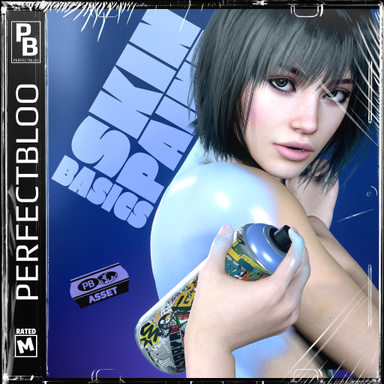
Get started with Skin Paint and these three custom assets - fully setup with plugins, animations, and effects!

Skin Paint Basics' Lipstick, Marker, and Spray Paint


A short showcase animation using the Spray Paint asset

How To​

Add an empty CUA to your scene. In the CUA "Preset" tab select one of the presets from this package. The asset will be loaded and setup with all plugins. Remember to add the Paintable plugin from my Skin Paint package to any Person atom you want to paint on.

Info Sign
How to paint?
The lipstick and marker will activate just by grabbing them. For the spray paint you must grab it, and press Space in desktop mode (you can change the key in the painter settings), or the select button of your controller in VR.

Lipstick Marker Spray Paint

React to this content...

Share this resource

More resources from perfectbloo

Credits

Creator Support Link
perfectbloo perfectbloo

Latest reviews

Positive
Version: v1:1.0.0 [1]
very interesting my friend!
Upvote 0
Back
Top Bottom