Button Forge

Plugins + Scripts Button Forge

Download [<1 MB]

Annubis

Active member
Joined
Mar 27, 2023
Messages
136
Reactions
230
Annubis submitted a new resource:

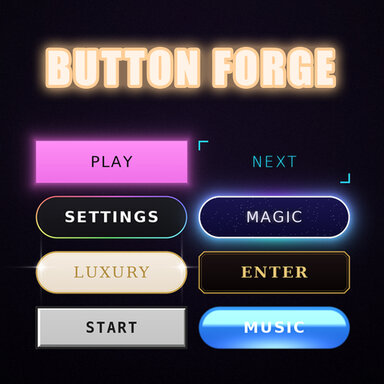
Button Forge - Button panels for your scenes

What is Button Forge for?
A panel of clickable buttons for your scene, all on one Empty atom.
• Buttons run any VaM trigger: poses, lights, sounds, clothing, other scenes.​
• 5 button types: Action, Image, Toggle, Slider, Scene.​
• 30 styles, any font, your own colors, pictures, click sounds.​
• Eye button hides the panel for a clean view.​

[COLOR=rgb(147, 101...[/B]


Read more about this resource...
 
Very cool plugin, I like the ability to have the panel always face the player. Re-working my template UI using it now.

One request, is there a way to have single buttons that only show when edit mode is open? Something similar to the 'only visible when main UI' check box? I have a reset button for naturalis that I only want to show up when the main UI is on, but still want it to be part of the UI panel.
 
Very cool plugin, I like the ability to have the panel always face the player. Re-working my template UI using it now.

One request, is there a way to have single buttons that only show when edit mode is open? Something similar to the 'only visible when main UI' check box? I have a reset button for naturalis that I only want to show up when the main UI is on, but still want it to be part of the UI panel.
Thank you so much! I'll try to add what you asked for in the next few days and release an update ☺️
 
Annubis updated Button Forge with a new update entry:

Animated buttons, Stick to screen, button orientation and new Only visible when main UI is open

1. Per-button “Only visible when main UI is open"
Added by request. Thank you for the idea!
New option for every button: Only visible when main UI is open (tab 3. Button size & place).

With it on, the button shows only while VaM’s main UI is open.
View attachment 642258
[COLOR=rgb(147, 101...[/CENTER]​
 
Thanks for the update, one quick possible bug.

I'm trying to make the buttons pretty compact, and am having trouble clicking on the correct button. It looks like you have to hover over roughly the top of the button to click on the right one.

The 'only visible when main UI is open' feature works great though.

1795022530088.png
 
Thanks for the update, one quick possible bug.

I'm trying to make the buttons pretty compact, and am having trouble clicking on the correct button. It looks like you have to hover over roughly the top of the button to click on the right one.

The 'only visible when main UI is open' feature works great though.

View attachment 642434
Got it. I'll try to fix it. Thanks for pointing out the mistake
 
Back
Top Bottom