• Hi Guest!

    We have posted a new VaM2 dev log on Patreon, starting a monthly cadence of written progress updates between Beta releases. Highlights include the new Gizmos System, Selection Carousel, and Modes System with Context-Specific Editing. Beta1.2 is 15 of 21 items complete.

    Read the full post on Patreon, or follow progress on the public Trello roadmap.
MorphSculptor

Plugins + Scripts MorphSculptor

Download [<1 MB]

Mxx

Well-known member
Featured Contributor
Joined
Apr 9, 2024
Messages
114
Reactions
667
Mxx submitted a new resource:

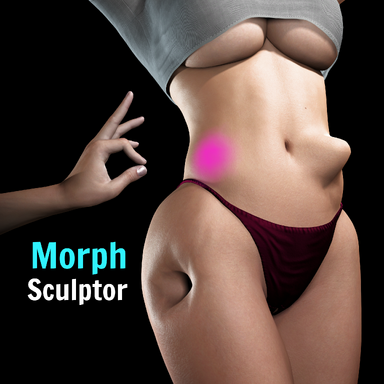
MorphSculptor - Real-time morph sculpting and saving in VaM

MorphSculptor | Real-time morph sculpting and saving in VaM

MorphSculptor lets you sculpt custom morphs directly on your model, right inside VaM. No sending the model to Daz and Blender and back, and no hitting "reload morphs" to see the...

Read more about this resource...
 
Truly amazing!
Is it normal that certain vertexes (in vertex mode), do not follow the mouse coursor in the same direction with grab tool? I move the mouse to the left and the vertex is following some uknown invisible path to the right and up for example...
I was convinced that in with grab tool the vetex move using VIEW axis and follow the mouse coursor...
For example I grab one of the vertexes, I move mouse to the left or right and the vertex goes up or down, depends on camera angle.
 
Last edited:
Great tool! The only suggestion I would make is to reduce the minimum values for things like strength. It's not often you really want to make a dent or lump the size of a character's head. I want to use this to make small, subtle changes to things like breast shape that normal morphs can't do. I found vertex mode was the only way to do this, but that's slow. The brush mode was too strong. A finer touch is needed.
 
this tool is amazing best plugin i evet got from this site you are amazing! thank you so much!

BUT PLEASE FIX SAVING!!!!
i spent 3 hours on making the perfect figure and i saved it without renaming so i deleted the morph but when i wanted to save again it wont save all my changes again meaning 3 hours gone😭
please make an option to resave if needed!
 
this tool is amazing best plugin i evet got from this site you are amazing! thank you so much!

BUT PLEASE FIX SAVING!!!!
i spent 3 hours on making the perfect figure and i saved it without renaming so i deleted the morph but when i wanted to save again it wont save all my changes again meaning 3 hours gone😭
please make an option to resave if needed!
Saving worked fine for me. I think the only improvement would be for it to have a save confirmation dialog when you overwrite, or simply refuse to write to the default name.
 
Saving worked fine for me. I think the only improvement would be for it to have a save confirmation dialog when you overwrite, or simply refuse to write to the default name.
that would help, because if you save you cant save the changes you did again i tried
 
Does it mean that I need to open the plugin for any scene loading? Otherwise, the deformation will be ineffective?
 
Does it mean that I need to open the plugin for any scene loading? Otherwise, the deformation will be ineffective?
No, the morphs are saved as regular morphs and can be activated without the plugin running.
 
Mxx updated MorphSculptor with a new update entry:

v3 - Masking, morph re-editing, save protection, precision fixes, genital sculpting (experimental)

New features
  • Mask tool: paint areas that are protected from sculpting. Shift paints, Space erases, orange tint shows the masked area. Works with every tool including Grab and vertex mode.
  • Clear Mask / Invert Mask buttons.
  • Show Mask Tint toggle: temporarily hide the tint without clearing the mask. When using the mask tool, hiding will not work (to prevent...

Read the rest of this update entry...
 
Yesterday, I played the game all day, but there seemed to be a bug. After completing one scene and loading the next, the replacement character would lose its original transformation and revert to the initial character.
 
Yesterday, I played the game all day, but there seemed to be a bug. After completing one scene and loading the next, the replacement character would lose its original transformation and revert to the initial character.
You have to save the morph, then dial it up to 1. If you do that, then save an appearance preset, the morph will persist.
 
Extremely cool, thank you for making this!

An erase brush (with strength modifier) would be quite useful to clean up morphs.
Also, any chance you could apply the brush strength to the grab tool as well? Quite difficult to control in VR. A little smoothing of VR input might also be worthwhile.

One issue I noticed is that undoing modifications made in vertex mode does not work (at least in v2).

About the issues with genital morphs: have you tried getting the vertex data directly from the GPU instead of using postSkinVerts?
 
One issue I noticed is that undoing modifications made in vertex mode does not work (at least in v2).
Could not reproduce this in v3, may have been a stuck vertex on the cheek actually.

Two things I did notice in v3 though was that the wireframe did not properly reflect the visible mesh (it was inside the mesh/not visible in many areas, whereas the vertex mode viz worked fine), and smoothing in vertex mode did not work (created huge spikes instead, at least in VR).
 
You have to save the morph, then dial it up to 1. If you do that, then save an appearance preset, the morph will persist.
We are not talking about the same thing. I am referring to the situation where switching to other scenes and replacing the appearance of characters results in the loss of the deformation inherent to the replaced character. This does not refer to the loss of deformation in plugins.
 
We are not talking about the same thing. I am referring to the situation where switching to other scenes and replacing the appearance of characters results in the loss of the deformation inherent to the replaced character. This does not refer to the loss of deformation in plugins.
If you have a scene where one character uses one of these morphs, and you use an appearance preset to replace that character, the special morph will get 0'd out, because an appearance preset uses its own morphs. These are shaping morphs, not pose morphs. Is that what you did?
 
Back
Top Bottom