• Hi Guest!

    We have posted a new VaM2 dev log on Patreon, starting a monthly cadence of written progress updates between Beta releases. Highlights include the new Gizmos System, Selection Carousel, and Modes System with Context-Specific Editing. Beta1.2 is 15 of 21 items complete.

    Read the full post on Patreon, or follow progress on the public Trello roadmap.

VaM 1.x In-Game Model Body Editor

Threads regarding the original VaM 1.x

MuffinMan2769

New member
Joined
Apr 17, 2026
Messages
8
Reactions
5
Does anyone have or, have the ability to make, a scene with body editing sliders?

I am not and animator or designer but I do like to tinker with models a bit. It would be awesome to have a scene that you can import an appearance and then make some edits and then save her back out. I have been using this model scene from @HelloTokyo :
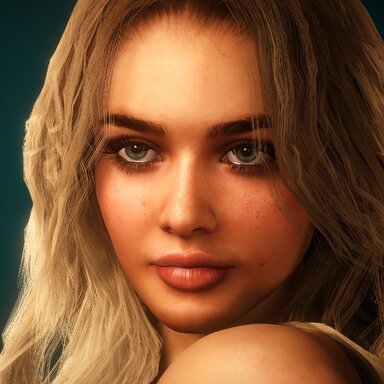
This has served me well but it is quite limited. For example; I cant make boobs any smaller than the default size of the model. Sometiimes this would be helpful for cleaning up animations in premade scenes.

Id love to see additional sliders or options for:
boob sag/perkieness
nipple pointing direction (up, down, cross eyed or wall eyed)
boob spacing
skin tone
hair color
lip or lipstick color

I'm sure others would find this very useful and would have other sliders that they would like to see too.
 
I fear you have missed somthing truly fundamental in Vam.

As long as you have the creator version you have a full suite of morphs and the ability to edit near on every aspect of the model, certainly everything you have listed and much more with resources made by this wonderful community readily available on the hub.

You do not need a scene setup like this to do any of that as long as you have a creator license.

Screenshot_1.jpg
 
Upvote 0
Does anyone have or, have the ability to make, a scene with body editing sliders?

You are literally describing vam itself here. It's an editing sandbox where you can create almost anything.
Click edit mode. Select the person and go to the female morphs tab. There you will find hundreds of morph "sliders" that change many many aspects of the look, and there are loads more that people have published to the hub as morphs. You can change the clothing/hair/skin textures in there own tabs too. Makeup can be added as clothing or decal textures. And when you have a look how you like it you can save it in the "appearance preset" tab and load that look on the person in any other scene. I recomend looking at the wiki tab at the top of this page to get an idea of how some of the things work.
 
Upvote 0
I fear you have missed somthing truly fundamental in Vam.

As long as you have the creator version you have a full suite of morphs and the ability to edit near on every aspect of the model, certainly everything you have listed and much more with resources made by this wonderful community readily available on the hub.

You do not need a scene setup like this to do any of that as long as you have a creator license.
You beat me by one second Juno. 🤣
 
Upvote 0
Additonally there are already resources who abstract some of the power of vam for easy access or people who don't want to dive deeply into all what is possible.

Character forge:

Makeup studio:

There are more, but i couldn't find them straight away.


If you want to work with the standard morph tab, i would recommend the fresh Morph manager by VL_13. You can build your morph sets the way you like and have them all instantly in access with more than 2 columns and what not.
 
Upvote 0
@Juno and @Origin69
Yes, I am well aware of the power of VaM but like using photoshop when all I need is MS Paint. I'm an electrician by trade, so, none of this is intuitive to me. What was described by @Juno involves at least 5 steps and then finding my across 7 unlabeled tabs of menus. Its awesome that these options are there, but I'll leave the deep menus to the pros. Plus, doing all of this with twitchy VR controls is not easy.

@Juno I'm not trying to be dismissive. I really appreciate the extra effort of including the screen grab.

@Electric E-Boy
Thank you! This looks to be pretty close to what I am looking for. I'll definitely play around with these suggestions.
 
Upvote 0
For completeness' sake - i didn't want to compromise Juno's and Origin69's posts - changing morphs is very easy to do and in very few steps. The shown symbol or N for selecting your person, then selecting the "female morphs" tab and you are almost done. You can search for morphs with terms like "sag" or "perk" and you would get fitting morph sliders. Also creating your own ui setup wouldn't be too difficult.
 
Upvote 0
Back
Top Bottom