• Hi Guest!

    We are extremely excited to announce the release of our first Beta1.1 and the first release of our Public AddonKit!
    To participate in the Beta, a subscription to the Entertainer or Creator Tier is required. For access to the Public AddonKit you must be a Creator tier member. Once subscribed, download instructions can be found here.

    Click here for information and guides regarding the VaM2 beta. Join our Discord server for more announcements and community discussion about VaM2.
  • Hi Guest!

    VaM2 Resource Categories have now been added to the Hub! For information on posting VaM2 resources and details about VaM2 related changes to our Community Forums, please see our official announcement here.
ReCloth

Plugins + Scripts ReCloth

Download [<1 MB]

regguise

Well-known member
Featured Contributor
Joined
Nov 20, 2021
Messages
153
Reactions
1,131
regguise submitted a new resource:

ReCloth - The unbearable lightness

ReCloth


This a plugin that, when enabled as a clothing plugin, replaces most of VaM's clothing rendering pipeline.

Key features:
  • Bone weight skinning
  • XPBD cloth simulation
  • Bilateral smoothing for better detail preservation
  • Built-in guide mesh simulation for multi-layer garments.

Video showcases:

Read more about this resource...
 
This is truly amazing! I see infinite potential here. Thank you for this great gift, wizard. 🧙‍♂️

By the way, does this support custom shaders?
 
Can I simply understand this plugin allows us to use standard skinning weights? This would make it ideal for things like jackets, hats, and rigid props that we don't want warping with the body mesh?
 
Can I simply understand this plugin allows us to use standard skinning weights? This would make it ideal for things like jackets, hats, and rigid props that we don't want warping with the body mesh?
Pretty much. Please refer to the tutorial on how to transfer and export weights
 
I really like this plugin! amazing features💯.

I'm probably missing some nuance..

How to avoid clothes falling behind the skin ?

Look at my problem


skin in blender | proxy item
2026-02-14_203449.jpg
2026-02-14_184103.jpg
 
Last edited:
Thanks for trying it out!

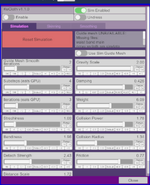
The problem seen when you untoggle "sim enabled" but leave "Use Guide Mesh" on, it is a known issue, I will fix it in next update. For now just make sure if you untoggle Sim Enabled and Use Guide Mesh together, so everything fall back to bone weighted skinning.

On the other hand the issue you see when sim is all disabled can have many causes. Most likely due to morphnodes not generated properly. It will need some digging to root cause. I have DM you on discord
 
I highly recommend trying to use blender to do all the weight transfer job to save the back&forth porting hassle,just need to first rig the clothing to the armature of G2F and then use a data transfer modifier on the clothing or use transfer weight command at upper menu in blender weight paint mode.
And a premise is that people know how to use Daz importer or other tool to import the daz character with armature to blender and it‘s good investment once for all. I love blender even more:)
 
Last edited:
regguise updated ReCloth with a new update entry:

Fixes and Updates

  • Fixed an issue where when "Sim Enabled" is unchecked, and "Use Guide Mesh" is checked, the clothing mesh would be stuck in place
  • Added smoothing (Legacy) for guide mesh. Iteration can be adjusted under simulation tab
  • Added simulation passthru for hard pinned vertices in Guide Mesh Sim. Now if a clothing vertex has guide mesh nodes that are hard pinned, and their weight sum > 0.8, the clothing vertex will use its bone skinning result directly

Read the rest of this update entry...
 
I highly recommend trying to use blender to do all the weight transfer job to save the back&forth porting hassle,just need to first rig the clothing to the armature of G2F and then use a data transfer modifier on the clothing or use transfer weight command at upper menu in blender weight paint mode.
And a premise is that people know how to use Daz importer or other tool to import the daz character with armature to blender and it‘s good investment once for all. I love blender even more:)
Agreed. I have always used DAZ because it fits better with my work flow, but I have had people told me Blender transfer produce pretty much the exact same result.
 
Would this plugin be used for making t-shirts bridge across deep cleavage instead of falling into it?
If no sim, yes, as long as you have good weights authored.

With sim the breasts area are tricky, some fine tuning is often required.
 

Similar threads

Back
Top Bottom