


You are using an out of date browser. It may not display this or other websites correctly.
You should upgrade or use an alternative browser.
You should upgrade or use an alternative browser.
Benchmark Result Discussion
- Thread starter MacGruber
- Start date
5070ti in VRI was looking for an upgrade from my 3080 FE 10gb. Confused between 9070xt or 5070ti. Can someone tell which one is better in VAM.
Here are my values with my new PC.
The RAM runs with DDR5-6000, CL30-40-40-76
The processor has “PBO Curve Optimizer -20mv” in the mainboard settings.
This means it gets a little less power, but only gets a maximum of 80°C under full load.
I hope the values achieved here are okay for the hardware...


The RAM runs with DDR5-6000, CL30-40-40-76
The processor has “PBO Curve Optimizer -20mv” in the mainboard settings.
This means it gets a little less power, but only gets a maximum of 80°C under full load.
I hope the values achieved here are okay for the hardware...
This is a resume of the previous 13 pages for VR:
CPU: AMD Ryzen 7 7800X3D
GPU: RTX 5090
RAM: 64GB
FPS: 102-300 (VirtualDesktop Only)
FPS: 70-130 (SteamVR)
----------------
CPU: AMD Ryzen 7 9800X3D
GPU: RTX 5090
RAM: 64GB
FPS: 77-160
----------------
CPU: AMD Ryzen 7 9800X3D
GPU: RTX 4090
RAM: 32GB
FPS: 76-150
----------------
CPU: AMD Ryzen 7 7800X3D
GPU: RTX 4090
RAM: 32GB
FPS: 72-161
----------------
CPU: AMD Ryzen 7 9800X3D
GPU: RTX 5090
RAM: 64GB
FPS: 68-87
----------------
CPU: Intel i5-13600KF
GPU: RTX 5090
RAM: 64GB
FPS: 67-165
----------------
CPU: AMD Ryzen 7 9800X3D
GPU: RTX 5080
RAM: 64GB
FPS: 58-137
----------------
CPU: AMD Ryzen 7 9800X3D
GPU: RTX 5080
RAM: 32GB
FPS: 60-100
----------------
CPU: AMD Ryzen 7 7800X3D
GPU: RTX 4090
RAM: 64GB
FPS: 49-150
FPS: 56-136 (patched)
----------------
CPU: AMD Ryzen 7 9800X3D
GPU: RTX 5090
RAM: 64GB
FPS: 45-98
----------------
CPU: AMD Ryzen 7 9800X3D
GPU: RTX 4090
RAM: 64GB
FPS: 45-56
----------------
CPU: AMD Ryzen 9 7950X3D
GPU: RTX 4070ti
RAM: 64GB
FPS: 44-134
----------------
CPU: AMD Ryzen 9 7950X3D
GPU: RTX 4070ti
RAM: 32GB
FPS: 43-113
----------------
CPU: AMD Ryzen 7 9800X3D
GPU: RX 9070 XT
RAM: 64GB
FPS: 40
----------------
CPU: Intel i5-13600KF
GPU: RTX 4090
RAM: 64GB
FPS: 33-77
----------------
CPU: AMD Ryzen 7 9800X3D
GPU: RTX 3090
RAM: 64GB
FPS: 30
----------------
CPU: Intel i5-9400F
GPU: RTX 2070
RAM: 48GB
FPS: 20-41
----------------
CPU: AMD Ryzen 7 9800X3D
GPU: RTX 3080
RAM: 64GB
FPS: 17-60
----------------
CPU: Intel i7-6700K
GPU: GTX 1660 SUPER
RAM: 16GB
FPS: 14-34
----------------
CONCLUSIONS (?)
AMD is better than Intel? and Ryzen 7 7800X3D is very similar to Ryzen 7 9800X3D
What about Ryzen 7 vs 9? ( X3D version is important I think)
I couldn't find too many tests with Intel in VR
5090 vs 4090 is +50%? (for some tests the boost is not so high, why?)
5080 similar to 4090 (4090 +10%?)
CPU patch is getting +10/15%?
VirtualDesktop Only (without steamVR) makes a big difference?
RAM 32vs64 no big difference
Is there any relation between Desktop and VR FPS? because there are no so many VR tests, maybe we can apply some factor to the Desktop test? is it 0.5*Desktop?
@MacGruber said: the Benchmark is not really suited anymore for current high-end PCs? why is that?
Are the scenes from VAM now much more demanding? what type of scene could be that (maybe there is some example in the hub to test that?)
CPU: AMD Ryzen 7 7800X3D
GPU: RTX 5090
RAM: 64GB
FPS: 102-300 (VirtualDesktop Only)
FPS: 70-130 (SteamVR)
----------------
CPU: AMD Ryzen 7 9800X3D
GPU: RTX 5090
RAM: 64GB
FPS: 77-160
----------------
CPU: AMD Ryzen 7 9800X3D
GPU: RTX 4090
RAM: 32GB
FPS: 76-150
----------------
CPU: AMD Ryzen 7 7800X3D
GPU: RTX 4090
RAM: 32GB
FPS: 72-161
----------------
CPU: AMD Ryzen 7 9800X3D
GPU: RTX 5090
RAM: 64GB
FPS: 68-87
----------------
CPU: Intel i5-13600KF
GPU: RTX 5090
RAM: 64GB
FPS: 67-165
----------------
CPU: AMD Ryzen 7 9800X3D
GPU: RTX 5080
RAM: 64GB
FPS: 58-137
----------------
CPU: AMD Ryzen 7 9800X3D
GPU: RTX 5080
RAM: 32GB
FPS: 60-100
----------------
CPU: AMD Ryzen 7 7800X3D
GPU: RTX 4090
RAM: 64GB
FPS: 49-150
FPS: 56-136 (patched)
----------------
CPU: AMD Ryzen 7 9800X3D
GPU: RTX 5090
RAM: 64GB
FPS: 45-98
----------------
CPU: AMD Ryzen 7 9800X3D
GPU: RTX 4090
RAM: 64GB
FPS: 45-56
----------------
CPU: AMD Ryzen 9 7950X3D
GPU: RTX 4070ti
RAM: 64GB
FPS: 44-134
----------------
CPU: AMD Ryzen 9 7950X3D
GPU: RTX 4070ti
RAM: 32GB
FPS: 43-113
----------------
CPU: AMD Ryzen 7 9800X3D
GPU: RX 9070 XT
RAM: 64GB
FPS: 40
----------------
CPU: Intel i5-13600KF
GPU: RTX 4090
RAM: 64GB
FPS: 33-77
----------------
CPU: AMD Ryzen 7 9800X3D
GPU: RTX 3090
RAM: 64GB
FPS: 30
----------------
CPU: Intel i5-9400F
GPU: RTX 2070
RAM: 48GB
FPS: 20-41
----------------
CPU: AMD Ryzen 7 9800X3D
GPU: RTX 3080
RAM: 64GB
FPS: 17-60
----------------
CPU: Intel i7-6700K
GPU: GTX 1660 SUPER
RAM: 16GB
FPS: 14-34
----------------
CONCLUSIONS (?)
AMD is better than Intel? and Ryzen 7 7800X3D is very similar to Ryzen 7 9800X3D
What about Ryzen 7 vs 9? ( X3D version is important I think)
I couldn't find too many tests with Intel in VR
5090 vs 4090 is +50%? (for some tests the boost is not so high, why?)
5080 similar to 4090 (4090 +10%?)
CPU patch is getting +10/15%?
VirtualDesktop Only (without steamVR) makes a big difference?
RAM 32vs64 no big difference
Is there any relation between Desktop and VR FPS? because there are no so many VR tests, maybe we can apply some factor to the Desktop test? is it 0.5*Desktop?
@MacGruber said: the Benchmark is not really suited anymore for current high-end PCs? why is that?
Are the scenes from VAM now much more demanding? what type of scene could be that (maybe there is some example in the hub to test that?)
Last edited:

CPU OC'd to ~ 5.2 mhz, RAM @ 5600 mhz, GPU stock (straight out of the box)... this 5090 Suprim is a monster. Will run again after I turn on nvidia auto-OC in their app, see if it makes much difference.
Also ran (same settings as last post) but using VaM settings where I typically have them... not too shabby.
5060ti 16 GB not terrible but leaves a lot. The16 GB of vram is nice but load times seem longer this (PNY) is the only 5060ti 16GB actually at MSRP $430.

+40 fps -2ms physics with patch. No additional OC over whatever factory added.
Previous 3060ti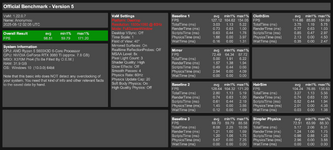
+40 fps -2ms physics with patch. No additional OC over whatever factory added.
Previous 3060ti

At those super high FPS values some people get you just measure noise. Benchmark probably needs a version that runs with 120Hz physics (instead of 60) for an more even CPU load. Also scenes with more characters, since scenes with a single character do not create enough load. Of course the issue is that when you got multiple versions of the benchmark, results are not comparable anymore.@MacGruber said: the Benchmark is not really suited anymore for current high-end PCs? why is that?
Are the scenes from VAM now much more demanding? what type of scene could be that (maybe there is some example in the hub to test that?)
These tests are with a new VAM installation, I have only downloaded Benchmark

WITH CPU PATCH (v12evo)
[threads]
computeColliders=8
skinmeshPart=8
applyMorphs=8
skinmeshPartMaxPerChar=8
applyMorphMaxPerChar=8
affinity=1,3,5,7,9,11,13,15
[threadsVR]
computeColliders=4
skinmeshPart=1
applyMorphs=2
skinmeshPartMaxPerChar=4
applyMorphMaxPerChar=2
affinity=1,3,5,7,9,11,13,15
[profiler]
enabled=0
and in boot.config:
gfx-enable-gfx-jobs=1
gfx-enable-native-gfx-jobs=1
gfx-disable-mt-rendering=0
wait-for-native-debugger=0
gc-max-time-slice=3
job-worker-count=12
single-instance=1

I'm not getting any boost with CPU patch, is that normal? am I missing something?
WITH CPU PATCH (v12evo)
[threads]
computeColliders=8
skinmeshPart=8
applyMorphs=8
skinmeshPartMaxPerChar=8
applyMorphMaxPerChar=8
affinity=1,3,5,7,9,11,13,15
[threadsVR]
computeColliders=4
skinmeshPart=1
applyMorphs=2
skinmeshPartMaxPerChar=4
applyMorphMaxPerChar=2
affinity=1,3,5,7,9,11,13,15
[profiler]
enabled=0
and in boot.config:
gfx-enable-gfx-jobs=1
gfx-enable-native-gfx-jobs=1
gfx-disable-mt-rendering=0
wait-for-native-debugger=0
gc-max-time-slice=3
job-worker-count=12
single-instance=1
I'm not getting any boost with CPU patch, is that normal? am I missing something?
23% boost and 14% faster cpu time. What do you mean?These tests are with a new VAM installation, I have only downloaded Benchmark
View attachment 522786
WITH CPU PATCH (v12evo)
[threads]
computeColliders=8
skinmeshPart=8
applyMorphs=8
skinmeshPartMaxPerChar=8
applyMorphMaxPerChar=8
affinity=1,3,5,7,9,11,13,15
[threadsVR]
computeColliders=4
skinmeshPart=1
applyMorphs=2
skinmeshPartMaxPerChar=4
applyMorphMaxPerChar=2
affinity=1,3,5,7,9,11,13,15
[profiler]
enabled=0
and in boot.config:
gfx-enable-gfx-jobs=1
gfx-enable-native-gfx-jobs=1
gfx-disable-mt-rendering=0
wait-for-native-debugger=0
gc-max-time-slice=3
job-worker-count=12
single-instance=1
View attachment 522791
I'm not getting any boost with CPU patch, is that normal? am I missing something?
I'm just seeing FPS avg, in both tests is about 270. Are the min and max the important ones?23% boost and 14% faster cpu time. What do you mean?
Yeah minimum is the important one, and Baseline 3 for cpu.I'm just seeing FPS avg, in both tests is about 270. Are the min and max the important ones?

I've recently upgrade to a 9950x3d from a 9700k which is quite the jump
This is with CPU patch + bare minimum asset folder to run benchmark
And as the gcard was the same for both and an overkill card at 1920x1080 it really shows how much the CPU is holding everything back

Old 9700k to compare

This is with CPU patch + bare minimum asset folder to run benchmark
And as the gcard was the same for both and an overkill card at 1920x1080 it really shows how much the CPU is holding everything back
Old 9700k to compare
Does it 40% the GPU in high res VR too? 7800X3D as the bottleneck would be interestingGot a 5090 so here are my results. I moved from a 4080 super previously which was good, but left some to be desired and wasn't allowing me to run Voxta well with Vam. I've been able to max out everything, but FPS in scenes so far hasn't been mind blowing (needs more testing). Curious what others are seeing as my 5090 barely runs at 40% most of the time.
I tried a few things for each of them I did the OSW disable, turned off in Steam, and turned off VD ASW. confirmed i was seeing 130-150fps in a scene.
ALERT: Just an FYI as I was an idiot and you might be too. I ran 3dMark and got a depressing score originally. Looked online and someone mentioned doing a clean install of drivers even though I had latest. Figured wth and saw a 25% increase in score and was over average without any overclocking or anything. So definitely do this. was in the high 11k range and went up to almost 15k. 3dmark demo.
First, VirtualDesktop ran directly in VD no steam. not sure why it says rift, but on Quest 3.
View attachment 477816
Then I tried my oculus script -vrmode oculus which launched steam.
View attachment 477820
Then I ran the default -vrmode openvr which ran steam.
View attachment 477821
Also ran a desktop at 1440p.
View attachment 477823
You see my result above on a 4090 - it wasn't going at 100% at 1920x1080 - though in fact neither was the CPU - not even on any core was it maxed out - I suspect the limitation at these fps speeds is infact memory transfer speeds from g-card to cpuDoes it 40% the GPU in high res VR too? 7800X3D as the bottleneck would be interesting
Just putting this here for reference.
CPU: AMD Ryzen 5 5500
GPU: RTX 3060
RAM: 64GB


WITH CPU PATCH (v12evo)
SkinMeshPartDLL.ini
boot.config
CPU: AMD Ryzen 5 5500
GPU: RTX 3060
RAM: 64GB
WITH CPU PATCH (v12evo)
SkinMeshPartDLL.ini
Code:
[threads]
computeColliders=6
skinmeshPart=6
skinmeshPartMaxPerChar=6
applyMorphs=6
applyMorphMaxPerChar=6
affinity=1,3,5,7,9,11

[threadsVR]
computeColliders=6
skinmeshPart=6
skinmeshPartMaxPerChar=6
applyMorphs=6
applyMorphMaxPerChar=6
affinity=1,3,5,7,9,11
[profiler]
enabled=0
boot.config
Code:
gfx-enable-gfx-jobs=1
gfx-enable-native-gfx-jobs=1
gfx-disable-mt-rendering=0
wait-for-native-debugger=0
gc-max-time-slice=3
job-worker-count=12
single-instance=19950x3d - with CPU patch pinning cores makes core parking pointless
Just for those interested, if you use the CPU patch and pin VAM to the 3d vcache cores correctly this basically has the same effect as core parking. But what's interesting is if you're running other programs, like watching a video in another monitor, running screen grabbing software or my case running htc wireless adapter that consume some amount of CPU processing - with parking it actually makes it worst as now those processes will get pushed onto the same chip as VAM is running on consuming clocks cycles and slowing it down.
Basically the 9950x3d is fantastic and with no compromise if you using pinning. The parking idea does increase clock speeds by a small amount, but if you're running other processes that small gain gets consumed by having all processes running on the same chip.
So for me, I think pinning VAM / a game to the 3d vcache chip is better than parking.
Without core parking

With Parking

Just for those interested, if you use the CPU patch and pin VAM to the 3d vcache cores correctly this basically has the same effect as core parking. But what's interesting is if you're running other programs, like watching a video in another monitor, running screen grabbing software or my case running htc wireless adapter that consume some amount of CPU processing - with parking it actually makes it worst as now those processes will get pushed onto the same chip as VAM is running on consuming clocks cycles and slowing it down.
Basically the 9950x3d is fantastic and with no compromise if you using pinning. The parking idea does increase clock speeds by a small amount, but if you're running other processes that small gain gets consumed by having all processes running on the same chip.
So for me, I think pinning VAM / a game to the 3d vcache chip is better than parking.
Without core parking
With Parking
Last edited:
When replacing this Assembly-CSharp.dll file, opening the game outputs the following error. I tried 5 versions and all of them have this issue, which prevents me from playing the game normally.
Here are the results I obtained besides copying the Assembly-CSharp.dll file, which are permitted for testing. I don't know if they will be helpful for your development.

Code:
> Compile of MacGruber.Benchmark.5:/Custom/Scripts/MacGruber/Benchmark/Benchmark.cslist failed. Errors:
!> [CS117]: `SuperController' does not contain a definition for `OpenURL' in <Unknown> at [1119, 62]
Here are the results I obtained besides copying the Assembly-CSharp.dll file, which are permitted for testing. I don't know if they will be helpful for your development.
This thread is intended to share and discuss result from the MacGruber Benchmark plugin.
As a side project, I was looking at PC components for upgrading my old machine. That made me browse through various forum threads on the Hub discussing FPS in VaM. Everyone is posting random FPS values, but barely anybody shares which exact settings and scene was used. But those differences can make huge difference, if they are not identical comparing performance is really pointless. Being half a meter further back or using a different FoV may give you 10 more FPS. Especially resolution makes a big difference. It would be really helpful when deciding whether you want to spend some extra 100€ on that faster RAM module, different CPU, etc. Does it make sense to sink money in an RTX3080....or is an 3070 enough?
So, to help solve this problem, I'm presenting you the MacGruber Benchmark! Its a series of scripted scenes that measure performance of different aspects in VaM. In the end you are a presented with a nice result screen which shows you an overall average FPS value for quick comparison, detailed results and time measurements for each individual scene, the VaM settings that were used and of course some basic system stats like CPU, graphics card, VR headset used, etc. It does not know about things like overclocking or undervolting, so you should mention it in your post here.
The plugin does also ensure that unknowing users can't accidentally produce invalid results. There are various integrity checks, like checking all dependencies are present, all plugins were allowed to run, the scenes weren't modified, etc. In VR the plugin does also lock your head movement to make sure everyone sees exactly the same.
Why would you replace that DLL? That particular one is basically the core implementation of VaM itself. If you do weird stuff....weird stuff happens...such as plugins breakingWhen replacing this Assembly-CSharp.dll file, opening the game outputs the following error.
 . I this case you seemed to be using an old version of VaM...or the DLL of an old version of VaM, hence the error. Don't replace DLLs, especially not from suspicious sources, unless you know precisely what you are doing and why!
Get VaM the official way, from the Patreon site. Use the installer/updater, it will give you the right version of the DLL for the right version of VaM. Don't use other sources.
Although, I suspect it's part of one of those "performance patches" floating around...be careful where you get them from. And don't blame creator content when stuff breaks when using them. Possibly you used a patch that was intended for a different version of VaM.
@vamend.tw If you post benchmark results from a modified version of VaM, please clearly state that its not a vanilla VaM! That is really important, so people can compare results!
The Benchmark is not needed to "play" the game, in fact its a non-interactive sequence of scenes.which prevents me from playing the game normally.

Not the right thread but if you mean the performance patch:When replacing this Assembly-CSharp.dll file, opening the game outputs the following error. I tried 5 versions and all of them have this issue, which prevents me from playing the game normally.
Code:> Compile of MacGruber.Benchmark.5:/Custom/Scripts/MacGruber/Benchmark/Benchmark.cslist failed. Errors: !> [CS117]: `SuperController' does not contain a definition for `OpenURL' in <Unknown> at [1119, 62]
Here are the results I obtained besides copying the Assembly-CSharp.dll file, which are permitted for testing. I don't know if they will be helpful for your development.
View attachment 545145
The dll in the mainfolder is not enough
you also need this files in the performancepatches directory (look in the readme file for instructions)
\PerformancePatches\SkinMeshPartDLL.dll
\PerformancePatches\SkinMeshPartDLL.ini
But always make a backup of the dll before you overwrite it!
However it's always a risk using dll's from strangers.
Before doing this you should really update your vam to the newest version 1.22.0.13.
Btw I was not aware of the update and after the update from 1.22.0.12 to 1.22.0.13 my vam is much faster. Actually without Performance patch! So give it a try and just update your vam.
Last edited:
7500F / 7800X3D / 5090 / 64GB 6000mhz CL30
7500F no patch

7800X3D no patch

7800X3D with CPU patch

I forgot that benchmarks are supposed to be 1080p so here with CPU patch

not much of a difference tho.
I'd say CPU patch works great even on single CCD AMD's. Zen 6 might bring us enough performance to handle 3 people (i hope)
7500F no patch
7800X3D no patch
7800X3D with CPU patch
I forgot that benchmarks are supposed to be 1080p so here with CPU patch
not much of a difference tho.
I'd say CPU patch works great even on single CCD AMD's. Zen 6 might bring us enough performance to handle 3 people (i hope)
GPU: NVIDIA 5070ti
CPU: Ryzen 7 9800x3D
RAM: 32GB DDR5-6400
No overclocking at all.
Was a litte worried about my GPU underpeforming, cause I knew that would be the throttle (I got the 9800x3D on a somewhat decent sale, so I was happy to spend the extra $100 AUD to get it over a 7800x3D) but it seems to be comparing pretty well to the 5080 benches here, given the price difference I'd say it was a good choice.
Without CPU performance patch:

With CPU performance patch (did practically nothing because of how gpu throttled it is, as expected.):

CPU: Ryzen 7 9800x3D
RAM: 32GB DDR5-6400
No overclocking at all.
Was a litte worried about my GPU underpeforming, cause I knew that would be the throttle (I got the 9800x3D on a somewhat decent sale, so I was happy to spend the extra $100 AUD to get it over a 7800x3D) but it seems to be comparing pretty well to the 5080 benches here, given the price difference I'd say it was a good choice.
Without CPU performance patch:
With CPU performance patch (did practically nothing because of how gpu throttled it is, as expected.):


